What matters when choosing?
Start with the applications your course requires and where they must run. Once compatibility is clear, compare the exact laptop's capacity and how practical it will be to use through a study day.
| Concern |
What to check |
Who this matters to |
| Course software compatibility |
Check the department's application list against the laptop's operating system and processor architecture; confirm any local graphics requirement. |
If my course requires specialist applications on my own laptop, I need them to run on its actual platform. Roughly 36% of consumers put that compatibility first. |
| Refurbished-device suitability |
Confirm the exact configuration and supported operating system, then check battery condition and the seller's warranty and returns information. |
When considering a refurbished laptop, I want its remaining support and condition to work for my course, not just a familiar model name. Around 29% of consumers make those checks their primary concern. |
| Everyday study capacity |
Compare installed RAM and SSD capacity with your course guidance, rather than treating one university's recommendation as a universal minimum. |
For documents, course files and standard applications, I need enough capacity without choosing a configuration for workloads I do not have. About 21% of consumers prioritise everyday study capacity. |
| Study-day practicality |
Check the screen, battery information and ports against where you study and the equipment your course uses. |
If I carry my laptop between teaching spaces, its size and use away from a socket matter after it meets course requirements. For roughly 14% of consumers, that practicality comes first. |
Joybuy laptops for course-led choices
These laptop configurations offer different memory, storage, screen and processor choices for study. Compare each one with your department's requirements before treating it as suitable for specialist software; the listed models do not establish whether a refurbished or institution-recommended device would be preferable for your course.
 No image available
ASUS Vivobook 15 X1504VA, Core 5 120U, 24 GB RAM, 1 TB SSD
Consider this configuration for coursework where the stated memory and local storage suit your requirements. Its title specifies a 15.6-inch display, Intel Core 5 120U, 24 GB RAM and a 1 TB SSD; confirm graphics and software requirements with your department, and check battery runtime if you study away from power.
View on Joybuy
 No image available
HP OmniBook X Flip 16-as0004na, 16-inch 2-in-1, 16 GB RAM, 512 GB SSD
Consider the touchscreen and 2-in-1 format if they fit how you work on coursework. The named configuration has an Intel Core Ultra 5 226V, 16 GB RAM, a 512 GB SSD and Windows 11 Home; check course-software compatibility, sensor-function support, weight and battery runtime before choosing it for regular campus use.
View on Joybuy
 No image available
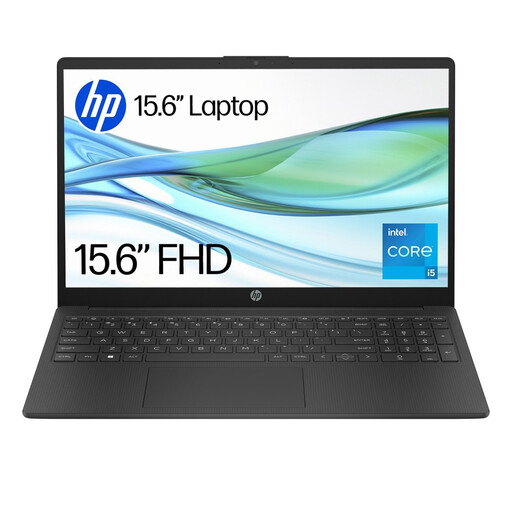
HP 15-fd0064na, Core i5-1334U, 8 GB RAM, 256 GB SSD
Consider this laptop for general coursework only if its capacity meets your department's requirements. Its title specifies a 15.6-inch display, Intel Core i5-1334U, 8 GB RAM, a 256 GB SSD and Windows 11 Home; some university guidance calls for more memory and storage, so compare the exact figures before ordering.
View on Joybuy
 No image available
ASUS Vivobook 14 X1407QA-LY003W, Snapdragon X, 16 GB RAM, 512 GB SSD
Consider its 14-inch format if a smaller laptop suits your study routine. The named configuration has a Snapdragon X processor, 16 GB RAM and a 512 GB SSD; because this is an ARM-based platform, confirm support for your exact course applications and required peripherals before buying.
View on Joybuy
 No image available
Lenovo LOQ Essential 15ARP11, Ryzen 7 170, GeForce RTX 5050, 16 GB RAM, 1 TB SSD
Consider its dedicated graphics only if your course confirms a need for local graphics hardware. The named configuration has an AMD Ryzen 7 170, GeForce RTX 5050, 16 GB RAM, a 1 TB SSD and a 15.6-inch 144 Hz Full HD display; the GPU alone does not establish application compatibility. Check carrying weight and battery runtime if you will use it across campus.
View on Joybuy
Frequently asked questions
Does every student need a Windows laptop?
No: your department's required applications determine the platform choice. The University of Warwick's central guidance allows Windows or Mac devices, but the University of Bath identifies Windows-only applications in its mechanical engineering guidance. Check your course's software versions before choosing a Mac, Chromebook or ARM-based Windows laptop.
Can a refurbished laptop work for university study?
Yes, if the individual laptop meets your course requirements and can use a supported operating system. Check its installed specifications, battery condition, seller warranty and returns information; Microsoft states that Windows 10 support ended on 14 October 2025.
What if an online refurbished laptop is faulty or I change my mind?
For a UK consumer purchase, a fault is distinct from a change-of-mind cancellation. Business Companion explains that the trader selling the goods is responsible for statutory rights concerning goods that are faulty or not as described. GOV.UK describes a cancellation period of up to 14 days after delivery for online distance sales; check the applicable terms and exceptions rather than treating a seller's voluntary warranty as your only remedy.
Can remote computing let me choose a less capable laptop?
Possibly, but only if your own course provides access to the required software remotely and confirms that it covers your work. The University of Bath and the University of Bristol describe remote-computing options in particular contexts; ask your department whether access, software availability and any local-device requirements apply to your modules.


