What to prioritise when choosing a student laptop
Check course software and how it will run before comparing specifications; then weigh campus use and the exact machine’s configuration and support.
| Concern |
What to check when buying |
Who this matters to |
| Course software compatibility |
Check application names and versions, supported operating systems, and whether work runs locally or through university remote access. The University of Bath identifies Windows-only applications in its Mechanical Engineering guidance. |
If my course depends on particular applications, I need to know they will work in the way my department expects. Around 33% of consumers would put course-software compatibility first. |
| Local processing and graphics |
Confirm the full requirements for the application version and the work you will run locally; do not choose hardware by subject name alone. Autodesk’s Inventor 2027 requirements include graphics conditions, so check the version used by your course. |
If design or engineering work must run on my own laptop, I want the required memory and graphics capability without paying for specifications my coursework does not need. Around 27% of consumers would prioritise local processing and graphics. |
| Campus portability and battery |
Compare the weight you will carry and battery figures under the stated workload, then consider where you can recharge. Different test workloads are not directly comparable. |
If I carry my laptop between classes, I want a manageable load and battery life that fits my day. Around 20% of consumers would make portability and battery use their main concern. |
| Configuration and ongoing support |
For a refurbished laptop, check the individual machine’s memory, storage, operating system, condition, charger and written warranty. Microsoft says standard Windows 10 support ended on 14 October 2025; check the support status of the exact system or Chromebook model. |
If I am keeping costs down, I still need a machine that supports my coursework and remains usable with current software. Around 20% of consumers would put cost and ongoing support first. |
Joybuy laptop options for course-specific study
The products below include general-purpose configurations and models with larger memory or storage specifications. Check each course’s operating-system and application requirements before choosing a laptop for study.
 No image available
Apple MacBook Pro 14.2-inch M5 Pro, 24GB/2TB, Silver
Consider it when its configuration and operating system meet your course’s application requirements.
15-core CPU, 16-core GPU, 24GB memory and 2TB storage. A compatible power adapter is required but not included.
Joybuy
 No image available
ASUS Vivobook 14 X1407QA-LY003W Copilot+ PC, 16GB/512GB, Quiet Blue
Consider it for a compact study setup if the software required by your course supports this configuration.
14-inch WUXGA anti-glare display, Snapdragon X, 16GB RAM and a 512GB SSD.
Joybuy
 No image available
Lenovo IdeaPad Slim 3 15.3-inch WUXGA, Ryzen 5 7535HS, 24GB/512GB
Consider it for coursework involving multiple applications and files when its configuration meets your course requirements.
24GB DDR5 RAM, 512GB PCIe SSD, Windows 11 Home and Wi-Fi 6.
Joybuy
 No image available
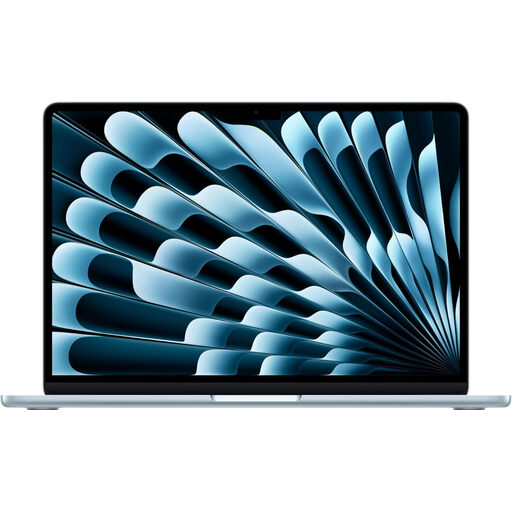
Apple 13-inch MacBook Air 2026, M5, 16GB/1TB, Sky Blue
Consider it for laptop-based study if the required course applications support your chosen operating system.
M5 chip with 10-core CPU and 10-core GPU, 16GB memory and a 1TB SSD.
Joybuy
 No image available
Lenovo IdeaPad 1 15-inch Full HD, 8GB/128GB SSD, Windows 11 Home in S Mode
Consider it for document-led study and online research if the software and storage available meet your coursework needs.
AMD Ryzen 3 7320U, 8GB RAM and a 128GB SSD. Windows 11 Home in S Mode.
Joybuy
Frequently asked questions
Does studying Computer Science automatically mean I need a gaming laptop?
No; the subject name alone does not establish that you need dedicated graphics. The University of Warwick’s Computer Science guidance for 2026/27 specifies VNC and Microsoft Teams, so check which tasks must run locally before choosing hardware.
Can a Chromebook run the same Microsoft Office applications as a Windows laptop?
You can use Microsoft 365 web applications on a Chromebook, but Microsoft says the Windows and Mac desktop versions cannot be installed on ChromeOS. Check that the web versions provide the functions your assignments require.
Can university remote computers replace a more powerful laptop?
They can in some course-specific situations, but confirm the access arrangements with your department before relying on them. The University of Bath describes an Azure cloud-based option for its Mechanical Engineering students; this does not establish that the same provision is available on other courses.
What should I check before buying a refurbished laptop?
Check the exact processor, memory, storage, operating system, condition, battery, included charger and written warranty terms for the individual unit. Refurbished listings can vary, and standard Windows 10 support ended on 14 October 2025.
Does a Chromebook receive ten years of updates from the day I buy it?
No; Google’s update policy ties support to the platform release date, with a model-specific expiration date. Check the exact Chromebook model’s update status rather than counting from the date of purchase.


