What should you check before buying?
Confirm what the course requires first, then match the computer and connection to the places where you actually study.
Jisc’s 2024/25 digital experience survey involved 15,398 higher-education students at 30 participating UK organisations. Its findings below describe those respondents, rather than every UK student; device-access and Wi-Fi concerns can overlap.
| Priority | What to check | Your needs |
|---|
| Course compatibility |
Ask for the required applications, operating system and peripherals. Check whether specialist work must run locally or whether the department approves remote access; requirements such as dedicated graphics are course-specific. |
I need to complete every required task, not just open course materials. In Jisc’s 2024/25 survey, 24% identified specialist course software as a priority for future digital investment; that does not mean each respondent needed to buy specialist hardware. |
| Main computer |
Check the course’s minimum hardware specification, assessment tools and required ports. UWE Bristol advises against assuming a Chromebook or tablet can serve as the primary study device. |
A device that opens the course platform also has to handle my assignments. In Jisc’s 2024/25 survey, 37% of respondents said they had lacked access to a suitable device at some point during their studies. |
| Home connection |
Compare connection performance with Wi-Fi signal in different rooms. Ofcom says Wi-Fi cannot outperform the underlying broadband service; consider placement or mesh coverage only when that service is adequate. |
I want online sessions to work where I study, including rooms away from the router. Jisc reported that three in five respondents to its 2024/25 survey had experienced Wi-Fi connection issues on or off campus. |
| Mobile access |
Check provider coverage at each regular study location, likely indoor reception, previous data use and any fair-use or speed limits. Ofcom notes that coverage predictions and local experience can differ. |
If fixed access does not suit my accommodation, I need a connection that works where I join classes—not just a large headline data allowance. |
| Accessories |
Check required display connections, input devices and any course or accessibility equipment before choosing adapters or storage. For online sessions, consider whether your study space calls for a headset. |
I would rather get the equipment needed for my course and study space than assume every extra is essential. |
Relevant brand ranges
These ranges illustrate different computer formats; the exact configuration and your course requirements matter more than the name on the lid.
Lenovo
Lenovo describes its IdeaPad range as including slim laptops and 2-in-1 models for work and study.
- The range offers different formats, and Lenovo says some configurations allow memory or SSD upgrades.
- Check upgradeability, ports and operating system on the exact model; the IdeaPad name does not establish course-software compatibility.
Apple
Apple presents Mac and iPad as options for student work, including writing, coding and creative tasks.
- A Mac may suit a course that confirms its required applications run on macOS.
- UWE Bristol notes that some specialist applications may not be available on Mac; confirm the course’s arrangements before choosing one.
ASUS
ASUS lists Windows Vivobook laptops, Chromebooks and education-focused BR models in its student range.
- The range includes both conventional Windows laptops and ChromeOS devices.
- UWE Bristol advises against assuming a Chromebook will meet the requirements of a primary university computer; check required applications first.
Joybuy laptops and home Wi-Fi equipment
These options cover Windows laptops for courses that permit them and a mesh system to consider when broadband is adequate but Wi-Fi coverage at home is weak. Confirm course compatibility and diagnose the connection before choosing between them.
 No image available
ASUS Vivobook 15 X1504VA, Core 5 120U, 24 GB, 1 TB SSD
A 15.6-inch laptop to consider if your course accepts this Windows configuration. The listed Intel Core 5 120U, 24 GB memory and 1 TB SSD distinguish it from the other laptops here; confirm required applications, peripherals and time away from a charger before buying.
View on Joybuy
 No image available
Lenovo IdeaPad Slim 3 83K7009MUK, 15.3-inch WUXGA, 24 GB
Consider this Windows 11 Home laptop where the course permits a conventional Windows computer. Its listed configuration has an AMD Ryzen 5 7535HS, 24 GB DDR5 RAM and a 512 GB PCIe SSD. Check the ports your peripherals need and the battery information if you often study away from a socket.
View on Joybuy
 No image available
HP OmniBook X Flip 16-as0004na, 16-inch touchscreen, 16 GB
The 2-in-1 format is worth considering if a touchscreen and convertible laptop fit your study routine. This Windows 11 Home model lists an Intel Core Ultra 5 226V, 16 GB RAM and a 512 GB SSD. Confirm course-software compatibility and check its weight if you will carry it regularly.
View on Joybuy
 No image available
Acer Aspire Go 15 AG15-71P, Core i5-13420H, 8 GB, 256 GB SSD
This Windows 11 Home laptop is an option for a course whose requirements fit its listed configuration: an Intel Core i5-13420H, 8 GB DDR5 RAM, a 256 GB NVMe SSD and a 15.6-inch Full HD screen. Check memory, storage and graphics requirements carefully before relying on it for specialist work.
View on Joybuy
 No image available
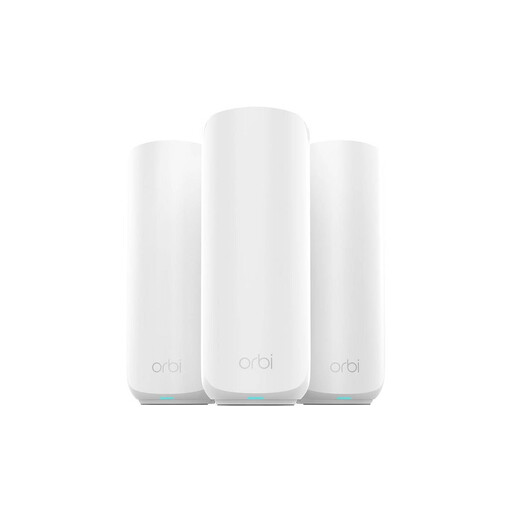
NETGEAR Orbi 370 RBE373 Wi-Fi 7 mesh system, 3-pack
Consider mesh equipment when the broadband service is adequate but Wi-Fi does not reach the rooms where you study. This listed three-pack is a dual-band BE3600 system with 2.5 Gbps Ethernet. Check whether your accommodation permits the setup and whether poor coverage, rather than the broadband service, is the problem.
View on Joybuy
Common questions
Can a tablet or Chromebook be my main university computer?
Only if your department confirms that its required applications, assessments and peripherals work on that device. UWE Bristol advises against treating Chromebooks and tablets as the default primary computer because specialist applications may not install on them.
How can I tell whether an accessory is required?
Check the department’s equipment list and the requirements of your applications and any accessibility arrangements. A mouse or display adapter may be needed for a particular workflow, while a headset can be useful for online sessions in a shared study space without being a universal course requirement.
Should I buy mesh Wi-Fi if video calls keep dropping?
Check the broadband service and in-home Wi-Fi separately before buying mesh equipment. Ofcom says Wi-Fi cannot outperform the underlying broadband connection; if that connection is adequate but signal coverage is poor, router placement or mesh may address the coverage issue.
Can mobile data replace fixed broadband for study?
It may be an option where fixed access is unsuitable, provided coverage and plan terms work at your regular study locations. Check Ofcom’s local coverage information, your usual data use and any fair-use or speed limits; predicted coverage may differ from indoor reception.


