What to check before buying
Confirm your course requirements first, then choose the operating system, memory, storage and hardware connections that fit the work you will actually complete on your own device.
| Priority |
What to check |
Your needs and student survey findings |
| Suitable everyday device |
Choose a current supported operating system; check for at least 8GB RAM, with 16GB where workload permits; consider a laptop rather than a fixed desktop if you study across locations. |
I want dependable access to documents, learning platforms and online classes wherever I study. In Jisc’s 2025 survey of 15,398 higher-education students across 30 UK providers, 37% said they had lacked access to a suitable device at some point. |
| Course-software compatibility |
Match the operating system to the department’s software list; check processor architecture, required ports and any specialist peripherals; confirm whether work runs locally, in a lab or through remote access. |
My laptop needs to run required applications and connect to course equipment without relying on unsuitable workarounds. In the same Jisc survey, 24% identified specialist course software as a priority for future digital-investment spending. |
| Continuity after a fault |
Review warranty and support terms; avoid buying more memory, graphics or storage than the course needs; ask whether your institution offers loans, repairs or hardship support. |
I need a way to keep working if a laptop is damaged, unavailable or difficult to replace. Jisc reported that 12% of the surveyed students identified more computers and devices as a priority for future digital-investment spending. |
Joybuy laptop options
These Joybuy options cover Windows laptops for general coursework, a higher-performance Windows option for confirmed specialist workloads, and a macOS option for courses that support it.
 No image available
ASUS Vivobook 15 X1504VA, Core 5 120U, 24GB, 1TB SSD
A Windows option for general writing, research and multi-tab coursework, subject to course-software and peripheral checks.
15.6-inch display, Intel Core 5 120U, Windows 11 Home, 24GB RAM, 1TB SSD, HDMI, USB-A, USB-C and Wi-Fi 6. Check expected unplugged use if battery life matters, as the listed figure is standby time.
Joybuy
 No image available
Lenovo IdeaPad Slim 3 15.3-inch, Ryzen 5, 24GB, 512GB SSD
A Windows choice for writing-led study with browser tabs and common coursework applications.
AMD Ryzen 5 7535HS, Windows 11 Home, 24GB DDR5 RAM, 512GB PCIe SSD, WUXGA anti-glare display, Wi-Fi 6 and USB-C; listed weight is 1.59kg. Confirm specialist graphics, processor and port requirements before buying.
Joybuy
 No image available
HP OmniBook X Flip 16-as0004na, Core Ultra 5, 16GB, 512GB SSD
A convertible Windows option for coursework that benefits from flexible viewing, presentations or touchscreen use.
16-inch 2K touchscreen, Intel Core Ultra 5 226V, Intel Arc graphics, Windows 11 Home, 16GB RAM, 512GB PCIe Gen4 SSD, Wi-Fi 7 and a 360-degree hinge. Check size, weight, battery performance and course compatibility before choosing it for daily travel.
Joybuy
 No image available
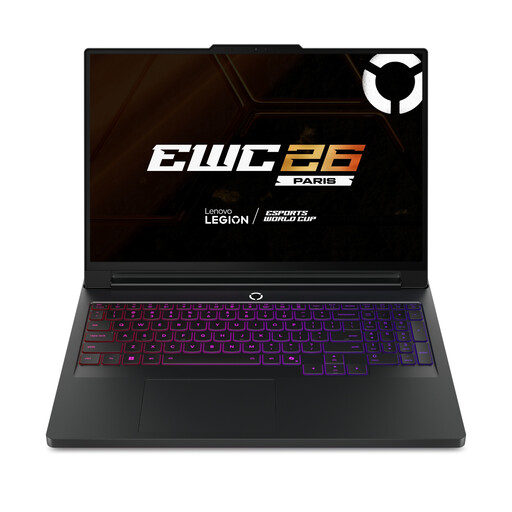
Lenovo Legion Pro 7 16IAX10H, Core Ultra 9, 64GB, RTX 5090
A higher-performance Windows route to compare with named departmental requirements for local CAD, simulation, graphics or other intensive workloads.
16-inch WQXGA OLED display, Intel Core Ultra 9, Windows 11 Home, 64GB RAM, 2TB SSD, NVIDIA GeForce RTX 5090, Thunderbolt 4 and Wi-Fi 7. Confirm that your course needs local graphics performance rather than lab or remote access, and check carrying practicality.
Joybuy
 No image available
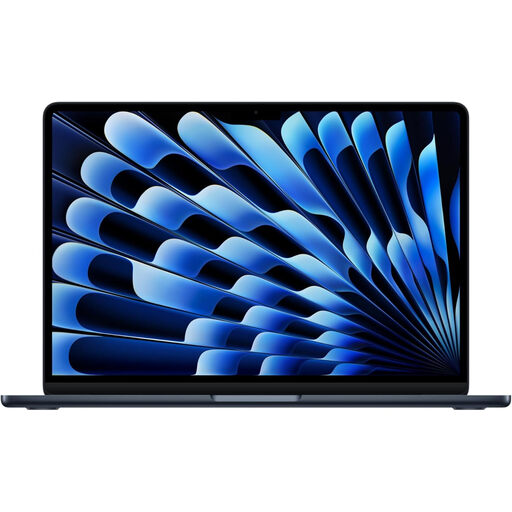
Apple 13-inch MacBook Air M5, 16GB, 512GB SSD
A macOS option for writing, research, presentations and general study where the department confirms software and peripheral compatibility.
M5 chip with 10-core CPU and 8-core GPU, 13-inch Liquid Retina display, 16GB unified memory, 512GB SSD, Thunderbolt 4, MagSafe and 12MP Centre Stage camera. Confirm macOS support, keyboard layout and expected battery performance for your course.
Joybuy
Frequently asked questions
Should I check course requirements before buying a student laptop?
Yes. Check your department’s required software, operating system, peripherals and whether specialist work is completed locally, in a university lab or through remote desktop access. General university guidance does not override a course’s specific requirement.
Is 8GB RAM enough for university coursework?
For general coursework, University of Bristol guidance identifies 16GB as ideal and 8GB as the minimum. Treat 8GB as a baseline for ordinary work, not proof of suitability for CAD, simulation, virtual machines or other specialist applications.
Can a Chromebook be my main university computer?
Only if your department confirms that its software, networks and required peripherals work with ChromeOS. University guidance from Bristol, Warwick and UWE Bristol highlights restrictions or compatibility issues, so ChromeOS should not be assumed to replace a Windows or macOS laptop.
What can I do if my laptop fails during term?
Check your university’s IT support, loan and hardship arrangements immediately. These differ by provider: Arden University’s cited policy allows eligible students to receive laptop loans during study, while Bristol has provider-specific digital support arrangements.
How should I dispose of an old laptop in the UK?
Do not put it in household rubbish. GOV.UK guidance says electrical products should go to an appropriate recycling collection point, and a retailer must accept an old like-for-like item free of charge when you buy a replacement, including online purchases. Back up and securely erase personal data before handing over the laptop.


