What matters when choosing?
Start with the space available for the screen and how you will position it, then decide whether extra workspace or a particular laptop connection matters most for your exercises.
| Concern |
What to check |
Who this matters to |
| Writing workspace |
Compare native resolution and screen size, then check whether text remains comfortable at your preferred scaling. |
If I need my draft beside an exercise or dictionary, room for both windows takes priority. Around 27% of consumers put writing workspace first. |
| Desk fit and positioning |
Measure desk width and depth; check stand adjustment or mounting options against your seated eye height. |
On a shallow desk, I need a screen I can place directly in front of me without sitting too close. For around 33% of consumers, fit and positioning are the primary concern. |
| Laptop connection |
Confirm the laptop’s video output and the monitor’s input; assess USB-C charging power separately. |
If my laptop is the only computer on the desk, I want a connection that works with its ports without assuming it will also charge. Around 20% of consumers prioritise laptop connectivity. |
| Essential study features |
Prioritise resolution, positioning and connections before paying for features you do not need for writing. |
For writing exercises, I would rather cover the essentials than choose a display for gaming-oriented extras. Around 20% of consumers make that their primary consideration. |
Joybuy monitors for study desks
These choices cover compact study displays and QHD options for arranging writing and reference material. Compare the exact screen dimensions, positioning options and laptop connection you need before choosing a model.
 No image available
ASUS ProArt PA24ACRV IPS QHD
Consider this model if QHD resolution appeals to you for document work. If you plan to connect a laptop over USB-C, confirm its video and charging requirements and check which cables come with the exact product.
View on Joybuy
 No image available
ASUS ProArt PA248CNV IPS WUXGA
This WUXGA option is worth considering if document space matters but desk fit remains a priority. Before relying on a one-cable laptop setup, confirm USB-C video and charging details for the exact product.
View on Joybuy
 No image available
ASUS ProArt PA278CFRV IPS QHD 100Hz
If you want QHD space for a draft beside reference material, compare this model’s physical dimensions with your desk first. Its title specifies an IPS QHD display and 100 Hz refresh rate; confirm any USB-C functions you need for your laptop before purchase.
View on Joybuy
 No image available
Dell 24 Monitor P2425, 61 cm
Consider this 24-inch model if a compact writing display is your priority. Check the exact connection options before choosing it for a laptop; if refresh rate affects your decision, confirm that specification for this product too.
View on Joybuy
 No image available
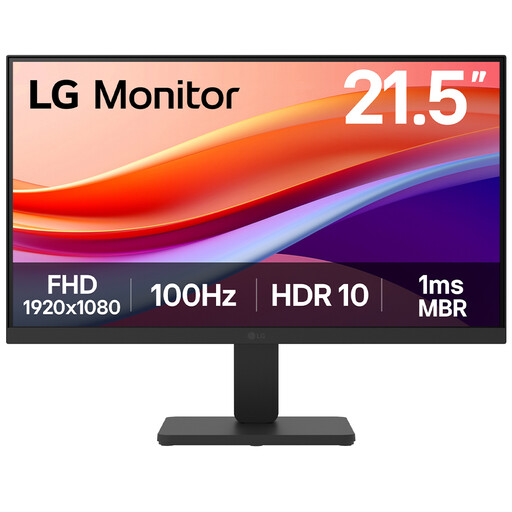
LG 22U401A-B 22-inch VA Full HD 100Hz
This smaller Full HD option may suit a desk where screen size is the main constraint. The product name specifies HDMI; check that your computer has a compatible output and that you can position the screen comfortably.
View on Joybuy
Common questions
Is a 24-inch Full HD monitor enough for language exercises?
It can be enough when a compact desk setup matters more than keeping several windows visible at once. For example, BenQ specifies a 23.8-inch 1920 × 1080 display for the GW2490T; consider a 27-inch QHD screen if you regularly need a draft and reference material side by side.
Do I need a height-adjustable stand?
A height-adjustable stand is useful if a fixed stand cannot place the screen comfortably at your seated eye height. The Health and Safety Executive recommends keeping the top of the display near eye level and the screen about an arm’s length away; check whether the supplied stand or a suitable mounting option can achieve that on your desk.
Will a USB-C monitor charge my laptop?
Only when the connection supports the functions your laptop needs and the monitor supplies sufficient power. LG specifies up to 15 W power delivery for the 27U631A-B, so compare that limit with your laptop’s charging requirement; LG also says its USB-C cable is sold separately.
Do reading modes remove the need for breaks?
No. A reading mode is a display setting, not a substitute for positioning, suitable lighting or changes of activity. The Health and Safety Executive recommends short, frequent breaks rather than relying on longer, less frequent ones during extended display-screen work.
Should an online monitor listing show an energy label?
For an electronic display within the scope of UK energy-labelling rules, GOV.UK says the energy label must be displayed at the point of sale, including on a website. Check the label for the exact model and size you are considering.


