What to check when choosing
For library-loan analysis, decide how much room you have for the screen, then compare document workspace, stand movement and the connection your laptop actually supports.
| Concern |
What to check |
Who this matters to |
| Text and document workspace |
Compare resolution and screen size: the cited QHD models specify 2560 × 1440, while the cited Full HD model specifies fewer pixels. Check that your laptop can output the chosen resolution. |
If I keep a catalogue page beside a spreadsheet, I want enough room to compare records without constantly rearranging windows. Roughly 42% of consumers put text and document workspace first. |
| Desk and stand fit |
Measure the desk and check the exact model’s height, tilt, swivel and pivot adjustments. If considering an arm, check VESA compatibility and whether your room setup permits it. |
On a small study desk, I need to position the screen without crowding the space I use for notes. Around 33% of consumers make desk and stand fit their main concern. |
| Laptop connection |
Match the laptop’s video output to the monitor’s inputs. For USB-C, check video support, the stated power-delivery wattage and which cables are included. |
If I connect and disconnect my laptop often, I want a workable cable setup without assuming the display will charge it. About 25% of consumers prioritise connection and cable simplicity. |
Joybuy monitors for this setup
These monitors offer different screen sizes and resolutions for desk-based loan-record work. Compare their stated features with your available space and laptop connections rather than treating the list as a single configuration.
 No image available
ASUS ProArt PA24ACRV QHD IPS monitor
Consider this QHD model if document workspace matters and you are checking options for a compact study desk.
Confirm its dimensions, stand movement and laptop video connection against your setup. If you intend to charge through USB-C, compare the charging requirement and check which cables are included.
View on Joybuy
 No image available
ASUS ProArt PA278CV WQHD IPS monitor
Consider this WQHD model if you want to compare records across document panes and have room for the display on your desk.
Measure the available space and check the exact stand adjustments. If USB-C charging is part of your plan, confirm its power-delivery rating against your laptop’s requirements.
View on Joybuy
 No image available
LG 27UP650K 27-inch 4K IPS monitor, white
This 27-inch option is worth considering if a larger display suits your desk and you want to examine records across multiple panes.
The product name specifies a 4K IPS display, HDMI, DisplayPort and built-in speakers. Check that your laptop can output the resolution you intend to use; confirm USB-C connectivity separately if it matters to you.
View on Joybuy
 No image available
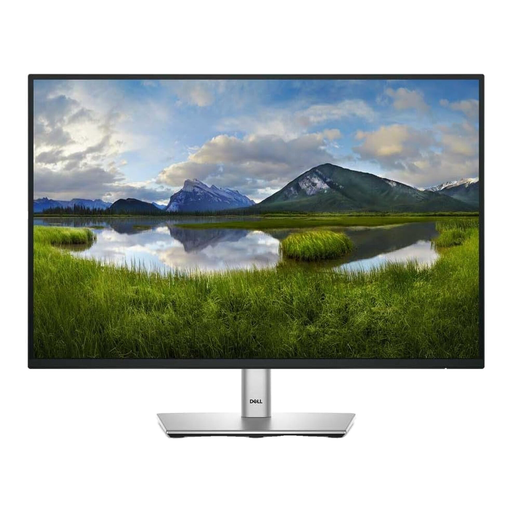
Dell P2425 24-inch monitor
This 24-inch model is an option to assess when fitting a monitor around a student-room desk.
Check the exact resolution and inputs against your document-work and laptop needs. Confirm the USB-C connection and refresh rate on the particular listing if either affects your decision.
View on Joybuy
 No image available
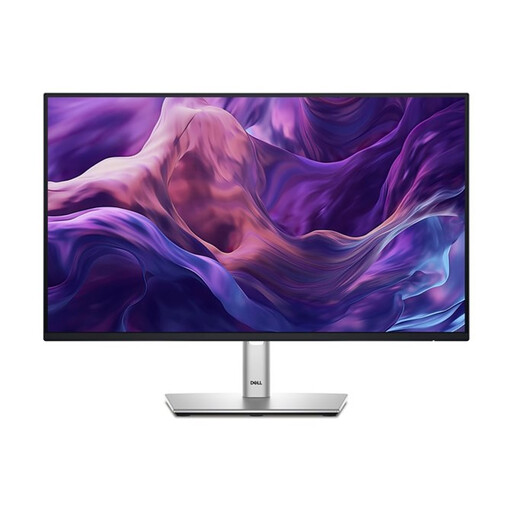
Dell P2425H 24-inch Full HD IPS monitor
Consider this 24-inch Full HD model if your record work does not require the additional pixels of QHD.
The product name specifies 1920 × 1080 resolution and USB-C, DisplayPort, HDMI and VGA connections. Check which input your laptop can use, and confirm USB-C charging output separately if you want the monitor to power it.
View on Joybuy
Common questions
Should I choose a 23.8-inch or 27-inch monitor for library-loan work?
A 23.8-inch QHD monitor is a sensible starting point when desk space is tight and you still want room for dense records. Choose a 27-inch QHD display if it fits comfortably and you prefer larger panes, but check its stand separately: Dell UK specifies four-way adjustment on the 23.8-inch P2425D, while LG UK specifies tilt adjustment on the 27-inch 27U631A-B.
Is Full HD enough for spreadsheets and loan records?
Full HD may meet your needs if you work in one or two windows at a time and place more importance on the screen’s fit and positioning. QHD provides more pixels for dense tables or multiple panes: ASUS UK specifies Full HD for the VA24DQFS, while Dell UK specifies 2560 × 1440 QHD for the P2425D.
Will a USB-C monitor charge my laptop?
Only if the monitor’s power-delivery output meets your laptop’s charging requirement and the connection supports the setup you intend to use. LG UK specifies up to 15W for the 27U631A-B, whereas Dell UK specifies up to 90W for the P2425HE; a USB-C display connection alone does not settle the charging question.
Which monitor ports should I check?
Start with the video output on your laptop, then match it to the exact monitor’s inputs and any adapter or cable you would need. ASUS UK lists HDMI, DisplayPort and VGA for the VA24DQFS; Lenovo UK lists USB-C, HDMI and DisplayPort, as well as Ethernet and a USB hub, for the ThinkVision P24h-30.
What should I do with an old monitor?
Look for an electrical-equipment reuse or recycling route rather than treating the monitor as ordinary household waste. GOV.UK’s guidance on waste electrical and electronic equipment describes recovery, reuse and recycling measures; check your local authority’s or retailer’s arrangements for your location.


