For reading exercises on a small student-room desk, start by checking whether a compact 24-inch screen will fit at a comfortable viewing distance. Choose a height-adjustable stand if your desk and chair cannot put the screen at a suitable height; consider 27-inch QHD when viewing documents side by side matters more and you have room for it. If you want USB-C, check your laptop’s video output and charging needs separately.
Who is this for?
Students reading for long periods
If you spend extended sessions with PDFs, web pages and exercise sheets, consider how you will position the screen, not just which display modes it offers. The Health and Safety Executive advises placing the top of the screen at eye level and the display about an arm’s length away.
Students with limited desk space
If books, a keyboard and a laptop share your desk, a 23.8- to 24-inch Full HD screen is a compact starting point. Check the monitor and stand dimensions against the space you can actually use.
Laptop users working across documents
If you often keep reading material, notes and browser research open together, a 27-inch QHD screen may suit your workspace needs. Check desk depth, USB-C video compatibility and charging requirements before planning a one-cable setup.
What matters when choosing?
Start with where the screen can sit on your desk, then decide whether adjustment or more document space matters most; treat laptop connectivity as a separate check.
| Concern | What to check | Who this matters to |
|---|
| Screen position |
Check stand-height adjustment or compatible mounting, plus viewing distance. The Health and Safety Executive advises placing the screen top at eye level and about an arm’s length away. |
If my chair and desk leave the screen too low for long reading sessions, I need a way to change its height. Around 40% of consumers put screen-position flexibility first. |
| Document space and connection |
Compare resolution and available desk space; for USB-C, check laptop video output and the monitor’s power delivery. |
When I prepare exercises alongside source documents and notes, keeping more material visible matters most. For around 40% of consumers, that workspace need is the priority. |
| Compact setup |
Measure the usable desktop and stand footprint; check whether the screen can still sit at a comfortable distance. |
With books and a laptop already on my desk, I mainly need an external screen that fits. Around 20% of consumers prioritise a compact, straightforward setup. |
Buying pitfalls
-
Relying on an eye-care mode to solve screen positioning
A reader or low-blue-light mode does not change the screen’s height or distance. The Health and Safety Executive’s workstation guidance addresses the physical arrangement of the display.
Check seated eye height and desk depth. If a stand adjusts only for tilt, consider whether a stable riser or a compatible monitor arm would let you position the screen.
-
Assuming USB-C will replace the laptop charger
USB-C video and laptop charging are separate requirements. LG lists up to 15 W power delivery for the 27U631A-B; that figure needs comparing with your laptop’s charging requirement.
Check the laptop’s USB-C video support and required charging power before planning a one-cable desk setup.
You may still need to use the laptop’s own power adaptor.
-
Choosing a larger screen before measuring the desk
A 27-inch QHD display can give you more document workspace than the cited 23.8-inch Full HD models, but it also needs a suitable place on the desk.
Allow room for the stand and keyboard while keeping the screen at a comfortable viewing distance; the Health and Safety Executive suggests about an arm’s length.
Brands to consider
BenQ
The 23.8-inch GW2490 illustrates a compact Full HD option for a study desk.
- BenQ lists a 1920 × 1080 IPS panel, ePaper mode and 100 × 100 mm VESA mounting for the GW2490.
- Its supplied stand adjusts for tilt only. Check whether its height works for you or whether you need a compatible arm or riser; display modes alone do not establish that eye strain will be prevented.
Dell
The S2425HS illustrates a compact Full HD screen with stand adjustment.
- Dell lists 130 mm of height adjustment, plus tilt, swivel and pivot, for the 23.8-inch S2425HS.
- It remains a Full HD model; if more pixels for documents are your priority, compare it with a QHD option instead.
LG
The 27U631A-B illustrates a 27-inch QHD route for students considering a larger screen and USB-C connection.
- LG lists a 2560 × 1440 IPS panel and USB-C with up to 15 W power delivery for this model.
- Check laptop video and charging compatibility. Its supplied stand adjusts for tilt, not height, so positioning may require a riser or arm.
Joybuy monitor options
These monitors offer different screen sizes and resolution types for reading exercises. Check each model’s desk fit, positioning options and device connections against your own setup before choosing.
 No image available
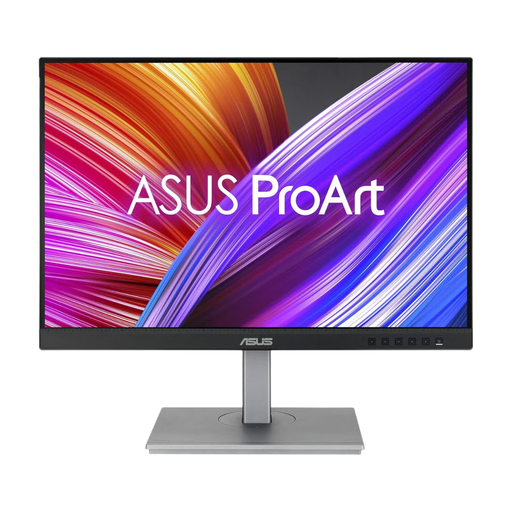
ASUS ProArt PA248CNV IPS WUXGA
Consider this for a study desk where reading space and screen position both matter. Its name specifies an IPS WUXGA display; check the stand dimensions and, if you plan to use USB-C with a laptop, its video and charging requirements.
View on Joybuy
 No image available
ASUS ProArt PA24ACRV IPS QHD
Consider this if QHD resolution is a priority but desk space needs checking. Its name specifies an IPS QHD display; confirm laptop compatibility and which cables are included if you need a particular connection.
View on Joybuy
 No image available
ASUS ProArt PA278CV IPS WQHD
Consider this for reading material alongside notes or browser pages if your desk has room for a larger screen. Its name specifies an IPS WQHD display; measure desk depth and check the USB-C power-delivery rating against your laptop’s needs before relying on monitor charging.
View on Joybuy
 No image available
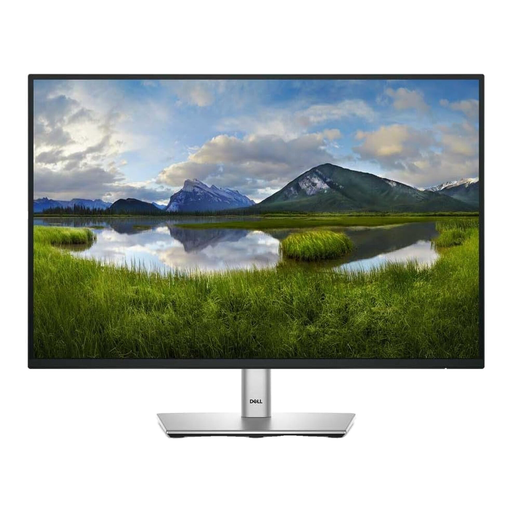
Dell P2425 24-inch monitor
A 24-inch option to consider when fitting a monitor around books and other study materials. Check its physical dimensions and screen-positioning options; if refresh rate or USB-C matters to you, confirm those details for this exact model before buying.
View on Joybuy
 No image available
LG 27UP650K 27-inch 4K IPS monitor, white
Consider this if a 27-inch screen fits your desk and a 4K display is a priority. The product name specifies 60 Hz, built-in speakers, HDMI and DisplayPort; check that one of those connections suits your device, and measure for a comfortable viewing distance.
View on Joybuy
Common questions
Is a 24-inch Full HD monitor enough for reading exercises?
It can be a practical choice if your desk is limited and you mainly read exercises, web pages and individual documents. BenQ’s GW2490 and Dell’s S2425HS are both 23.8-inch Full HD examples; consider whether a larger QHD screen would be more useful if you regularly keep several documents visible.
Do I need a height-adjustable stand?
You need a way to place the screen at a suitable height, but that does not have to be the supplied stand. The Health and Safety Executive advises positioning the top of the screen at eye level and the display about an arm’s length away; a suitable adjustable stand, stable riser or compatible arm can help if your desk and chair do not already allow that.
Will a USB-C monitor charge my laptop?
Only if the monitor supplies power at a level suitable for your laptop; a USB-C connection alone is not enough. For example, LG lists up to 15 W power delivery for the 27U631A-B. Check the laptop’s charging requirement and USB-C video support before expecting one cable to handle both tasks.


