Buying concerns for a rental-room Wi-Fi fix
Check whether the problem is Wi-Fi reach or the broadband service itself: Ofcom notes that Wi-Fi cannot outperform the underlying broadband connection.
Wi-Fi extender
Consider it when: a position between the router and bedroom still receives a usable signal.
Trade-off: it cannot relay a signal it cannot receive; Ofcom also notes that extenders can affect speed and responsiveness.
Powerline kit with Wi-Fi
Consider it when: a wireless relay is not viable, but you can connect an adapter to the router and use suitable sockets.
Trade-off: the electrical path must work at the intended sockets; the cited TP-Link kit requires adapters on the same circuit.
Mesh Wi-Fi
Consider it when: several rooms need coverage and the household can connect the main node to the existing router by Ethernet.
Trade-off: the main node needs a wired connection and the units need agreed positions; mesh does not increase the broadband service’s speed.
Wired access point
Consider it when: you can connect an authorised router LAN port to an access point using a removable Ethernet cable.
Trade-off: the cable route and use of the shared router need checking; do not assume drilling or fixed wiring is permitted.
| Concern |
What to check when buying |
Who this matters to |
| Reach one bedroom |
Test Wi-Fi at a possible intermediate socket; check any mesh compatibility separately. |
If I need to reach one bedroom without changing the landlord’s router, I want a wireless relay that can receive its signal. Around 33% of consumers prioritise a one-room wireless relay. |
| Reach beyond a weak relay signal |
Check router LAN access, kit contents, room-side Wi-Fi and whether the intended sockets support a powerline link. |
If no position between the router and room receives usable Wi-Fi, I need a route that does not rely on a wireless relay. Around 27% of consumers prioritise reaching a room without a viable relay position. |
| Cover several rooms |
Check for an available router LAN port, support for access-point mode and agreed positions for the units. |
If several rooms have weak coverage, I want to consider one shared arrangement rather than separate bedroom devices. Around 20% of consumers prioritise coverage across several rooms. |
| Connect a fixed study desk |
Check access-point mode, permission to use a router port and whether the cable can be routed safely and removably. |
If my desk needs a dependable connection and a permitted cable route is possible, I want an access point at the study end. Around 20% of consumers prioritise a wired study endpoint. |
Joybuy Wi-Fi extender choices
These products are plug-in Wi-Fi extenders for extending an existing router’s signal. They are most relevant when a position between the router and bedroom still receives Wi-Fi; they are not powerline kits or mesh systems.
 No image available
TP-Link RE220BE BE3600 Wi-Fi 7 Range Extender
Consider it where an intermediate position still receives the router’s signal.
The product description lists range-extender and access-point modes, plus a 1 Gbps LAN port.
Joybuy
 No image available
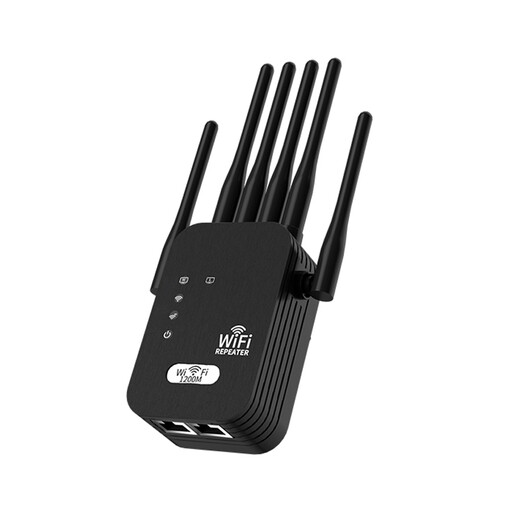
Wi-Fi Signal Booster, 6-Antenna, UK Standard
Consider it only where the existing Wi-Fi reaches the extender’s proposed position.
The product description lists 2.4 GHz and 5 GHz bands, six external antennas and a UK-standard plug.
Joybuy
 No image available
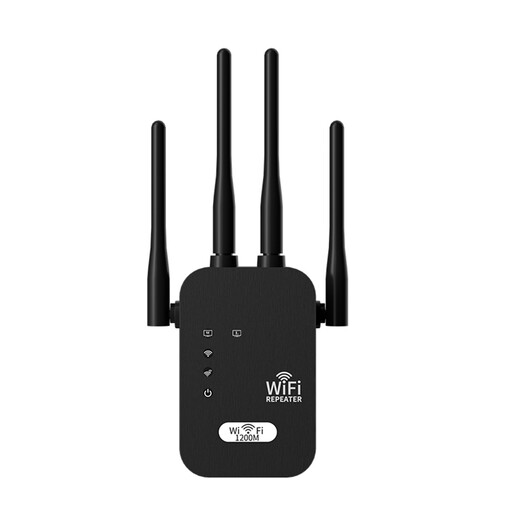
Wi-Fi Signal Booster, 4-Antenna, UK Standard
Consider it only where an intermediate position can receive the existing Wi-Fi signal.
The product description lists dual-band operation and four external antennas.
Joybuy
 No image available
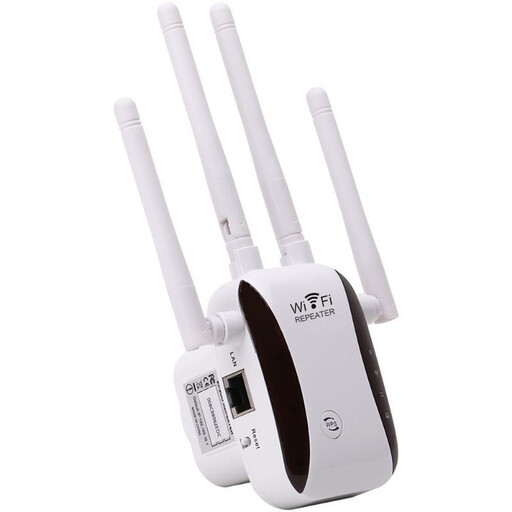
Wi-Fi Signal Extender and Repeater
Its relay mode is relevant when the existing router signal reaches the extender’s position.
The product description lists relay and access-point modes, four external antennas, and WPS or browser-based setup.
Joybuy
 No image available
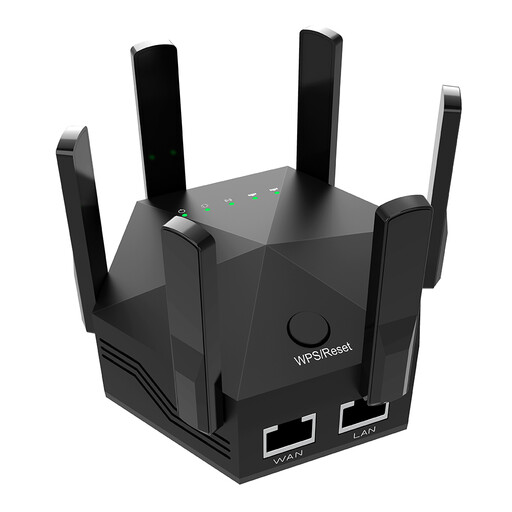
Dual-Band Wi-Fi Extender, 1200Mbps, 6 Adjustable Antennas
Consider it where a position between the router and weak-signal area still receives Wi-Fi.
The product description lists dual-band operation, six adjustable antennas and two Ethernet ports.
Joybuy
Frequently asked questions
Should I buy an extender if there is no Wi-Fi in the bedroom?
Only if a position between the router and bedroom receives a usable signal. NETGEAR says its extender needs to remain within the router’s Wi-Fi range, so test a possible intermediate spot first.
Can mesh work with the landlord’s router still installed?
It can for the documented Deco setup if you are authorised to connect its main node to the existing router by Ethernet. TP-Link says the main Deco cannot join that router as a wireless repeater; check the connection requirements for the exact system.
What should I check before trying a Wi-Fi powerline kit?
Check that you can connect an adapter to a router LAN port, that the kit includes the required adapters and room-side Wi-Fi, and that the intended sockets support a working link. For the cited TP-Link kit, the adapters need to be on the same electrical circuit.
Do I need permission to run Ethernet to my bedroom?
Check your tenancy terms and ask whoever controls the shared broadband before using the router or routing a cable. Seek permission before drilling, changing fixed wiring or undertaking other alterations; what is allowed depends on your agreement and the proposed route.
Can a Wi-Fi extender improve slow broadband?
No; an extender addresses wireless reach, not the speed of the broadband service feeding the router. Ofcom notes that Wi-Fi cannot outperform that service, so compare the connection near the router with the bedroom and raise a service problem with whoever manages it.


