Buying priorities
Choose the core device around course and assessment requirements first, then add compact equipment that addresses the limits of a shared study space.
| Priority |
What to check |
Your needs |
| Course and assessment compatibility |
Check your department’s minimum specification, required operating system, specialist software and assessment browser. Confirm whether a tablet operating system is accepted for every required workflow. |
I need to create coursework and complete assessments, not just read course materials. A laptop is the broader route where desktop applications or institution-specific tools are required. |
| Connection at the actual address |
Check fixed and mobile availability for the property or postcode before choosing broadband, a data plan or connectivity equipment. Confirm hall or landlord rules and any included service. |
I need reliable access to seminars, course platforms and collaboration tools from my room. Ofcom notes that availability and received speeds can differ at an individual property. |
| Calls in a shared room |
Check for a microphone, suitable audio connection and a compact design that can be stored away. Choose desk accessories only if there is stable space and compatible ports. |
I want to join seminars and group calls without disturbing housemates or relying entirely on built-in laptop audio. |
| File recovery |
Use automatic cloud backup where practical, or keep a separate removable copy. Check that important files can be restored and do not keep the only backup with the laptop. |
I need a recoverable copy of assignments if a device is lost, stolen or fails. The National Cyber Security Centre describes a backup as a copy stored in a separate safe location. |
Joybuy product options
Joybuy product options for a laptop-led study setup and compact accessories for calls, backup storage and a small shared-room desk.
 No image available
ASUS Vivobook 15 X1504VA, Core 5 120U, 24GB, 1TB SSD
A Windows laptop option for coursework, university platforms and compatible desk peripherals.
15.6-inch Full HD IPS anti-glare display, Windows 11 Home, 24GB RAM, 1TB SSD, Wi-Fi 6, HDMI and USB-C ports. At 1.70kg, its 15.6-inch footprint needs shared-desk space; confirm course software and assessment-browser requirements before buying.
Joybuy
 No image available
Lenovo IdeaPad Slim 3 15.3-inch, Ryzen 5, 24GB, 512GB
A portable Windows laptop option for coursework, online systems and video collaboration.
Windows 11 Home, 24GB DDR5 RAM, 512GB PCIe SSD, Wi-Fi 6, WUXGA anti-glare display and HD webcam with privacy shutter. The 1.59kg chassis has a full-size keyboard and numeric keypad; check battery expectations, course compatibility and storage needs for large local files.
Joybuy
 No image available
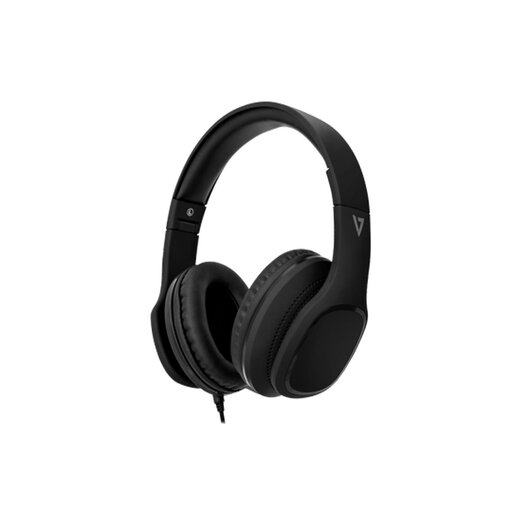
V7 HA701-3EP Wired Over-Ear Headset with MEMS Mic
A compact wired headset option for seminars and calls in a shared room.
Over-ear passive noise isolation, integrated MEMS microphone, foldable design, detachable 1.8m braided 3.5mm cable, memory-foam ear pads and inline controls. Check that your laptop, tablet or adapter has a compatible audio connection.
Joybuy
 No image available
Samsung MU-PE1T0S 1TB USB Type-C External SSD
A removable storage option for keeping an additional copy of course files.
1TB capacity, USB 3.2 Gen 2 connection, stated read speeds up to 1,050MB/s and write speeds up to 1,000MB/s, weighing 98g. Use it alongside another separate-location or cloud copy, and check the delivered file-system format for your devices.
Joybuy
 No image available
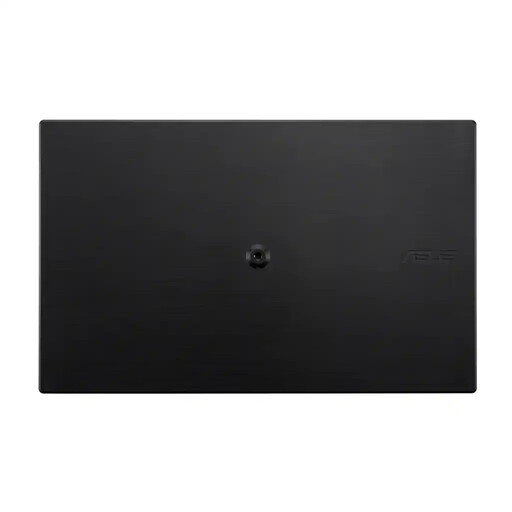
ASUS ZenScreen MB166C 15.6-inch Full HD USB-C Monitor
A compact second-screen option after the main laptop already meets course requirements.
15.6-inch 1920 × 1080 IPS display, anti-glare surface, USB-C input, flicker-free feature and blue-light filter in an 780g, 11.8mm design. Confirm that the host device supports the required USB-C video output and power arrangement; this monitor has no HDMI or built-in speakers.
Joybuy
Frequently asked questions
Can a tablet with a keyboard replace a laptop for university study?
Only when your department confirms that every required application, coursework workflow and assessment system works on that tablet operating system. Brunel, Loughborough and UCL guidance indicates that tablets can help with materials, webinars and notes but can be limiting for coursework and online assessments when used alone.
What should I check with my university before buying a laptop?
Check course-specific software, minimum specifications, operating-system rules, browser requirements, accessibility tools and assessment software. A department can require higher specifications or a particular operating system than general university guidance suggests.
Will any laptop connect to campus Wi-Fi and hall networks?
No. Universities can require a manufacturer-supported operating system with current patches, and older devices may be unable to join eduroam. Check the university’s current network guidance before relying on an existing device.
Should I buy a broadband router or mobile hotspot before moving in?
Check the exact postcode or property first. Ofcom’s checker provides predicted availability and estimated speeds, while noting that actual availability and received speed can differ at the property; also confirm whether halls already provide a network service.
Do I need an external drive if I already use cloud storage?
Not necessarily, but you need a recoverable backup plan. The National Cyber Security Centre describes a backup as a copy stored in a separate safe location, so choose cloud storage, removable media or a combination that protects the files most disruptive to lose.


