Joybuy laptop options
These Windows laptops are options for students considering a laptop as their main study device. Compare each configuration with your department’s software and assessment requirements; a convertible design does not, by itself, establish tablet-app compatibility.
 No image available
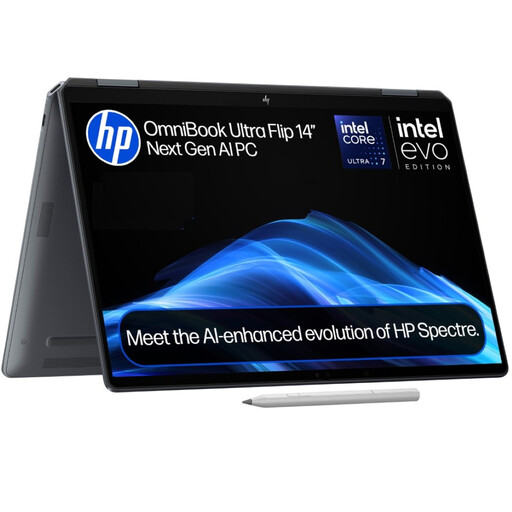
HP OmniBook Ultra Flip 14-fh0006na, 16GB RAM, 1TB SSD
Consider this 2-in-1 if your course supports its Windows 11 Home configuration and you want a touchscreen alongside laptop-mode work. The listed configuration has 16GB RAM, a 1TB SSD, a 360-degree hinge and a weight of 1.34kg. If your course specifies graphics hardware, confirm the exact configuration; also check expected battery use away from a socket.
View on Joybuy
 No image available
ASUS Vivobook 15 X1504VA, Core 5 120U, 24GB RAM, 1TB SSD
This conventional Windows 11 Home laptop offers a 15.6-inch Full HD display for document work. The listed configuration includes 24GB RAM, a 1TB SSD, a webcam with microphone and Wi-Fi 6; its weight is 1.70kg. Confirm your course’s application requirements and expected battery use when studying away from power.
View on Joybuy
 No image available
Lenovo LOQ Essential 15ARP11, Ryzen 7 170, RTX 5050, 16GB RAM, 1TB SSD
Consider its listed NVIDIA GeForce RTX 5050 only if your department’s applications call for graphics hardware that this configuration supports. It also lists Windows 11 Home, 16GB RAM, a 1TB SSD and a 15.6-inch Full HD display. At 2.30kg, factor in frequent carrying, and check battery use away from a socket.
View on Joybuy
 No image available
ASUS Vivobook 14 X1407QA-LY003W, Snapdragon X, 16GB RAM, 512GB SSD
This 1.49kg Windows 11 Home laptop is worth considering for travel between study locations if your required applications and assessments work on Windows on ARM. The listed configuration has a 14-inch 1920 × 1200 anti-glare display, 16GB RAM, a 512GB SSD and Wi-Fi 6E. Confirm application compatibility and expected battery use before choosing it.
View on Joybuy
 No image available
Lenovo IdeaPad 1 15-inch, Ryzen 3 7320U, 8GB RAM, 128GB SSD
Check this model against courses with modest local-storage needs, paying particular attention to Windows 11 Home in S Mode and your required applications. The listed configuration has a 15.6-inch Full HD display, 8GB RAM, a 128GB SSD and a camera with a privacy shutter; it weighs 1.58kg. Confirm that S Mode and the available storage suit your coursework.
View on Joybuy
Questions students ask
Can a tablet with a keyboard replace a study laptop?
Only if your institution confirms that the tablet supports your course software, document work and assessments. University College London says a tablet can be helpful but cannot alone provide the study access it requires; the University of Cambridge also warns that tablets may not suit every assessment.
How do I check which operating system my course needs?
Ask your department for its named applications, supported operating systems, minimum specifications and assessment-platform requirements before ordering. If you are considering a Chromebook or Windows on ARM laptop, check those particular platforms rather than assuming that access to a web browser establishes compatibility.
Can a refurbished laptop work as my main university device?
Yes, if the exact laptop meets your department’s requirements and its operating system remains supported. Check its stated condition, battery, charger, warranty and seller terms as well as its memory and storage; keep a copy of the listing.
Do I need a cloud-storage plan before starting university?
Check what storage your university account provides first, including its capacity and access arrangements. Cloud storage does not remove the need for enough local space for required applications and files you must use on the laptop.


