What should you check before choosing?
Check essential course software first, then decide which device and accessories make day-to-day study workable. A keyboard or extra storage cannot make an incompatible application run.
| Priority | What to check | Your needs |
|---|
| Device access |
Check that your device can open course platforms and handle documents and online sessions. Confirm that its operating system will remain supported for the period you need it. |
I need dependable access to coursework at home and on campus. In Jisc’s survey of 15,398 higher-education students at 30 UK providers, conducted between October 2024 and April 2025, 37% reported lacking access to a suitable device at some point; that is an access barrier, not a preference for a particular device. |
| Course software |
Ask for the names and operating-system requirements of essential applications. Check the department’s requirements for memory, storage, graphics and connected equipment before choosing a tablet, Chromebook, Mac or Windows laptop. |
If my course uses installed or specialist tools, I need the device to run those exact applications—not just the learning website. UWE Bristol describes Windows as the most compatible choice for its university and specialist software, but your own course requirements take priority. |
| Working away from a desk |
Consider carrying weight, screen size, keyboard use and battery runtime. Check Wi-Fi requirements for institutional networks, while allowing for connection problems that a different device cannot resolve. |
I want to write and join online sessions in the places where I study. In the same Jisc higher-education survey, 60% reported Wi-Fi connectivity issues on or off campus; the figure describes connection difficulties, not laptop performance. |
| Accessibility |
Check assistive software, display size and input-device compatibility against your individual needs. If you expect Disabled Students’ Allowance to fund equipment, follow the applicable assessment process before buying it. |
A standard portable screen or keyboard may not suit the way I work. GOV.UK says equipment bought before a DSA needs assessment will not be reimbursed, so I would establish what is recommended before making a funding-dependent purchase. |
| Refurbished condition |
Check the exact configuration, remaining operating-system support, battery and physical condition, included charger, warranty and seller terms. Compare these with the same course requirements you would apply to a new laptop. |
I can consider a refurbished laptop if it will do my coursework and its condition and support terms are acceptable. Warwick’s guidance says buying a new device is not essential for its students; that does not establish whether a particular used model suits my course. |
Which brands are relevant?
These brands illustrate different laptop and refurbished routes; a brand name does not establish that a particular configuration runs your course software.
Apple
A macOS laptop route when your course confirms that its applications and connected devices work with macOS.
- Apple says its UK education certified-refurbished MacBook Air products are tested and certified and include a one-year warranty; check the terms of the particular listing.
- Confirm named course software before choosing a Mac, especially if your department specifies Windows-only applications.
HONOR
A Windows laptop brand represented by the MagicBook 16 (2026) in Expert Reviews’ August 2026 UK student-laptop ranking.
- Expert Reviews placed that named model second in its list; the position applies to its ranking, not to every HONOR laptop.
- Check the sold configuration and your course’s software and port requirements rather than relying on the model family.
Lenovo
A brand with both Chromebook and conventional laptop routes to consider.
- Expert Reviews placed the Lenovo Chromebook Plus 14 Gen 10 third in its August 2026 UK student-laptop ranking.
- A Chromebook needs an explicit course-compatibility check: the University of Bristol does not consider Chromebooks suitable as its students’ main computer.
Dell
A manufacturer-refurbished route for comparing a specific used configuration with your course requirements.
- Dell advertises certified-refurbished laptops and warranty options through its UK Outlet; these are Dell’s descriptions of its own offering.
- Inspect the individual unit’s configuration, condition, support term and seller terms before deciding.
Joybuy laptop options
These general-purpose laptops offer configurations to check against coursework, online sessions and any software named by your course. They are not substitutes for confirming compatibility, battery needs and the details of the particular listing.
 No image available
ASUS Vivobook 15 X1504VA, Core 5 120U, 24 GB, 1 TB SSD
Consider the 15.6-inch configuration for document-heavy study. Confirm your course software and battery runtime before relying on it away from a charger.
View on Joybuy
 No image available
Lenovo IdeaPad Slim 3 83K7009MUK, Ryzen 5 7535HS, 24 GB, 512 GB SSD
This 15.3-inch WUXGA Windows 11 Home configuration is an option for coursework that requires a laptop. Check named applications, peripherals and battery runtime against your study plans.
View on Joybuy
 No image available
HP OmniBook X Flip 16-as0004na, Core Ultra 5 226V, 16 GB, 512 GB SSD
The 16-inch touchscreen and 2-in-1 design offer laptop and tablet-style ways to work on one device. Check course software, carrying weight and battery runtime; if convertible use matters, also check that its sensors work as expected.
View on Joybuy
 No image available
MSI Modern C2RMG-282UK, 9S7-15H431-282, Core 5, 512 GB SSD
The 15-inch FHD configuration is one to assess for general coursework. Confirm the installed memory, battery runtime and compatibility with any course software or accessories you need.
View on Joybuy
 No image available
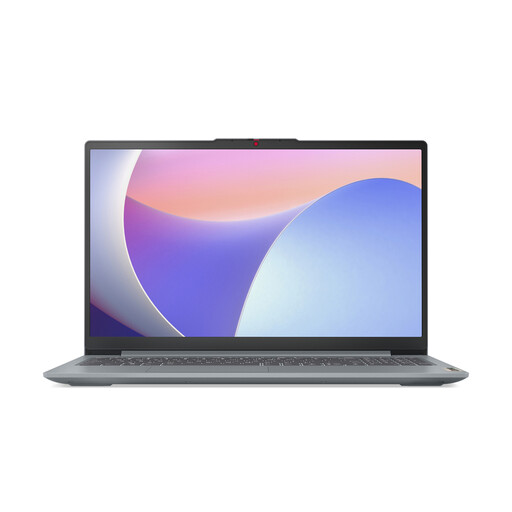
Lenovo IdeaPad Slim 3 15IAH8 83ER00G4UK, Core i5, 8 GB, 512 GB SSD
This 15.6-inch configuration is worth checking for document and online coursework. Confirm that 8 GB RAM meets your applications’ requirements, and clarify the battery-life entry before planning long unplugged sessions.
View on Joybuy
Common questions
Can a tablet with a keyboard be my only study device?
Only if your course confirms that its required work can be completed with the tablet’s browser and available apps. Queen’s University Belfast warns that required software may not install on tablets, so check named applications, storage and printing needs before making one your primary device.
Do I need the same laptop specification as students on other courses?
No. Start with your department’s named software and workload requirements: documents and online learning do not establish what a specialist application will need. Check the required operating system, memory, storage and any graphics or peripheral requirements for your own course.
Is a refurbished laptop suitable for study?
It can be if the exact unit runs your course software and its condition, battery, accessories and support terms meet your needs. The University of Warwick says a new device is not essential for its students, but you should still assess a refurbished listing as an individual configuration.
How should accessibility needs affect my choice?
Check the device and its peripherals against the assistive software, input methods and display setup you need; a standard portable laptop is not automatically suitable. If you expect Disabled Students’ Allowance to fund equipment, GOV.UK advises completing the needs assessment before buying it, as earlier purchases will not be reimbursed.


