What should you prioritise in a study tablet?
Start by checking required course software and assessment rules. Then match the tablet’s screen, storage and connectivity to your study routine, adding a compatible pen or keyboard only if you need that input method.
| Concern |
What to check when buying |
Who this matters to |
| Course and exam compatibility |
Check named course apps, supported operating systems and the actual assessment rules. |
If I need the tablet for assessed work as well as notes, I want to know that the required software and exam process will work before depending on it. Around 33% of consumers put course and exam compatibility first. |
| Handwriting and typing |
Match a compatible pen to the exact tablet; check whether a pen or keyboard is included. |
If I annotate readings by hand or type longer assignments, I need the right input accessory for my model and package. About 27% of consumers prioritise handwriting and typing inputs. |
| Portable reading and storage |
Compare the screen size and storage variant; check whether course files need to be available offline. |
When I carry course materials between study locations, I want a screen and storage capacity that fit the way I read and save files. Roughly 20% of consumers make portable reading and file capacity their primary concern. |
| Calls and power away from a desk |
Check the camera, connectivity options, charger contents and the conditions behind battery claims. |
If I attend calls while studying away from my desk, I need a workable connection and charging plan for the session. Around 20% of consumers focus primarily on calls and power away from a desk. |
Joybuy tablets for portable study
These Joybuy listings include tablets with different screen, storage and connectivity details to consider for portable study. Check course software and assessment compatibility separately; product specifications alone do not confirm that required applications will run.
 No image available
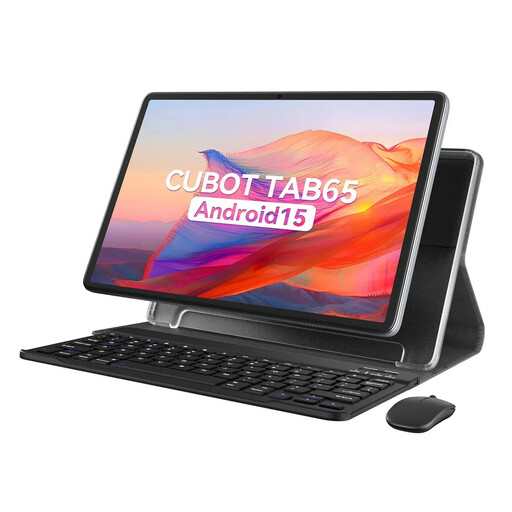
CUBOT Tab 65, 12 GB+128 GB/1 TB
Consider it for portable reading if a 10.1-inch tablet suits your course materials; check required software compatibility before relying on it for assessed work.
The product title lists a 10.1-inch HD+ 90Hz screen, Android 15, a 13MP camera and a 6200mAh battery.
View on Joybuy
 No image available
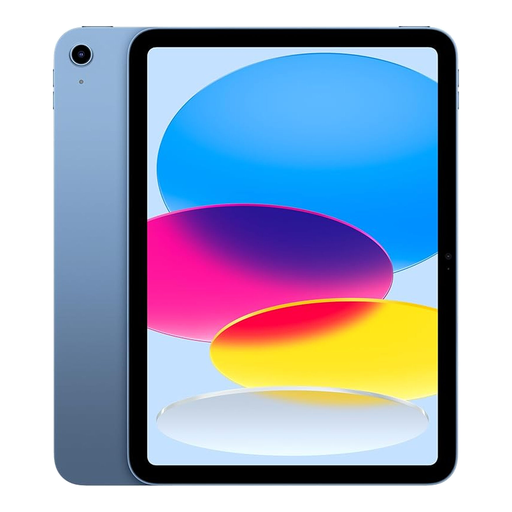
Apple iPad 11-inch, 128GB, Blue
Consider this iPad for portable reading and document work if your required course apps and assessments are compatible with its platform.
The listed variant is 11-inch with 128GB storage. Check the exact Pencil model and package contents if you plan to annotate by hand.
View on Joybuy
 No image available
TECLAST P50T, 11-inch, 4GB RAM + 128GB
Consider it for portable study if the listed tablet setup fits your reading needs and the apps required by your course.
The product title lists Android 16, a 7000mAh battery and a 5MP front camera.
View on Joybuy
 No image available
OPPO Pad SE, 128GB, 6GB RAM, Twilight Blue LTE
Consider this LTE-listed tablet if mobile connectivity is relevant to where you study; check the network and course-app requirements for your intended use.
The product title lists 128GB storage, 6GB RAM and model OPD2420 EUN.
View on Joybuy
 No image available
Xiaomi Pad 8 Pro, Grey, 12GB RAM, 512GB storage
Consider it for keeping course files on the tablet if 512GB storage fits your needs; check that required course apps and assessments work on your chosen device.
The product title lists 12GB RAM and 512GB storage. If you plan to annotate by hand, check the compatible Xiaomi Focus Pen package: the listing says the pen is not included.
View on Joybuy
Study tablet FAQs
Can I use an iPad for a digital exam?
Not automatically: the exam platform and course setup must support it. Respondus says its iPad LockDown Browser requires a compatible learning system, and webcam-monitored exams require the instructor to enable an iPad setting. Ask your course about the exact exam before relying on an iPad.
Will a keyboard make a tablet suitable for every assignment?
No. A keyboard helps with typing but does not change which applications the tablet’s operating system can access. Check the named course applications and assessment requirements before treating a tablet as your only computer.
What should I check before joining a study call away from my desk?
Check that the required calling app works on your chosen platform, then consider the camera, microphone, connection and charging setup. Hardware specifications alone do not establish compatibility with an institution’s service.
What rights apply if I buy a tablet online in the UK?
For a qualifying distance purchase, GOV.UK guidance says you normally have 14 days from receiving the item to tell the seller you want to cancel, followed by another 14 days to return it. This change-of-mind rule is distinct from remedies for faulty goods; check the applicable terms for any additional retailer policy.
Does every UK tablet need a UKCA rather than a CE mark?
No single marking rule applies across the whole UK. GOV.UK guidance lists UKCA or CE for relevant electrical and radio equipment placed on the Great Britain market, while its table lists CE or UKNI-and-CE for Northern Ireland. The applicable marking depends on the product and destination, and does not establish whether course software will run.


