What should you check before choosing?
Start with the work your course requires, then choose the screen and accessories that make that work manageable away from a desk.
| Priority | What to check | Your needs |
|---|
| Course compatibility |
Check the named apps, virtual learning environment, sign-in method, file formats and assessment process on the proposed operating system. Microsoft lists Office mobile apps for iPad and Android tablets, but that does not establish compatibility with a particular course. |
I need to open, edit and submit my actual coursework, not just read it. I would confirm any specialist or desktop-only requirements with my course team before using a tablet as my main device. |
| Handwriting |
Check the compatible pen generation and the exact box contents. Samsung UK lists an S Pen with Galaxy Tab S10 FE; Apple UK lists Pencil choices separately for iPad Air. |
For handwritten lectures and PDF markup, I want to know that the pen I plan to use fits the tablet I buy. |
| Screen and carrying |
Try a typical PDF or slide deck at the screen size you are considering. Apple UK lists its 8.3-inch iPad mini Wi-Fi at 293 g, its 11-inch iPad Air Wi-Fi at 464 g and its 13-inch iPad Air Wi-Fi at 616 g, before a case or keyboard. |
Will I mostly read while travelling, or keep notes beside a document? I would weigh the extra working area against carrying the device every day. |
| Typing setup |
Match a keyboard case to the tablet model and screen size, or check whether a wireless keyboard suits your setup. Confirm what is included with the chosen configuration. |
Occasional short replies are different from drafting coursework. If I expect to type regularly, I want a keyboard arrangement I can carry and use where I study. |
| Offline storage |
Compare internal capacity with your downloaded readings and course media. Samsung UK lists microSD expansion up to 2 TB for Galaxy Tab S10 FE; check the capacity and expansion arrangement of the exact device you choose. |
I may need readings and notes available without a connection, so I would check how much material must stay on the tablet. |
| Charging |
Check the stated battery specification against your day and where you can charge. Confirm which charging accessories come with the exact package; Samsung UK says the Galaxy Tab S10 FE series does not include a travel adapter. |
If I move between lectures and the library, I need a charging plan that fits those sessions rather than assuming an adapter is in the box. |
Joybuy tablet options
These options cover pen-focused tablets, larger screens for documents, an E Ink notebook for reading and handwriting, and an 11-inch iPad Air. Choose by the course tasks and accessory arrangement you need, rather than assuming every device serves the same workflow.
 No image available
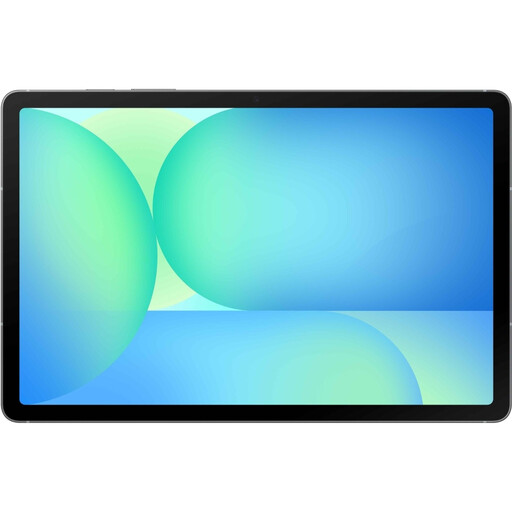
Samsung Galaxy Tab S10 FE 256GB Wi-Fi, Grey
For handwritten lecture notes and document reading, this Galaxy Tab S10 FE pairs a 10.9-inch screen with the S Pen that Samsung UK lists in the series box. This Wi-Fi variant is labelled 256GB. Confirm your course apps and the keyboard that fits this model if you also plan to type substantial coursework.
View on Joybuy
 No image available
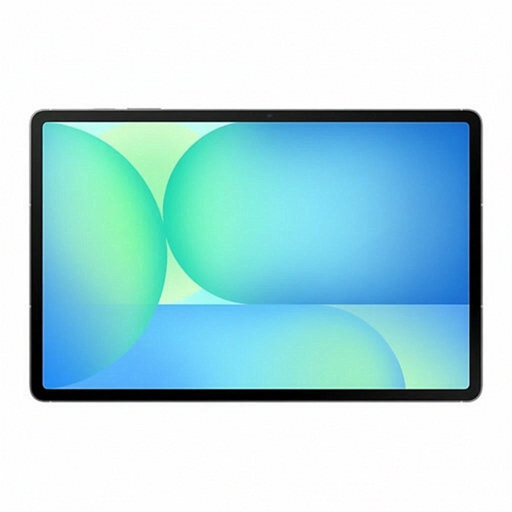
Samsung Galaxy Tab S10 FE+ 13.1-inch Wi-Fi 128GB, Silver
The 13.1-inch screen gives large course documents and handwritten annotations more viewing room than a compact tablet. Samsung UK lists an S Pen in the Tab S10 FE series box; this variant is labelled 128GB. Consider the size you are willing to carry, and check course compatibility and any keyboard accessory before purchase.
View on Joybuy
 No image available
TECLAST ArtPad Pro 2025 Edition, 12.7-inch 2K, 256GB
Its stated 12.7-inch 2K display and pen input make this a document-and-handwriting option to examine. The product name specifies 4096-level pressure sensitivity, 256GB storage and an included stylus. Confirm the exact pen in the package, keyboard compatibility and your course software requirements.
View on Joybuy
 No image available
iFLYTEK AINOTE 2 10.65-inch E Ink notebook with protective case
This E Ink notebook is a distinct choice for reading and handwritten notes rather than an assumed substitute for a general-purpose course tablet. Check the document formats and course services you use, particularly if you need browser-based assessments or specialist apps.
View on Joybuy
 No image available
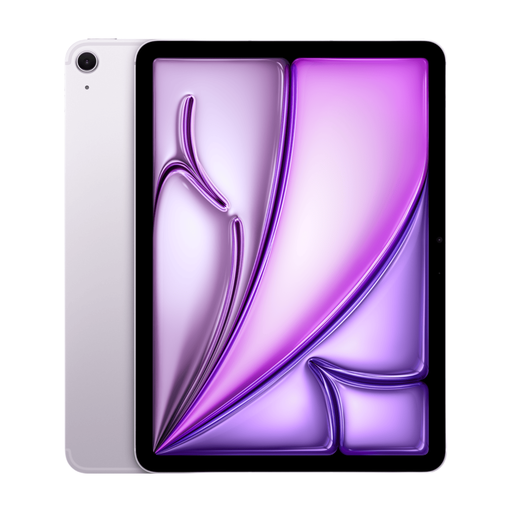
Apple 11-inch iPad Air (2026, M4) Wi-Fi 256GB, Purple
The 11-inch size suits a setup centred on reading, notes and portable document work if your course uses compatible iPad apps. This Wi-Fi variant is labelled 256GB. Check the compatible Apple Pencil generation and the contents of this exact package; plan a keyboard separately if you expect to type longer drafts.
View on Joybuy
Questions about study tablets
Can a tablet replace my course laptop?
Not automatically. Microsoft lists Office mobile apps for iPad and Android tablets, but that does not confirm your institution’s specialist software, assessments, sign-in process or file-submission workflow. Check those requirements with your course team before making a tablet your primary device.
Does a tablet for handwritten notes come with a pen?
It depends on the exact model and package. Samsung UK lists an S Pen in the Galaxy Tab S10 FE series box, while Apple UK offers Pencil choices separately for iPad Air. Check the pen generation and box contents of the tablet you intend to buy.
Do I need a keyboard case for coursework?
A keyboard is worth planning if you will type substantial notes or drafts, but it need not be a fitted case. Check that any case matches your tablet’s model and size, or consider whether carrying a separate wireless keyboard suits your routine.
Which screen size suits reading and handwritten notes?
An 8.3-inch screen favours compact reading; around 11 inches gives notes and PDFs more room; a 13-inch screen is worth considering when larger documents matter more than a lighter carry. Apple UK lists its Wi-Fi iPad mini at 293 g, 11-inch iPad Air at 464 g and 13-inch iPad Air at 616 g, before accessories.


