What to check before buying
Compare how the connection behaves near the router and at your study spot before choosing equipment. Then check who controls the network and whether the proposed setup is allowed.
| Concern |
What to check |
Who this matters to |
| Coverage across several rooms |
Check the signal where each mesh unit could sit and whether the units can be placed, powered and configured with permission. |
When study spaces are spread across rooms or floors, I need coverage beyond one desk. Around 28% of consumers put wider coverage first. |
| Permission and network security |
Ask who controls the router and broadband account; check accommodation rules and who will manage administrator credentials. |
If I cannot change the shared router myself, I need a setup the account holder and accommodation provider will allow. Permission and control come first for around 22% of consumers. |
| One dependable study desk |
Look for an authorised Ethernet port or cable route, then check your laptop’s port and adapter compatibility. |
For coursework at one regular desk, I would rather address that device’s connection than change Wi-Fi across the house. Around 22% of consumers prioritise a stable desk connection. |
| Incoming service or mobile backup |
Compare performance near the router with your room; for a hotspot, check indoor mobile coverage and the data allowance. |
When the whole property loses service, extending Wi-Fi will not restore my connection, so I need to investigate the service or a separate backup. This is the primary concern for around 17% of consumers. |
| One computer’s Wi-Fi capability |
Check its operating system, available USB port and Wi-Fi compatibility with the existing network. |
If other devices connect normally but my computer struggles, I need to check that computer before changing the household network. Around 11% of consumers put the individual device first. |
Joybuy products for different connection needs
These products address multi-room coverage, one weak-signal area, one computer’s Wi-Fi connection or a separate mobile backup. Match the type of equipment to the problem you have identified and check permission before changing a shared network.
 No image available
TP-Link Deco BE22 (3-Pack) BE3600 Wi-Fi 7 Mesh System
Consider this three-unit system if several rooms need coverage and you have permission to configure mesh equipment on the shared network.
TP-Link specifies two 1 Gbps ports per Deco BE22 unit and combined wired and wireless backhaul. Mesh placement matters, and it cannot improve the incoming broadband service.
View on Joybuy
 No image available
TP-Link RE220BE BE3600 Wi-Fi 7 Range Extender
Consider an extender for one weak-signal area when the existing router’s signal remains usable at the proposed plug location.
Check the shared router’s compatibility and obtain permission for setup. Extending its Wi-Fi will not resolve a poor incoming broadband connection.
View on Joybuy
 No image available
NETGEAR Orbi 370 RBE373 Wi-Fi 7 Mesh System, 3-Pack, BE3600, 2.5 Gbps Ethernet
This three-pack is another multi-room coverage option where the account holder allows a mesh system to be added and configured.
Check how it would connect to the existing router and where its units could be placed. The stated Ethernet specification does not establish the property’s internet speed or coverage.
View on Joybuy
 No image available
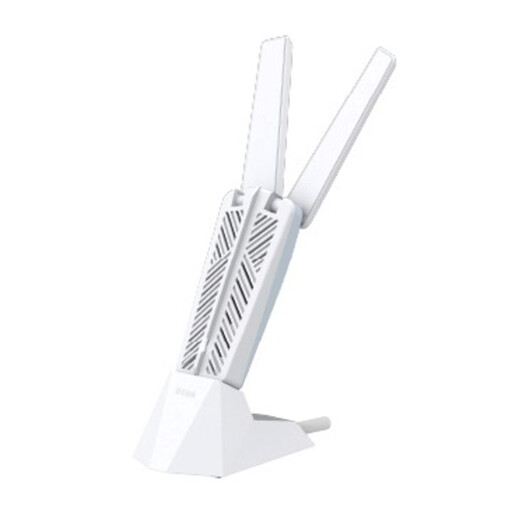
D-Link AE65U BE6500 Wi-Fi 7 USB Adapter
Consider a USB Wi-Fi adapter only if one computer’s wireless capability appears to be the problem while other devices connect normally.
Check the computer’s port, operating system and compatibility with the accommodation network. An adapter will not extend the router’s coverage.
View on Joybuy
 No image available
D-Link F530 5G NR AX3000 Wi-Fi 6 Mobile Hotspot
A mobile hotspot offers a separate connection when the shared network is unavailable or cannot be changed.
Check indoor coverage from the intended provider and choose a data plan suited to study use. Its mobile and Wi-Fi specifications do not guarantee a reliable signal at your desk.
View on Joybuy
Frequently asked questions
Do I need better Wi-Fi equipment or is the broadband the problem?
Compare the connection close to the main router with the connection in your study room. If both are unreliable, ask the account holder to investigate the broadband service before buying an extender or mesh system; Ofcom notes that Wi-Fi cannot outperform the underlying service.
Can I install mesh equipment or run an Ethernet cable in rented accommodation?
Check the accommodation terms, the proposed installation and who controls the broadband account before proceeding. Shelter England advises seeking a landlord’s agreement before making improvements in England; drilling or permanent cable routing warrants particular care, while halls may have their own equipment rules.
Can I connect my own mesh unit to a housemate’s router?
Only with the account holder’s agreement and a setup they can authorise and manage. Confirm how the mesh would connect to the existing router, who keeps administrator access and who will maintain the shared equipment; do not reset or replace someone else’s router.
What security settings should I check on shared Wi-Fi?
Check the router’s administrator password, wireless security key and encryption settings, which the Information Commissioner’s Office identifies as important Wi-Fi controls. Agree who manages those settings rather than sharing administrator access with every resident.
Will a 5G hotspot replace unreliable accommodation Wi-Fi?
A 5G hotspot can provide a separate personal connection if mobile coverage works indoors and the data plan suits your use. Check Ofcom’s coverage information for the postcode and, where possible, test the signal at your study desk before relying on it for video learning.


