What to prioritise when choosing a study device
Start with the applications and assessment tasks your course requires. Then consider whether a laptop, a tablet that supports your complete workflow, a refurbished device or accessories for a suitable computer best fit your study routine.
| Concern |
What to check when buying |
Who this matters to |
| Course software |
Ask your department about required applications, operating systems and processor compatibility. The University of Nottingham’s Electrical and Electronic Engineering guidance warns that some ARM devices may not support its required software or hardware interfaces. |
If I need specialist applications or course-specific hardware, I would check compatibility before choosing a device; around 29% of consumers put course-software compatibility first. |
| Carrying between study spaces |
Consider the weight of the complete setup. The University of York suggests a laptop under 1.5 kg if you intend to carry it around campus; this is guidance, not an entry requirement. |
If I move between home, campus and shared study areas, I want a setup I can carry comfortably; around 24% of consumers put portability first. |
| Complete ownership |
Check whether your current device is sufficient, then review the operating-system support and seller terms for any refurbished option. The University of Warwick says a reliable laptop under three years old is likely to be sufficient under its general guidance. |
If I want to manage the cost of a complete setup while keeping it suitable for my course, I would check what I already own and what support a replacement includes; around 23% of consumers put ownership cost first. |
| Displays and connections |
Verify video output, monitor requirements and charging for the exact model. Apple documents different external-display limits for the 15-inch M5 MacBook Air and MacBook Neo. |
If I need a monitor, dock or remote study setup to work across locations, I would check the device’s connections first; around 12% of consumers put connectivity first. |
| Accessible interaction |
Check that the device works with your intended reading, writing and input tools. The University of Cambridge offers individual advice on assistive software, apps and hardware. |
If I rely on particular accessibility or input tools, I would check them against my real study tasks before choosing; around 12% of consumers put accessible interaction first. |
Joybuy student laptops for coursework
These Joybuy listings are laptop options for coursework across home, campus and shared study spaces. Compare the stated configurations with your course requirements; a product name alone does not establish compatibility with specialist software.
 No image available
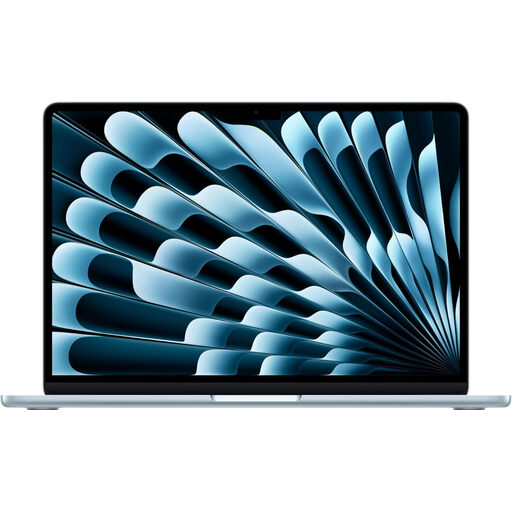
Apple 13-inch MacBook Air (2026), M5, 10-core CPU, 10-core GPU, 16GB, 1TB SSD, Sky Blue
A laptop option for coursework where the required applications support macOS.
Stated configuration: M5 chip, 16GB memory and 1TB SSD.
View on Joybuy
 No image available
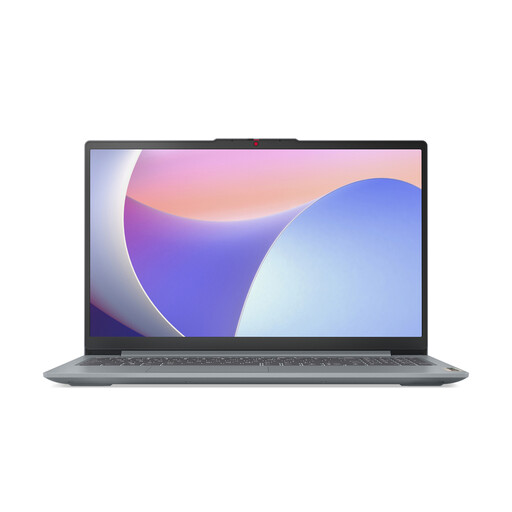
Lenovo IdeaPad Slim 3 15IAH8, 15.6-inch, Intel Core i5, 8GB RAM, 512GB SSD, 83ER00G4UK
Consider this laptop if its configuration meets your course’s application and connection requirements.
Stated configuration: Intel Core i5, 8GB RAM and 512GB SSD.
View on Joybuy
 No image available
Apple 13-inch MacBook Neo (2026), A18 Pro, 6-core CPU, 5-core GPU, 8GB, 256GB SSD, Silver
A laptop option for study tasks where the required applications support macOS.
Stated configuration: A18 Pro chip, 8GB memory and 256GB SSD.
View on Joybuy
 No image available
HP OmniBook X Flip 16-as0004na, 16-inch touchscreen 2-in-1, Intel Core Ultra 5 226V, 16GB RAM, 512GB SSD, Windows 11 Home
Consider this touchscreen 2-in-1 if its Windows configuration and form factor fit your coursework.
Stated configuration: Intel Core Ultra 5 226V, 16GB RAM, 512GB SSD and Windows 11 Home.
View on Joybuy
 No image available
Apple 14-inch MacBook Pro (2025), M5, 10-core CPU, 10-core GPU, 16GB, 1TB, Silver
A laptop option for coursework where the required applications support macOS.
Stated configuration: M5 chip, 16GB memory and 1TB storage. A power adapter is not included; check whether you already have a compatible USB-C adapter.
View on Joybuy
Frequently asked questions
Do I need to buy a new computer before university?
Not automatically. The University of Warwick says a reliable laptop under three years old is likely to be sufficient under its general guidance; check your department’s requirements before replacing a working device.
When might campus computers not be enough?
A personal device may suit you if you need more control over when and where you work, but the answer depends on your course and access to shared equipment. The University of Nottingham describes computer rooms and laptop loans as first come, first served for its students; this is institutional guidance, not a requirement for every UK student.
Can a tablet connect to a monitor and still have software limits?
Yes. Apple documents monitor connections for compatible USB-C iPads, with behaviour such as mirroring, app-specific second-screen use or extended working depending on the model and application. A monitor connection does not make unsupported desktop applications available, and the University of Warwick excludes iPads and Android tablets as primary devices for its Computer Science modules in 2026/27.
Should I buy Microsoft 365 or specialist software separately?
Check with your university before paying. The University of Nottingham provides Microsoft 365 during students’ studies and access to engineering software through licensing or its virtual desktop; provision differs between institutions, and remote access does not cover every hardware-based task.
How should accessibility needs affect my device choice?
Choose around the specific reading, writing and interaction tools you need, then check them against your study materials. The University of Cambridge offers advice on assistive software, apps and hardware; its guidance supports an individual assessment rather than a blanket recommendation for one device or brand.


