
24/7 Customer Support

Free returns

Same-day & Next-day Delivery

Quality Guaranteed

Unlock Your Welcome Offers: FREE Delivery | Up to 80% OFF | Free 30-day JoyPlus trial
Download the APP
Whether you're a student taking digital notes, an artist sketching on a tablet or a professional looking for a more precise way to interact with your touchscreen, finding the right stylus pen can be a challenge. With so many options available, it's easy to feel overwhelmed by technical specifications and marketing claims.
This guide is designed to cut through the clutter. As the Joybuy Product Recommendation Officer, my role is to provide clear, practical advice to help you choose a digital pen that fits your device, your needs and your budget. We'll explore the key features to look for and highlight a few standout options for 2026.
Before diving into our recommendations, let's cover a few essential points to consider during your search.
The most important factor is whether the stylus will work with your device. Styluses fall into two main categories:
Not all features are essential for every user. Consider what you'll be doing most:
Modern active styluses require power. Look for models with a convenient charging method, such as USB-C and a reasonable battery life (8-10 hours is a good benchmark). Features like magnetic attachment are also a significant plus, as they keep your stylus securely attached to your tablet and reduce the risk of losing it.
Based on features, versatility and user feedback, here are our recommendations for those seeking a new stylus pen this year.
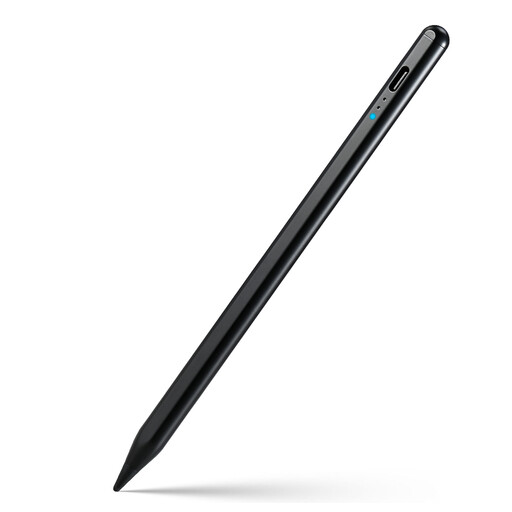
Why It Stands Out: This Rexsun model is a true all-rounder. It offers broad compatibility across most capacitive touchscreens, making it an excellent choice for users who switch between an iPad, an Android phone and other tablets. It includes advanced features like palm rejection and tilt sensitivity, which are not always found in universal models.
Pros:
Who is it for? This is an ideal option for students, professionals or casual artists who need a single, reliable stylus that works across multiple devices.
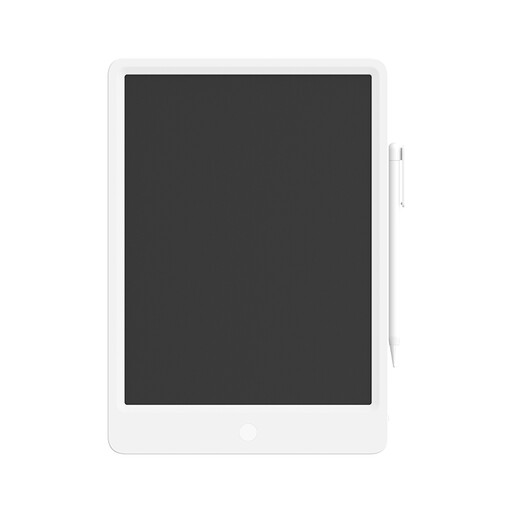
Why It Stands Out: This product offers a different approach. Instead of a stylus for your existing tablet, it's a dedicated digital notepad. The custom LCD screen provides a writing experience that feels remarkably like pen on paper. It’s a simple, distraction-free tool for jotting down notes, making to-do lists or doodling.
Pros:
Who is it for? Perfect for anyone who wants a dedicated, eco-friendly device for quick notes and sketches without the distractions of a full-featured tablet. It's great for office brainstorming, family message boards or as a learning tool for children.
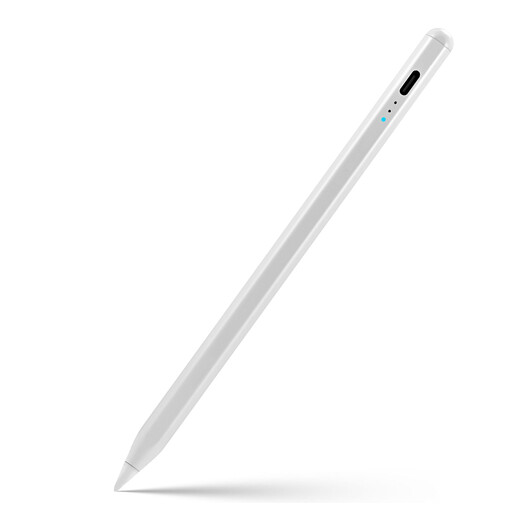
Why It Stands Out: For owners of modern iPads, this Rexsun stylus is a compelling Apple Pencil alternative. It is specifically designed for iPad models from 2018 and later, ensuring seamless integration and access to key features like full palm rejection and tilt sensitivity. The built-in LED power display is a practical touch that helps you keep track of battery life at a glance.
Pros:
Who is it for? This is the go-to choice for iPad users (2018+) who are digital artists, students or professionals seeking the core features of an iPad pencil at a more accessible price point.
While these recommendations cover a range of common needs, the world of digital input devices is vast. If you're looking for a different set of features or want to browse more specialised tools, we invite you to explore our full collection.
Explore our complete range of tablets and accessories here.
1. Do I need to pair a stylus pen with my device? It depends on the model. Many universal capacitive styluses work straight out of the box with no pairing required—you simply turn them on. More advanced styluses, like the Rexsun for iPad, also work instantly on compatible devices without needing a Bluetooth connection, as the iPad's software is designed to recognise them.
2. Can I use any stylus on my iPad? For basic tasks like tapping and swiping, almost any universal capacitive stylus will work. However, to use advanced features like palm rejection, pixel-perfect precision and tilt sensitivity, you need a stylus specifically designed to be compatible with your iPad model, such as an Apple Pencil or a dedicated stylus for iPad like the Rexsun ID715A.
3. What is the difference between an active and a passive stylus? A passive stylus is a simple tool with a conductive tip that mimics your finger's touch on a screen. They don't require batteries and are good for basic navigation. An active stylus contains electronic components that communicate with the device's screen. This allows for much finer tips and advanced features like pressure sensitivity, tilt control and programmable buttons, offering a far more precise and capable experience for writing and drawing.