What to check before buying
Start with a suitable fixed socket and one direct connection in the dry office. Then count the plugs your network equipment needs and measure where the lead must run.
| Concern |
What to check |
Who this matters to |
| Electrical safety |
Check the lead’s marked load rating against everything plugged into it, and connect it directly to one suitable wall socket. |
If a plug or socket shows heat damage, I need the supply assessed rather than another lead; around 44% of consumers put a safe, direct power connection first. |
| Surge-protection status |
Confirm that the exact model is surge protected and check whether it has an indicator for active protection. |
When I rely on the network for work, I want to distinguish working surge protection from a strip that merely supplies power; about 33% of consumers prioritise protection status. |
| Reach and layout |
Measure the socket-to-strip route and count the protected AC outlets needed for the router, modem and any accessories. |
With the desk farther from the fixed socket, I need a lead that reaches without a second extension; roughly 23% of consumers put reach and layout first. |
Joybuy product choices
This surge-protected lead is a choice for a router-and-modem setup inside a dry garden office when its 2 m cable reaches a suitable existing wall socket directly.
 No image available
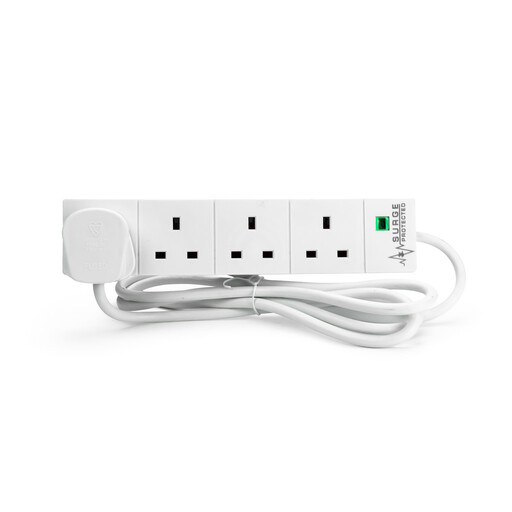
STATUS four-socket surge-protected extension lead, 2 m, white
Consider this lead for a router, modem and limited accessories in a dry office if the measured route is within 2 m. It has four sockets; check whether its protection-status information meets your needs, rather than treating a light showing that power is on as confirmation of active surge protection.
View on Joybuy
Common questions
Can I plug a surge protector into another extension lead?
No. Electrical Safety First advises using only one extension device per socket and warns against daisy-chaining because the wall-socket plug can overheat. Choose one lead that reaches the desk directly or have the fixed supply assessed.
How many sockets do a router and modem need?
Count each power supply you will actually plug in, including any optical network terminal or necessary network accessory. Four sockets can accommodate a small setup, provided the plug count fits and the combined load stays within the lead’s marked rating.
Does a surge protector need replacing after an outage?
Follow the instructions for the exact model after a suspected over-voltage event. Belkin recommends replacing its BSV400af2M every three years or immediately after an over-voltage event, including a thunderstorm or power outage; that is Belkin’s guidance for this model, not a universal interval.
Can I place an indoor surge strip outside the garden office?
Do not assume an indoor strip is suitable for outdoor exposure. Masterplug lists the SRG44N-MP as IP20; keep that model inside a dry office and check the exact product’s stated environmental suitability for any other location.
What if the garden office needs another fixed socket?
Ask a registered electrician to assess the socket and supply work rather than relying on chained extensions. GOV.UK says building-regulations approval may be needed for some electrical alterations, so check the requirements for the particular project; Scotland and Northern Ireland have separate rules.


