What matters when choosing
Start with the space your survey tables need on screen, then check whether the monitor fits your desk and connects to your computer. Stand adjustment matters for long sessions regardless of display size.
| Concern |
What to check |
Who this matters to |
| Spreadsheet workspace |
Compare native resolution with screen size; confirm that your computer can drive the chosen resolution. |
When I need a wide dataset beside its codebook, I want both to remain readable without constant window switching; around 31% of consumers put spreadsheet workspace first. |
| Laptop connection |
Check laptop video output, monitor USB-C functions and the cable needed for display and charging. |
If I move my laptop away from the desk, I want fewer connections to remake when I return. Around 31% of consumers put laptop connection first. |
| Screen positioning |
Check stand adjustment or mount compatibility and whether the desk allows a suitable viewing distance. |
During long cleaning sessions, I need to position the screen without working around a fixed stand; around 23% of consumers put screen positioning first. |
| Compact desk fit |
Compare the monitor’s physical dimensions and resolution, not just its diagonal size. |
With limited desk space, I want an external display that fits while leaving room for my working setup. Around 15% of consumers put compact desk fit first. |
Brands to consider
These product lines illustrate different monitor features to check; a brand name alone does not establish the specifications of a particular model.
Dell
Dell UltraSharp USB-C hub models are relevant to laptop desks where connections and stand adjustment matter.
- Dell lists an integrated USB hub, 90 W power delivery and height, pivot, swivel and tilt adjustment for the U2424HE.
- That model’s 23.8-inch Full HD panel has less resolution than a 27-inch 4K option for dense spreadsheet work.
BenQ
BenQ’s compact home-office range is worth considering when adjustable positioning is a priority.
- BenQ lists height, tilt, pivot and swivel adjustment for the GW2490T.
- Its manufacturer-described reading and eye-care features are not a substitute for positioning the screen and assessing the whole workstation.
LG
LG’s 27-inch UltraFine 4K USB-C models offer an example of a higher-resolution laptop-desk route.
- LG lists 4K display, data transfer and up to 90 W charging over USB-C for the 27UP850K-W, alongside stand adjustment.
- Check the exact model and your laptop’s connection capabilities before relying on the intended single-cable setup.
Samsung
Samsung ViewFinity S8 models are relevant when a data-cleaning desk also connects multiple devices.
- Samsung lists a 27-inch 4K panel, USB-C with 90 W charging and data, LAN and a built-in KVM switch for the S80UD.
- LAN and KVM matter chiefly if your devices and workflow use those connections; confirm compatibility before choosing for them.
ASUS
ASUS ProArt models are more relevant when survey work also involves colour-sensitive charts or publication assets.
- ASUS lists a 27-inch 4K IPS panel, USB-C power delivery up to 96 W and an adjustable stand for the PA279CRV.
- For work confined to text and spreadsheets, check whether you would use its additional colour-focused features.
Monitors on Joybuy
These monitors cover higher-resolution 27-inch displays and more compact 24-inch options for a home-office data-cleaning desk. Compare the exact connections and stand features you need rather than assuming that monitors of the same size offer the same setup.
 No image available
MSI MD272UPSW 27-inch 4K UHD Smart Monitor
Consider this for a desk where wide survey tables and several work windows are the priority. Its named features include an IPS panel and USB-C 65 W; confirm that your laptop and cable support the display and charging connection you want, and check the space available for a 27-inch screen.
View on Joybuy
 No image available
BenQ MA270UP 27-inch 4K Mac Monitor
This Mac-focused option suits consideration when you want a high-resolution display and an adjustable stand. The name specifies a Nano Glossy IPS panel and USB-C; check your computer’s display and charging compatibility rather than assuming the Mac-focused connection features apply to every laptop.
View on Joybuy
 No image available
LG 27UP650K 27-inch 4K IPS monitor
Consider this for a higher-resolution spreadsheet workspace when HDMI or DisplayPort fits your computer setup. Check desk fit and the exact connections you plan to use; do not assume that this 27UP650K has the USB-C charging features of other LG models.
View on Joybuy
 No image available
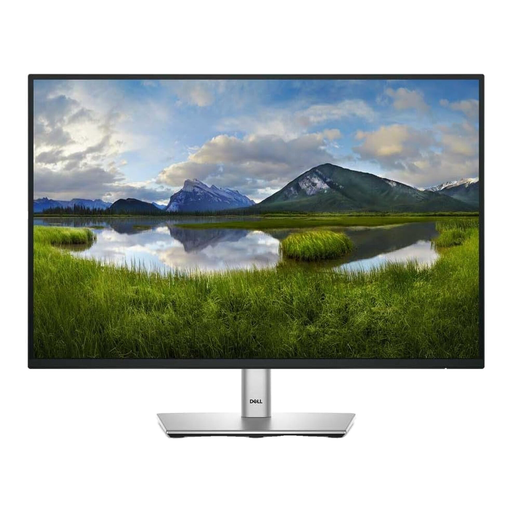
Dell P2425 24-inch monitor
The 24-inch format is worth considering for a compact spreadsheet desk. Check the stand’s positioning range and confirm the exact ports before ordering: connectivity descriptions for this model conflict, so USB-C display or laptop charging should not be assumed.
View on Joybuy
 No image available
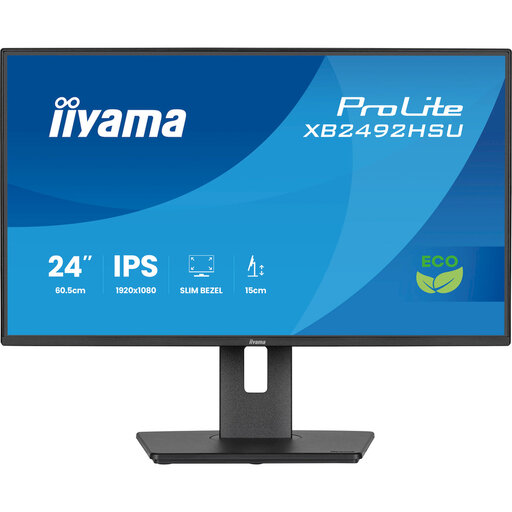
iiyama ProLite XB2492HSU 24-inch Full HD monitor
This compact Full HD option is worth considering if your survey tables do not require the workspace of a higher-resolution display. Check whether the resolution suits your usual sheets and whether its connections match your computer.
View on Joybuy
Common questions
What should I prioritise for cleaning survey data?
Prioritise enough readable workspace for your dataset and supporting documents, then check desk fit and computer compatibility. ENERGY STAR notes that higher resolution can help fit more words into the same space, but screen size alone does not tell you how much detail the display can show.
Is a height-adjustable monitor necessary?
A height-adjustable stand or suitable monitor arm is worth checking if you will work at the screen for long periods. HSE advises positioning the top of the display at about eye level and the screen roughly an arm’s length away; the rest of the workstation still affects whether that position works for you.
Will a USB-C monitor display my laptop screen and charge it through one cable?
Only when the laptop, monitor and cable support the required display and power functions. Microsoft Support notes that external-display capability depends on the device model and cables or adapters, so check your laptop’s specifications against the exact monitor connection before buying.
What should I check with my employer about a home workstation?
If you use display screen equipment daily for continuous periods of an hour or more, ask your employer about an individual workstation assessment. HSE guidance covers home working and considers the whole workstation, not just the monitor; what changes are appropriate depends on the assessment of your setup.
How can I compare a monitor’s electricity information?
Compare the energy label and product information sheet for the exact models on your shortlist. Use that information alongside resolution, connections and positioning features, rather than treating an energy class as a measure of suitability for spreadsheet work.


