Long-table survey reviewers
If you move between individual responses and lengthy exports or dashboards, a wheel that supports careful movement as well as faster scrolling is worth checking.


Limited mains sockets alone need not determine your mouse choice: choose Bluetooth if you need to keep a computer USB port free, then decide whether replaceable batteries or periodic charging fit your desk setup. For long survey tables, check how the wheel handles both precise and faster movement, and choose a size and shape that suit your hand and workstation.
If you move between individual responses and lengthy exports or dashboards, a wheel that supports careful movement as well as faster scrolling is worth checking.
If laptop ports and desk power are both scarce, separate the connection question from the power question: Bluetooth, a USB receiver and mouse charging place different demands on your setup.
If survey review keeps you at your desk for extended periods, check hand size, handedness and mouse placement rather than assuming a compact or contoured shape will fit.
Work out whether the constraint is a mains socket, a computer port or a convenient way to power the mouse. Then choose the scrolling controls and hand fit that suit your survey work.
| Concern | Buying checks | Who this matters to |
|---|---|---|
| Ports and power | Check Bluetooth compatibility or the port needed for a receiver, then confirm whether the mouse uses replaceable batteries or needs charging. | If my laptop ports are already in use, I need a connection that leaves one free without creating an awkward charging routine. Around 40% of consumers put connection and power planning first. |
| Scrolling through results | Look for stated precise and fast-scroll modes; check for horizontal scrolling if you regularly use wide tables. | When I alternate between checking individual responses and crossing a long export, I want both controlled and quicker movement. For around 30% of consumers, navigating results is the primary concern. |
| Fit for desk sessions | Check hand-size guidance, handedness and button reach, and whether the mouse can sit in line with your elbow. | During a long review session, I need a shape I can use at my desk rather than choosing by appearance alone. A suitable fit comes first for around 30% of consumers. |
Bluetooth can leave a computer USB port free, while a receiver occupies one. A rechargeable wireless mouse still needs a way to charge, even if it has no dedicated mains plug.
Count free mains sockets and USB ports separately, and check your computer's Bluetooth capability and available charging connection before choosing.
Logitech specifies that the M185 connects through its USB receiver, which needs a compatible computer port.
If storage, displays or charging already use your ports, check whether a compatible Bluetooth mouse or a suitable hub makes more sense for your setup.
Logitech offers Signature M650 size and left-handed variants, while Lenovo describes its Professional Bluetooth Rechargeable Mouse as right-handed. Shape alone cannot establish personal fit.
Check the exact variant's size guidance, handedness and button reach. The Health and Safety Executive also advises placing a mouse in line with the elbow.
GOV.UK advises that batteries and electrical products marked with the crossed-out wheelie-bin symbol should not go in household rubbish.
Use an appropriate battery or electrical-waste collection route for the item you are disposing of.
Its M185, Signature M650 and MX Anywhere 3S illustrate different approaches to connection and scrolling for survey work.
The Professional Bluetooth Rechargeable Mouse is a full-size option to consider if desk use and scrolling controls matter more than compactness.
The HP 785 is relevant if wide survey tables make horizontal movement a regular task.
Microsoft's Bluetooth Mouse provides a straightforward Bluetooth reference for a compatible Windows computer.
These mice offer different ways to approach limited ports and mouse power, from Bluetooth or receiver options to a wired choice. Check the exact variant's scrolling behaviour if moving quickly through long survey tables is central to your work.
 No image available
If you are considering the MT760L-LG for survey review, confirm its connection options, scrolling behaviour, power arrangement and hand fit for this exact variant before choosing it.
 No image available
Consider this model if you want to choose between Bluetooth and receiver-based use while planning around a replaceable battery.
The title specifies 2.4G and BT connection options, adjustable DPI and one AA battery. Check Bluetooth compatibility and scroll-wheel behaviour for your survey tables; receiver use takes a compatible computer port.
 No image available
Consider this vertical model if you want to assess a shaped grip and have a computer that can use its Bluetooth connection.
The title specifies Bluetooth and 2.4GHz modes, six buttons and adjustable sensitivity up to 1600 DPI. Check hand fit and scroll-wheel behaviour separately; the receiver option uses a compatible port.
 No image available
This is a choice to examine if you want Bluetooth connectivity and have room in your charging routine for a dock.
The title specifies BT, 2.4G and USB-C modes, a PAW3311 sensor and a charging dock. Its stated sensor setting does not tell you how its wheel handles long tables, so check scrolling and the dock's power requirements separately.
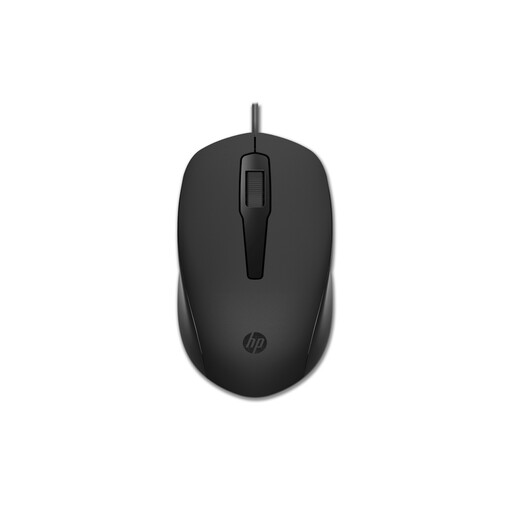 No image available
Consider this wired option if avoiding mouse battery replacement or charging matters more than keeping a USB-A port free.
Check that your computer has a suitable port and that the cable will reach your preferred mouse position; the stated cable lengths differ, so confirm the length before buying.
Bluetooth can keep a computer USB port free, but it does not remove the mouse's power needs. Check whether your chosen model uses replaceable batteries or needs periodic charging; Logitech, for example, specifies USB-C charging for the MX Anywhere 3S.
Compare the exact mouse's operating-system and Bluetooth requirements with your computer's specifications. Microsoft says its Bluetooth Mouse needs a Windows 10 or Windows 11 computer with Bluetooth 4.0 or later; requirements for other models can differ.
Not necessarily: start with a mouse that fits your hand and can be positioned appropriately at your workstation. The Health and Safety Executive advises keeping the mouse in line with the elbow; a contoured shape does not replace checking your overall setup.
Use an appropriate electrical-waste or battery collection route rather than putting marked items in household rubbish. GOV.UK advises against household-rubbish disposal for batteries and electrical products displaying the crossed-out wheelie-bin symbol.