Choose a controller that works with your gaming platform and intended game before deciding between a wireless desk and a cable. An Xbox Wireless Controller suits Xbox or Windows play, while a wired controller can suit a fixed desk; choose DualSense for PS5 or a PC game with explicit feature support, remembering that its haptic feedback requires USB on PC. For Windows, the 8BitDo Ultimate 2C offers a separate 2.4 GHz or wired route rather than Windows Bluetooth.
Who these choices suit
Windows and Xbox players
If you play on Windows, Xbox or both, establish the supported connection before weighing up extra controls. Xbox specifies its Wireless Controller for Xbox consoles and Windows PCs; 8BitDo specifies 2.4 GHz or wired USB for Windows use with the Ultimate 2C.
PS5 players and feature-focused PC players
DualSense is worth considering if you play on PS5 or want tactile features in a PC game that supports them. PlayStation says PC haptic feedback depends on game support and requires USB.
Headset users at a fixed desk
If you sit at one home-office desk and want to plug a wired headset into the controller, check both the jack and the connection mode. Xbox and PowerA specify controller headset jacks; PlayStation says the DualSense jack requires a wired connection on PC or Mac.
What to check before buying
Start with the gaming device and game, then decide how the controller and headset will connect at your desk. Features that depend on a particular game or connection mode need a separate check.
| Concern |
What to check |
Who this matters to |
| Platform and game compatibility |
Confirm support for your PC or console and intended game; check game-specific controller features separately. |
If I switch between Windows and Xbox, I need to know the controller will work with both before considering its feel or extras. Around 33% of consumers put platform and game compatibility first. |
| Desk connection |
Check the controller’s supported wireless method or measure a safe USB cable route from device to chair. |
At a shared work-and-gaming desk, I need a connection that fits the space without a cable crossing where I work. Around 27% of consumers make the desk connection their primary concern. |
| Tactile features |
For DualSense on PC, check the game’s feature support and plan for USB if you want haptic feedback. |
When a horror game supports controller effects, I want to use them rather than assume they work in every PC title. Around 20% of consumers prioritise supported tactile features. |
| Headset setup |
Check for a 3.5 mm jack and whether it works with your platform and chosen connection mode. |
If my wired headset plugs into the controller, I need that jack to work in the way I plan to play. Around 20% of consumers put headset and seated-desk practicality first. |
Common buying mistakes
-
Choosing the shape before checking the platform
Windows, Xbox and PS5 support differs between controllers, and a compatible connection does not ensure every game-specific feature works.
Write down your device and main games, then check controller support for each before choosing a design.
-
Assuming Bluetooth enables every DualSense feature on PC
PlayStation says PC haptic feedback works only in supported games and requires USB.
If haptics matter to your choice, check the game’s support information and leave room for a USB connection at the desk.
-
Checking for a headset jack but not its connection mode
PlayStation says the DualSense headset jack requires a wired PC or Mac connection. A jack on the controller alone does not settle how your headset setup will work.
Check the host device, headset jack and controller connection together before buying.
-
Assuming Bluetooth and 2.4 GHz work on the same devices
8BitDo specifies Bluetooth for Android on the Ultimate 2C, but 2.4 GHz or wired USB for Windows.
Check the connection modes for the exact controller model and the device you will use.
Brands to consider
Xbox
The Xbox Wireless Controller is a route for Xbox and Windows players who want wireless connection options and a controller headset jack.
- Xbox specifies Xbox Wireless, Bluetooth and a 3.5 mm headset jack for this controller.
- Check the connection available on your PC; Xbox compatibility does not establish support for another controller’s game-specific features.
PlayStation
DualSense suits PS5 play or a PC game that explicitly supports the features you want to use.
- PlayStation supports Bluetooth and USB connections to compatible Windows PCs and says select PC games support DualSense haptic feedback and adaptive triggers.
- On PC, haptic feedback requires a supported game and USB; the headset jack requires a wired connection on PC or Mac.
8BitDo
The Ultimate 2C offers Windows players a choice of 2.4 GHz or wired USB connection, alongside Hall Effect sticks and triggers and remappable R4/L4 bumpers, according to 8BitDo.
- Its stated Windows connection options can fit either a wireless or cabled desk arrangement.
- 8BitDo specifies Bluetooth for Android, not as the Windows connection route for this model.
PowerA
PowerA’s wired Xbox controller is an option for a fixed desk where a USB cable is acceptable.
- PowerA specifies Xbox Series X|S, Xbox One and Windows 10/11 compatibility, a 10 ft USB-C cable and a 3.5 mm headset jack for the cited model.
- It is a wired-only option, so measure the route to your chair and choose another connection if you need cable-free play.
Controllers for different desk setups
These Joybuy controllers cover Xbox or Windows desk setups, a wired Xbox-and-PC option, and a DualSense option for PS5 or compatible PC games. Match the exact model to your platform, game and preferred connection before buying.
 No image available
Turtle Beach PDP Victrix Pro BFG Wireless Controller, Black
Consider this model for an Xbox Series X|S, Xbox One or Windows 10/11 desk where a wireless controller appeals. Confirm which connection mode works with your device and whether your game supports the controls you intend to use.
View on Joybuy
 No image available
Microsoft Xbox Elite Wireless Controller Series 2
This wireless model is worth checking for Xbox One, Xbox Series X|S or PC play if you want adjustable controls. Confirm compatibility with your exact Xbox or Windows setup before buying, as the product information gives differing compatibility details.
View on Joybuy
 No image available
Turtle Beach Afterglow Ignite Time Wired RGB Controller, Time Machine
Its wired design suits an Xbox or PC desk where a cable is welcome rather than an obstacle. Check the cable route to your seat and confirm support for the specific controller features you want in your game.
View on Joybuy
 No image available
Xbox Wireless Controller, Robot White
This is an Xbox or Windows option if you prefer a wireless desk. Xbox specifies Xbox Wireless, Bluetooth and a 3.5 mm headset jack for the controller; check your device’s connection method and whether AA battery power suits you.
View on Joybuy
 No image available
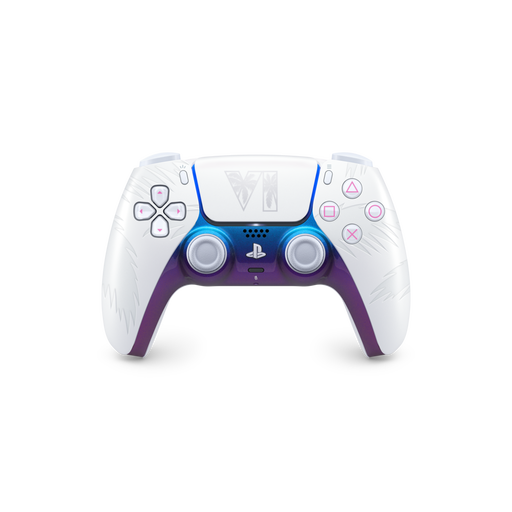
PlayStation DualSense, Grand Theft Auto VI White Limited Edition
This PS5 controller is also an option for a compatible PC game. If you are choosing it for PC haptic feedback, check that your game supports the feature and plan to connect by USB, as PlayStation requires.
View on Joybuy
Frequently asked questions
Can I use DualSense wirelessly for a survival-horror game on PC?
Yes, PlayStation says DualSense can connect to a compatible Windows PC by Bluetooth or USB. That does not mean every game supports its tactile features: PC haptic feedback requires both game support and a USB connection.
Can I plug a wired headset into my controller on PC?
You can if the controller and its PC connection mode support the headset jack. Xbox specifies a 3.5 mm jack on the Xbox Wireless Controller, while PlayStation says the DualSense jack requires a wired PC or Mac connection; check the arrangement for the exact model you choose.
Does a wired controller make sense at a home-office desk?
Yes, if the cable can reach your chair without obstructing the work area. PowerA specifies a 10 ft USB-C cable for its cited wired Xbox controller, but you should measure the route at your own desk rather than assume it will reach.
How should I dispose of an old controller in the UK?
Check your local council’s electrical-waste collection or recycling options rather than putting the controller straight into general waste. Oxfordshire County Council says electrical items with electronic parts, a plug or a battery must not go in general waste in its area; the available collection and take-back routes depend on where you live.


