PS5 players avoiding another wall charger
If PS5 is your main device, a DualSense lets you play wirelessly and use an available console USB port for charging. Check the console’s USB power settings if you plan to charge in rest mode.


Choose a controller that supports your main gaming device before deciding how to keep it powered without another wall charger. PS5 players can charge a DualSense from the console’s USB port, while Xbox Wireless Controller users can choose replaceable AA batteries; for Windows or Android, check the exact wireless mode and whether it occupies a USB port. None of these power arrangements makes a controller suitable for every platform.
If PS5 is your main device, a DualSense lets you play wirelessly and use an available console USB port for charging. Check the console’s USB power settings if you plan to charge in rest mode.
If you play on Xbox and sometimes use Windows PC, iOS or Android, the Xbox Wireless Controller offers AA-battery power alongside Microsoft’s stated device support. Rechargeable AAs need to be charged outside the controller.
If your horror games support a controller on Windows or Android, check which wireless mode works with that device. For example, 8BitDo specifies a USB receiver for the Ultimate 2C’s Windows 2.4 GHz connection and Bluetooth for Android.
Confirm your main platform first. Then decide whether you have a USB port available for charging or a receiver, or would rather use replaceable batteries.
| Concern | What to check | Who this matters to |
|---|---|---|
| Platform compatibility | Check the exact controller model, main device and supported connection mode; PC support does not establish PS5 or Xbox-console support. | If I play on PS5, the controller has to work with that console before charging convenience matters. Roughly 42% of consumers put main-device compatibility first. |
| Power without another socket | Check whether charging can use your console or another compatible USB device, or whether the controller takes replaceable batteries. | When wall sockets are occupied, I want a way to keep playing without dedicating one to a controller charger; around 33% of consumers put their power arrangement first. |
| Wireless port use | Check whether your device supports the controller’s Bluetooth mode or needs a receiver, and whether the required USB port is free. | On a PC or phone, I want wireless play without finding that a receiver takes the last available USB port; approximately 25% of consumers prioritise a manageable wireless setup. |
A DualSense needs USB charging, an Xbox Wireless Controller needs batteries or a rechargeable pack, and a 2.4 GHz connection may occupy a USB port.
Count your free wall sockets and device USB ports, then choose a power and connection arrangement that fits both.
Depending on that choice, you may need spare cells, an external charger or a free receiver port.
8BitDo specifies the Ultimate 2C Wireless Controller’s 2.4 GHz connection for Windows and Bluetooth for Android; those modes do not establish PS5 or Xbox-console support.
Check the full model name and stated support for your main device before considering its other connection options.
8BitDo describes its Ultimate 2C battery-life figures as results under ideal laboratory conditions, so your playing time may differ.
Check how the controller recharges and keep a workable charging plan for longer sessions.
GOV.UK advises that unwanted batteries and electrical products go to appropriate recycling collection points rather than household rubbish.
Separate loose batteries from household waste and use an appropriate battery or electrical-waste collection route for the item.
DualSense is a PS5-focused wireless route when a console USB port is available for pairing and charging.
The Xbox Wireless Controller is an option for Xbox-led setups, with Microsoft also stating support for Windows PC, iOS and Android.
The Ultimate models cited here offer Windows and Android connection options worth checking when those are your gaming devices.
These controllers cover different device setups, from PS5 and PS4 to PC, Switch and compatible phones. Match your main device first, then check how the particular model connects and stays powered with the ports you have free.
 No image available
Consider this variant if PS5 is your main device and you have a console USB port available for charging.
The product name also lists PC, Mac and mobile use; check support for your particular device and game. Its built-in battery needs USB charging rather than an AA swap.
 No image available
This PS5-focused option suits players who want adjustable controls and can make a USB charging arrangement work.
Check whether its control settings work as you expect in your chosen game. Its built-in battery still needs charging rather than replaceable AAs.
 No image available
Consider it for PC, Switch or Android play if the connection mode you intend to use supports your device.
Confirm how it charges and whether your chosen wireless mode needs an available USB port before relying on it for a limited-socket setup.
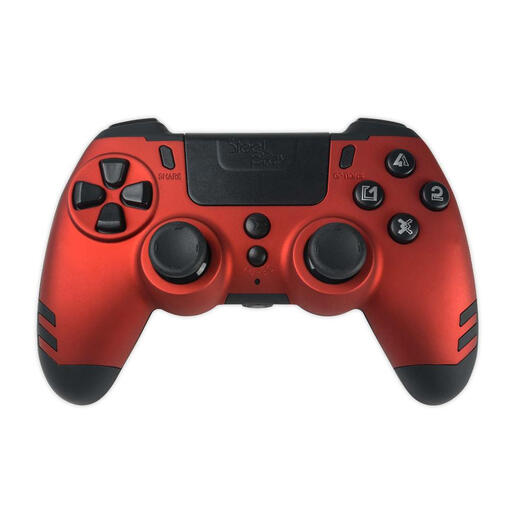 No image available
This is a PS4 or PC option for players who want wireless use.
Check the battery arrangement and whether charging can use an available port on your device before choosing it to save a wall socket.
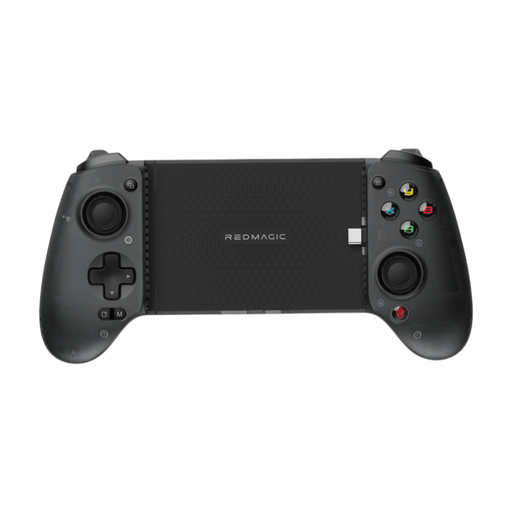 No image available
Consider this phone controller if you play controller-supported games on a compatible Type-C iPhone or Android device.
Its direct connection uses the phone’s Type-C port. Check how you would charge the phone during play if you expect to need that port.
Yes, if the controller supports charging from a USB port you have available. PlayStation Support says a compatible controller can charge from a console while it is on or in rest mode; check the PS5’s rest-mode USB power setting if that is when you plan to charge.
No: Microsoft says it can run on AA batteries or a rechargeable battery pack. Rechargeable AAs must be charged outside the controller, so you will need a suitable way to charge those cells if you choose them.
Not necessarily: support depends on the exact model and console. For the Ultimate 2C Wireless Controller, 8BitDo specifies 2.4 GHz use on Windows and Bluetooth on Android; check explicit support for your console rather than treating those connection modes as proof of compatibility.
Take unwanted batteries to an appropriate battery collection point rather than putting them in household rubbish. GOV.UK also advises using an appropriate recycling route for unwanted electrical products such as controllers.