Families prioritising physical controls
If an on-screen keyboard is not enough, start with the exact keyboard and pointing device the person wants to use. Check compatibility with the chosen tablet or computer before comparing other specifications.


Choose around the person’s preferred physical controls rather than assuming a tablet will be simpler. A tablet is worth considering if the exact model works with the intended keyboard and mouse and can be positioned comfortably; a Windows detachable or convertible may suit someone who prefers a familiar desktop-style pointer and browser. For a refurbished device, check the seller’s written condition, warranty and return arrangements, and try the complete setup with its intended user.
If an on-screen keyboard is not enough, start with the exact keyboard and pointing device the person wants to use. Check compatibility with the chosen tablet or computer before comparing other specifications.
A readable screen and a stable viewing position matter when online activities and streaming are the main tasks. Try the text size, controls and screen position in the place where the device will be used.
For a device needed during a shorter period, check its documented condition, supplied accessories, return process and warranty route. A refurbished listing needs to be assessed as a complete, usable setup.
For browsing and streaming after a hospital stay, settle the physical-input requirements first, then try the screen and familiar online tasks. Check support arrangements for the complete device-and-accessory setup before relying on it for daily use.
| Concern | What to check | Who this matters to |
|---|---|---|
| Keyboard and pointer | Confirm the exact device and operating-system compatibility with the intended physical keyboard and mouse; check whether a trackpad is acceptable instead. | If I need keys and a separate mouse rather than touch alone, the controls must feel manageable in my usual position. Around 31% of consumers put physical-input fit first. |
| Screen and viewing position | Try text size and display settings with the intended user, and check that the screen or stand remains stable on the intended surface. | When I browse or watch programmes, I need to see the screen comfortably without holding it throughout. Screen and viewing comfort comes first for around 25% of consumers. |
| Familiar online use | Check the browser, streaming services and sign-in process the person actually uses, alongside their familiarity with the operating system. | If I already know how to navigate with a desktop-style pointer and browser, changing that routine could make simple tasks harder. Around 25% of consumers chiefly prioritise a familiar online workflow. |
| Condition and support | For a temporary or refurbished purchase, check the written condition, included charger and controls, warranty provider and return or repair process. | If this will be my main device for a short period, I need to know what happens if it develops a fault. Clear condition and support arrangements are the primary concern for around 19% of consumers. |
A matched cover may have a trackpad, while the person may want a separate physical mouse. Covers can also be specific to a tablet model or generation.
Check the tablet and accessory model numbers, keyboard layout and stand position, then confirm the separate mouse setup if one is needed.
Which? notes that the physical keyboard is not included with the Microsoft Surface Pro 12-inch (2025). The device alone would therefore not meet a physical-keyboard requirement.
Check the contents of the exact listing, including the keyboard, mouse and charger, before deciding whether it forms a usable setup.
Arranging a separate keyboard can delay use if the device is needed promptly.
Condition grades, supplied accessories and warranty arrangements can differ between listings. Microsoft says its proof-of-purchase warranty-update route for new Surface devices does not include used or refurbished devices.
Keep the listing and proof of purchase, and confirm the seller’s condition description, warranty provider and repair instructions.
Adjustable pointer and keyboard settings cannot establish how an individual will find the controls, screen position or familiar apps.
Set up the intended keyboard, mouse, browser and streaming service with the person, then let them try the arrangement while the applicable return route remains available.
Relevant when an iPad setup needs a matched keyboard case as well as a way to use a pointing device.
Relevant to an Android tablet setup where a model-matched keyboard cover and a larger viewing area are under consideration.
Relevant when a Windows detachable computer and familiar pointer-based controls are more important than a tablet-first interface.
These listings offer different ways to arrange browsing and streaming: tablet bundles with physical accessories, a Windows 2-in-1, a conventional laptop and a tablet for pairing with a compatible keyboard cover. Check the exact contents and controls against the person’s needs rather than treating them as interchangeable setups.
 Image unavailable
Consider this bundle if separate physical controls are the starting point. The product title lists a 10.1-inch display and 256 GB storage alongside the keyboard, mouse and stylus. Check the shipped Android version, written warranty terms and whether the screen and stand position suit the intended user.
 Image unavailable
This Windows 11 Home 2-in-1 is a route to consider for someone who prefers a physical keyboard alongside a convertible screen. Its title specifies 16 GB RAM and a 1 TB SSD. Check the preferred separate mouse connection, the listing’s warranty arrangements and how the intended user finds its keyboard and viewing positions.
 Image unavailable
This tablet is worth examining if a larger display and physical keyboard are priorities for desk-based browsing. Its title specifies a 12.7-inch, 90 Hz display and 256 GB storage. Confirm the exact keyboard variant, streaming-service access, separate mouse compatibility and warranty terms before choosing the setup.
 Image unavailable
This conventional Windows laptop may suit someone who wants a familiar keyboard-based layout rather than a tablet. The title specifies a Snapdragon X processor, 16 GB RAM and a 512 GB SSD. Its display is non-touch, so choose another route if touchscreen operation is required; also check the preferred mouse and warranty arrangements.
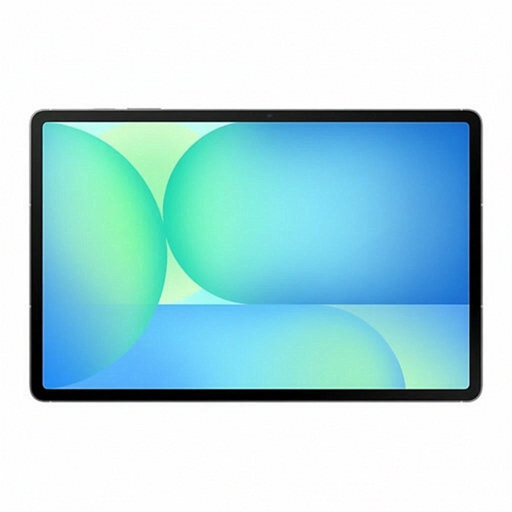 Image unavailable
Consider this tablet if a 13.1-inch viewing area is useful and you are willing to assemble the physical-input setup separately. Samsung describes a compatible Galaxy Tab S10 FE+ Book Cover Keyboard with a trackpad, but the cover is not listed among this tablet’s included items. Check the exact cover, any preferred separate mouse and the listing’s warranty terms.
Yes, Apple says an iPad running iPadOS 13.4 or later can use a Bluetooth mouse or trackpad. Check the exact iPad, installed version and mouse; Apple notes that first-generation Magic Mouse and Magic Trackpad models do not support scrolling or other gestures in iPadOS.
Yes, Google says an Android-compatible physical keyboard can be connected to a tablet for typing and navigation. Check the tablet’s Android version and the keyboard’s layout and pairing steps; some of Google’s setup instructions apply only to Android 14 or later.
Set up and try the intended mouse, keyboard, browser and streaming services with the person who will use them. Microsoft documents Windows controls for pointer size and colour and text-cursor visibility; adjust these alongside sign-in, volume and captions as needed.
No. A seller’s commercial warranty is separate from statutory consumer rights. Back Market’s UK seller warranty describes cover for defects in materials and workmanship in addition to statutory rights; check that seller’s terms and the applicable route for a fault rather than treating its warranty as the only remedy.
Confirm who handles faults, how a repair is started and what happens to the device during that process. Check the written warranty, return instructions and included charger and controls for the exact listing; for a used or refurbished Surface, Microsoft says its proof-of-purchase warranty-update route for new devices does not apply.