Choose the smallest tablet on which your adventure games’ dialogue, maps and controls still feel comfortable. An 8.8-inch model takes up less room in a coach seat, while a 10.9–11-inch screen gives story-heavy games more viewing space; consider a 12-inch-plus tablet if you expect to support it rather than hold it. Check your games’ offline requirements before travelling, and treat onboard Wi-Fi and charging as useful extras rather than necessities.
Who these tablets suit
Space-conscious coach gamers
If you expect to hold your tablet or pack it away frequently, a smaller screen may be worth the reduced space for game text and controls. Lenovo lists an 8.8-inch display for the Legion Tab Gen 5; compare the dimensions and weight of any exact model you consider.
Story-and-map-focused players
If dialogue, maps and inventory screens drive your choice, a roughly 11-inch display is a useful size to assess. Apple lists an 11-inch iPad Air, while Samsung lists a 10.9-inch Galaxy Tab S10 FE; check how your own games arrange their interfaces.
Offline-first long-trip players
If you want your games ready before departure, check their download sizes and offline-play rules rather than relying on coach connectivity. National Express describes its onboard Wi-Fi as suitable for browsing and social media, not as a gaming-performance service.
What matters when choosing
Start with the games you intend to play: their text and controls determine a comfortable screen size, while their download and connection requirements determine how to prepare for the journey.
| Concern |
What to check |
Who this matters to |
| Size and handling |
Compare the exact model’s dimensions and weight, including any case or stand you plan to use. |
If I will hold the tablet in a confined seat, I need it to be manageable even if the game view is smaller. Around 42% of consumers put compact handling first. |
| Offline readiness and power |
Check whether each game works offline, its installed size and the charging connection you will need. |
For a long journey, I want games and updates ready before boarding rather than depending on the coach connection. Around 33% of consumers prioritise dependable local access and power planning. |
| Readable visuals and controls |
Try to assess dialogue and map legibility at the chosen size; check the game’s touch and controller support. |
When dialogue and puzzle interfaces are central to play, I need to see and operate them comfortably. Roughly 25% of consumers make readability and controls their primary concern. |
Buying pitfalls
-
Choosing by refresh rate alone
Lenovo lists a 165Hz display for the Legion Tab Gen 5, but that specification does not tell you which frame rates a particular adventure game supports or whether its text will be comfortable to read.
Check the game’s platform requirements, interface, storage needs and control options before treating display refresh rate as a deciding factor.
-
Depending on coach Wi-Fi or a particular socket
National Express describes its Wi-Fi as suitable for browsing and social media. It lists USB-A charging points and says some coaches have a 240V socket instead; facilities may differ on additional vehicles.
Install games and updates before travel, take a suitable cable and check the facilities for your booked operator and service.
-
Assuming a larger screen is always easier to use
More viewing space also means a larger device to place or hold. Within Apple’s iPad Air Wi-Fi range, the 13-inch model weighs 616g and the 11-inch model weighs 464g.
Decide whether you will hold the tablet, support it with a stand or use a tray table, then compare the exact model’s size and weight.
-
Assuming controller connection guarantees game support
Apple documents Bluetooth and wired connections for compatible iPad game controllers, but support within an individual game is a separate question.
Check the game publisher’s controller information and compatibility with your tablet and controller before choosing that setup.
Depending on the iPad model and wired controller, an adapter may also be needed.
Relevant brands to consider
Lenovo
The Legion Tab Gen 5 is a compact Android gaming-tablet option for players considering an 8.8-inch screen.
- Lenovo lists an 8.8-inch 3K display with a 165Hz refresh rate, a Snapdragon 8 Elite Gen 5 platform and a 9000mAh rated battery for this model.
- Those specifications do not establish battery life in your games or confirm that a particular title is available on Android.
Apple
The iPad Air range offers 11-inch and 13-inch screen options for players considering iPad games.
- Apple lists Wi-Fi model weights of 464g for the 11-inch iPad Air and 616g for the 13-inch version, and documents compatible Bluetooth or wired controller connections on iPad.
- Check the chosen game’s availability and controller support separately; a controller connection alone does not establish game-level support.
Samsung
The Galaxy Tab S10 FE is a 10.9-inch Android option for buyers assessing screen size alongside expandable storage.
- Samsung lists a 10.9-inch display and support for a microSD card of up to 2TB for this model.
- Check where your chosen games allow installations and saved data before counting on expandable storage for them.
Joybuy tablet choices
These choices span compact, roughly 11-inch and larger-screen tablets for coach travel. Match the size to how you will play, then check the requirements of your intended adventure games; a listed battery capacity does not specify gameplay hours.
 No image available
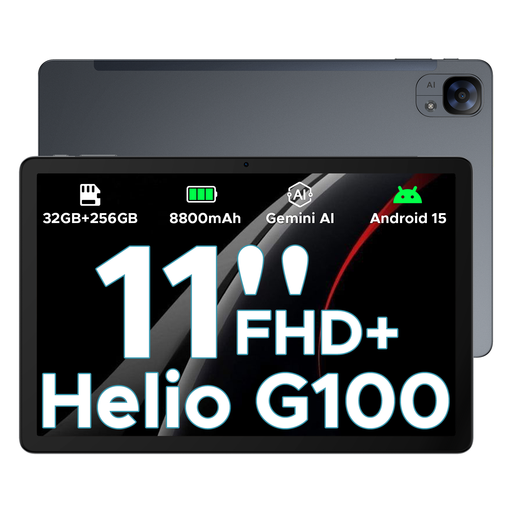
DOOGEE Tab E3, 11-inch, 256GB, Grey
Consider this size if you want more room for dialogue and maps than a compact tablet offers, while still checking how it fits your coach seat.
The listing names an 11-inch FHD+ 90Hz display, Helio G100 processor, 256GB storage and an 8800mAh battery. Check the tablet’s weight and your games’ offline and control requirements before choosing it.
Joybuy
 No image available
DOOGEE Tab G6 Plus, 11-inch, 256GB, Grey
This is another roughly 11-inch option if you want space for story text without moving to a 12-inch-plus screen.
The listing specifies an FHD+ display, 256GB storage and an 8000mAh battery. Confirm that your intended games work on the tablet and can be played offline if you plan to download them for the journey.
Joybuy
 No image available
Apple iPad Mini 7 (A17 Pro), 512GB, Space Grey
Consider the compact iPad route if packing and holding a smaller tablet matter more to you than a broad view of maps and dialogue.
This is the 512GB Space Grey variant. Check the screen size against your games’ text and touch layout, and confirm game availability, offline play and controller support where relevant.
Joybuy
 No image available
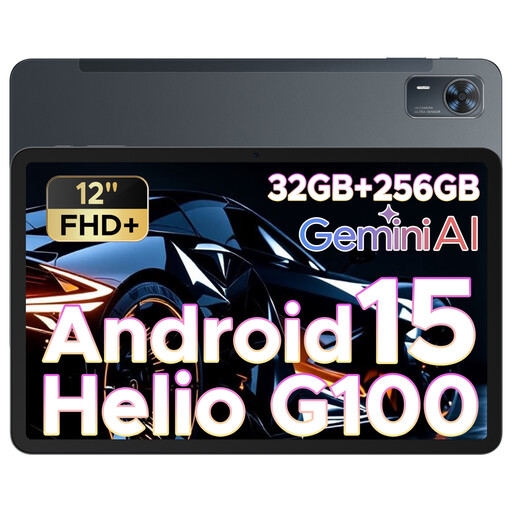
DOOGEE Tab E3+, 12-inch, 256GB, Grey
The larger display may suit you if viewing story text and maps takes priority and you expect to support the tablet rather than hold it throughout the journey.
The listing names a 12-inch FHD+ 90Hz display, Helio G100 processor, 256GB storage and an 8800mAh battery. Allow for the space a 12-inch device needs in a coach seat.
Joybuy
 No image available
TECLAST ArtPad Pro 2025 Edition, 12.7-inch, 256GB with stylus
Consider this larger format if a broad view of environments and maps matters more than minimising the space your tablet takes up.
The listing specifies a 12.7-inch 2K display, 256GB storage and a 10,000mAh battery. Check its dimensions and weight for your seating arrangement, and confirm game compatibility and offline play separately.
Joybuy
Frequently asked questions
Should I rely on coach Wi-Fi for adventure games?
Prepare games and updates before travelling if they can be used offline. National Express describes its Wi-Fi as suitable for browsing and social media, so check the game publisher’s connection requirements rather than planning around onboard connectivity.
Can I charge a tablet on a National Express coach?
National Express lists USB-A charging points and says some coaches have a 240V socket instead, but additional vehicles may not have all listed facilities. Check your service and take a cable suited to both your tablet and the available connection.
Can I use a controller with an iPad adventure game?
You can connect a compatible game controller to an iPad by Bluetooth or a wired connection, according to Apple, but the particular game must also support controller input. Check both the game and controller compatibility; a wired setup may require an adapter.
Do adventure games need a 165Hz tablet screen?
A 165Hz display is not a requirement established for adventure games. Check the particular game’s frame-rate support alongside text readability, controls and the screen size you can use comfortably on a coach.


