Mobile transfer coordinators
For coordinators moving between terminals, coaches and pickup points, access to changing transfer details matters alongside a screen they can use in changing light. Check the available connection along the actual route.


Choose a compact rugged cellular tablet for transfer work that extends to kerbsides and luggage areas, an iPad for seated review when the booking workflow works on iPadOS, or a Windows detachable when desktop software and frequent typing are essential. Confirm software compatibility and how live updates will reach the device before choosing a screen size or accessories. A coach driver must not hold and use a tablet while driving.
For coordinators moving between terminals, coaches and pickup points, access to changing transfer details matters alongside a screen they can use in changing light. Check the available connection along the actual route.
Staff using a tablet around kerbsides and luggage bays may need protection suited to knocks, dust and wet conditions. Check the exact device configuration and its protection limits rather than relying on a rugged label.
When transfer work involves a Windows application, detailed spreadsheets or repeated typing, a detachable Windows device is worth considering if its keyboard and larger format suit the journey.
Choose when: transfer details must be checked at outdoor pickup points as well as on the coach.
Trade-off: a compact screen leaves less room for a full manifest or spreadsheet; protection ratings also have defined limits.
Choose when: the booking workflow works on iPadOS and seated schedule review or annotation takes priority.
Trade-off: plan separate protection for frequent outdoor or luggage-area handling.
Choose when: the job requires Windows software or sustained keyboard entry.
Trade-off: a keyboard is sold separately, and the larger setup is less convenient to hold while standing.
| Concern | What to check | Who this matters to |
|---|---|---|
| Live information | Confirm the selected variant and its SIM, eSIM, hotspot or managed Wi-Fi arrangement; check coverage on the routes used. | If transfer details change between terminals and pickup points, I need a way to reach updates without depending on unknown Wi-Fi. Around 36% of consumers would put that continuity first. |
| Field durability | Check the exact model's ingress and drop-test conditions, required cover and warranty terms. | Moving a tablet around luggage and outdoor boarding points makes handling protection my main concern. For roughly 29% of consumers, durability would take priority. |
| Software and typing | Check the transfer service, authentication and file workflow on the chosen operating system; establish whether a physical keyboard is needed. | If I regularly correct manifests or use a Windows-only dispatch tool, reading on a touchscreen is not enough. About 21% of consumers would prioritise compatible software and data entry. |
| Seated review | Compare display size and the weight of the selected variant; check pen support if annotation is required. | When most of my work is reading schedules or marking documents from a seat, I want a screen I can use comfortably without carrying an unwieldy setup. Around 14% of consumers would make that their primary need. |
GOV.UK states that holding and using a data-capable device, including a tablet, while driving is illegal. A mounted device must not distract the driver or obstruct the road view.
Give active in-motion review to a passenger, escort or dispatcher where possible; the driver should check details when safely parked. Include any driver-facing device in the work-driving risk assessment.
Wi-Fi at a terminal or on a coach does not establish how the team will receive updates throughout its route. A cellular-capable tablet offers another connection method, but still depends on the network and plan.
Check where updates are needed and whether managed Wi-Fi, a hotspot or a tablet's own mobile connection meets that need.
A keyboard, pen, case or suitable charging equipment can affect whether the tablet works for a shift. Microsoft states that the Surface Pro keyboard is sold separately.
Check the contents and compatibility of the complete setup, including any keyboard, protection and charging equipment the team will use.
Samsung describes specific water-test conditions for the Galaxy Tab Active5 and states that water or dust damage is not covered by its warranty.
Match the exact model and its tested configuration to the expected exposure, and check its handling instructions and warranty terms.
The Galaxy Tab Active range is relevant to teams checking transfers in outdoor and high-handling settings.
The iPad Air range is relevant to seated schedule review and annotation when the required tools work on iPadOS.
Surface Pro is relevant when reviewing transfers also requires a Windows workflow or frequent typing.
These tablets offer different starting points for reading transfer information, from a named cellular configuration to Wi-Fi document review. Check the actual booking software, connection method and handling needs before selecting one.
 No image available
Consider this configuration for reviewing schedules on a 13-inch screen when the transfer tools work on iPadOS.
The named variant has Wi-Fi + Cellular connectivity, 1TB storage and standard glass. Confirm the mobile plan and any protection or input accessories needed for the job.
 No image available
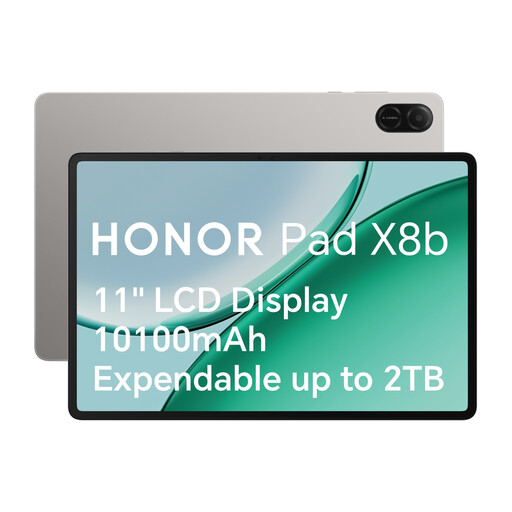
Consider this tablet for transfer review if its software and your planned way of receiving updates fit the workflow.
The named variant has 128GB storage. Confirm its connection options and the protection required for outdoor handling.
 No image available
Consider this E Ink device for document-focused review only after checking that the transfer workflow works on it.
The title specifies a 10.65-inch screen and a protective case. Check how it will receive live updates and whether its display suits the lighting where it will be used.
 No image available
The named LTE configuration is worth checking when live transfer updates require a mobile-data option.
It specifies 128GB storage and 6GB RAM. Confirm network-plan support, screen suitability and compatibility with the transfer service.
 No image available
Consider this tablet for reviewing transfer documents after confirming its software and connection options meet the job's requirements.
The named configuration specifies 12G RAM and 512G ROM. Check how updates will reach it during the journey and whether it needs protection for field use.
No. GOV.UK states that holding and using a tablet or another data-capable device while driving is illegal. Arrange for a passenger, escort or dispatcher to handle active checks during the journey, or for the driver to check when safely parked.
No mount removes the need for the driver to keep full control and an unobstructed view of the road. GOV.UK describes conditions for hands-free device use, but active schedule review can distract from driving; plan that work for someone else or for a safe stop.
Consider a cellular variant when live transfer details must be reached away from dependable Wi-Fi or a managed hotspot. Check the exact tablet configuration, mobile plan and coverage along the routes used; cellular hardware alone does not guarantee a connection.
No. Samsung describes the Galaxy Tab Active5 water test as freshwater submersion up to 1.5 m for up to 30 minutes and states that water or dust damage is not covered by its warranty. Check the terms and test conditions for the exact model.
A keyboard may be unnecessary for occasional reading or approval, but it is worth considering for regular manifest corrections, spreadsheets or long updates. Check that it works with the chosen tablet; Microsoft states that the Surface Pro keyboard is sold separately.