Choose a tablet around the records you handle most: look for a document-capture workflow if you mainly file receipts and warranty cards, a specified autofocus rear camera if you often photograph appliance labels, or storage options that suit a growing local archive. On a small desk, check the tablet’s height and width alongside any case or stand; a comfortable screen size alone does not tell you how much working space remains.
Who needs this setup?
Paperwork-to-PDF organisers
If receipts, warranty cards and manuals are your main records, look at how the tablet captures pages and turns them into files you can find later. Lenovo describes a document-to-PDF scanner for the Tab M11; check the workflow on the exact model you intend to buy.
Small-desk record keepers
If the tablet must sit beside an appliance, papers and a charger, compare its physical dimensions with your clear desk space. Allow room for a stand if you plan to photograph documents from above.
Long-term archive users
If you plan to keep many photos and PDFs while moving between email and registration pages, consider usable storage, backup and whether the tablet supports your preferred way of working across apps.
What matters when choosing?
Start with the record that is hardest for you to capture or retrieve, then check whether the tablet and any accessories will fit the space where you will use them.
| Concern |
What to check |
Who this matters to |
| Clear capture |
Check the rear-camera specification and whether the exact tablet offers autofocus or a document-to-PDF workflow. |
If I regularly photograph receipts and small appliance labels, I need files whose details I can read when making a claim. Around 36% of consumers put clear capture first. |
| Desk fit |
Compare the tablet’s height and width with your free desk space, allowing for a charging cable and any stand. |
I need space to lay out paperwork beside the screen rather than moving everything for each photograph. Desk fit comes first for around 29% of consumers. |
| Storage and retrieval |
Check the internal storage variant, supported expansion and how you will back up your files. |
If I keep manuals, photos and PDFs for several appliances, I want enough room and a filing method that helps me find the right record. Around 21% of consumers prioritise managing the archive. |
| Continuity and security |
Check the manufacturer’s update information for the exact model, and keep proof of purchase and warranty terms separately from the tablet. |
I rely on account access and stored records when following up a claim, so I need a way to protect the device and retain the evidence. This is the primary concern for around 14% of consumers. |
Mistakes to avoid
-
Choosing by screen diagonal alone
An 11-inch screen does not describe the tablet’s full desk footprint. Apple lists the iPad (A16) at 248.6 mm by 179.5 mm, before allowing space for a case or stand.
Measure where the tablet, an open receipt and the charging cable will sit. If you intend to photograph pages from above, also plan where a stable stand would go.
A stand or document holder may be needed to keep the tablet steady beside the paperwork.
-
Counting all advertised storage as file space
Samsung notes that software uses some of a tablet’s stated storage, so the full advertised capacity is not available for warranty files.
Leave room for future photos and PDFs, check expansion support on the exact variant, and maintain a separate backup of records you cannot replace.
Removable storage or a cloud-storage plan may add to what you need for a growing archive.
-
Discarding purchase evidence after saving a photo
A tablet copy is useful for finding a record, but a warranty or guarantee claim may require proof of purchase and the relevant warranty paperwork. Citizens Advice advises keeping purchase evidence for a claim.
Keep the original receipt or retailer confirmation and the warranty terms as well as clear, backed-up copies. Name the files so you can identify the appliance and purchase date.
-
Assuming every tablet has the same update support
Security-update information matters when a tablet holds receipts, account access and other records. The applicable UK connected-device requirements also depend on the type of device.
Check the manufacturer’s stated update support for the exact Wi-Fi or cellular model you are considering, rather than assuming that another variant has the same support.
Relevant brands for reference
Lenovo
The Tab M11 is worth examining if photographed paperwork is central to your filing routine.
- Lenovo describes its Smart Scanner as converting and straightening photographed pages into PDFs; its UK Tab M11 information also specifies an 11-inch anti-glare display.
- That scanner description is Lenovo’s own claim, not an independent measure of scan accuracy. Check the software and included accessories for the particular bundle.
Apple
The iPad (A16) offers a specified rear-camera option for buyers who frequently photograph labels as well as documents.
- Apple specifies a 12MP autofocus rear camera and a starting storage capacity of 128GB for the iPad (A16).
- Choose the storage capacity at purchase; do not plan on adding microSD storage later. Measure the tablet’s footprint if desk space is tight.
Samsung
The Galaxy Tab A9+ is relevant if keeping local files and working across several apps matter more to you than a stated document-scanner workflow.
- Samsung states that the Galaxy Tab A9+ supports microSD expansion up to 1TB and can show up to three apps on screen.
- Usable storage is lower than advertised total storage. Check the exact variant and its capture workflow before relying on it for small-print records.
Tablets to consider on Joybuy
These tablets offer different screen sizes, storage configurations and accessories for keeping appliance records. Compare their exact dimensions and document-capture options with your desk setup before choosing.
 No image available
Xiaomi Pad 8, 8GB RAM, 128GB, Wi-Fi, Grey
Consider this Wi-Fi tablet if you want to store warranty files locally; its listed configuration has 128GB of storage. Check the physical footprint and how you would capture and organise documents before buying.
View on Joybuy
 No image available
TABWEE T20, 10.1-inch, 256GB, with keyboard, mouse and stylus
The 10.1-inch screen and stated 256GB storage may suit a desk-based archive. The title also specifies TF-card support up to 2TB and an 8MP camera; confirm card compatibility, the offered Android version and whether its capture workflow meets your needs.
View on Joybuy
 No image available
TABWEE T80, 10-inch, 128GB, with keyboard
Consider the 10-inch screen if you are comparing how much working room different tablets leave on your desk. The title specifies 128GB storage and TF-card expansion up to 2TB; confirm card compatibility and test whether the camera can capture the small print you need.
View on Joybuy
 No image available
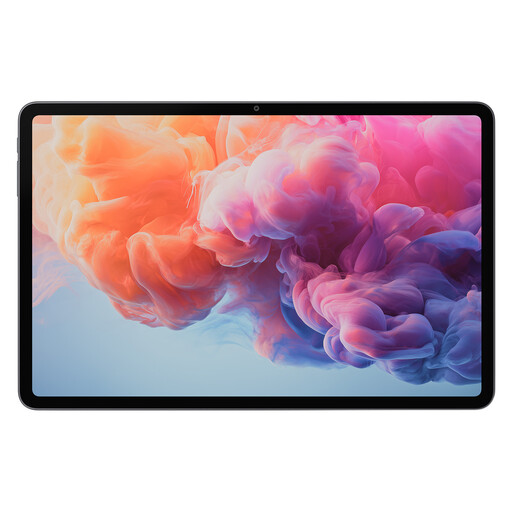
ALLDOCUBE iPlay 70 Pad Pro MTK G100, 8GB+128GB, 12.1-inch
The title specifies a 16MP autofocus camera with flash and 128GB storage, making label capture a useful point to check in person. Measure the space available for its 12.1-inch format; this variant is listed without a charger, so arrange a compatible one separately.
View on Joybuy
 No image available
TECLAST ArtPad Pro, 12.7-inch 2K, 256GB, with stylus, case and keyboard
The 12.7-inch display and stated 256GB storage may suit reviewing and keeping a larger collection of records, provided the tablet and its case fit your desk. Check the actual footprint, document-capture workflow and manufacturer’s update information for the offered model.
View on Joybuy
Common questions
Can a saved receipt photo replace all my warranty evidence?
Do not assume it can. Citizens Advice says a warranty or guarantee claim will usually need proof of purchase and may require warranty paperwork and details of the problem. Keep the receipt or retailer confirmation as well as a clear, backed-up tablet copy.
Can I return a tablet bought online if it does not suit my desk?
For UK online orders, GOV.UK says customers generally have 14 days after receiving an item to tell the seller they want to cancel, then another 14 days to return it. Check applicable exceptions and handle the tablet only as you would in a shop; a fault or misdescription is a separate matter from changing your mind.
Should I check how long the tablet will receive security updates?
Yes, especially if it will hold receipts and provide access to retailer accounts. Check the manufacturer’s stated support for the exact model. The National Cyber Security Centre describes minimum security-update disclosures for devices covered by UK connected-device rules, while GOV.UK identifies different treatment for tablets without cellular capability.
Does a manufacturer warranty replace my rights if the tablet is faulty?
No. Citizens Advice explains that warranties and guarantees add to legal rights rather than replacing them. Keep your proof of purchase and contact the seller about a faulty or misdescribed tablet; a retailer’s voluntary warranty terms do not determine those statutory remedies.


