Diagram-focused astronomy readers
If you read illustrated guides, labelled star charts or PDF-heavy reference books, examine screen detail, page area and reflection treatment rather than choosing by diagonal size alone.


For astronomy books on a train, start with a tablet around 10–11.5 inches if you need to balance diagram space with comfortable handling. Check how your own books display and whether your reading app opens downloaded files offline. An 11-inch iPad Air offers Apple’s specified anti-reflective display; a Lenovo Tab Plus gives you a larger screen and built-in stand for table use, while a Galaxy Tab S10 FE offers expandable storage. Check app availability particularly carefully before choosing a Fire HD 10.
If you read illustrated guides, labelled star charts or PDF-heavy reference books, examine screen detail, page area and reflection treatment rather than choosing by diagonal size alone.
If you want books, PDFs and notes ready before boarding, check how your reading app stores them. A Wi-Fi model and a cellular or 5G model are different purchases; neither removes the value of preparing files in advance.
If you already use a particular book service or file-reading app, confirm that it works on the tablet’s operating system before weighing up display and accessory choices.
Start with access to your books, then weigh screen detail against how you will hold or prop the tablet during the journey.
| Concern | What to check | Who this matters to |
|---|---|---|
| Chart and text legibility | Compare the exact model’s resolution and reflection treatment; inspect a representative astronomy page if possible. | When small chart labels matter more than a larger device, I want to inspect them without constantly zooming. Around 29% of consumers put diagram and text legibility first. |
| Handling in a train seat | Check the exact variant’s weight and whether you will hold it or have room to use a stand. | If I usually read with the tablet in my hands, a screen that feels awkward to hold could outweigh extra page area. Comfortable handling comes first for around 21% of consumers. |
| Offline library access | Confirm that your app downloads the required books and PDFs, and check the variant’s storage and connectivity. | I need my books and notes to open even when the connection drops. Around 29% of consumers prioritise dependable offline access. |
| Apps and included essentials | Verify your book service on the operating system and check the exact bundle for a suitable charging adaptor. | Before choosing a tablet, I want to know that my existing reading service works and what else I need to use the device. App compatibility and included essentials are the primary concern for around 21% of consumers. |
A bigger display does not establish how clearly it will show fine labels or handle reflections. Apple specifies a 2360 × 1640 anti-reflective display for the 11-inch iPad Air, while Lenovo specifies a 2000 × 1200 display for the Tab Plus; these figures describe different products, not a train-reading test.
Compare the exact model’s display specifications and, if possible, open one of your astronomy PDFs on a display unit.
Amazon says the Fire HD 10 does not include a power adaptor, and Samsung says the Galaxy Tab S10 FE range does not include a travel adapter.
Check the retailer’s bundle and whether a charger you already own meets the device’s requirements; an included cable does not establish that a mains adaptor is included.
Wi-Fi and cellular or 5G are distinct variants. Books stored on the tablet can still be read without a connection, provided the chosen app permits offline access.
Download your actual books and PDFs, then try opening them with Wi-Fi switched off before travelling. Choose cellular or 5G if you separately need mobile data.
Amazon says Google Play is not supported on Fire tablets, so access to an app you use elsewhere should not be assumed.
Check whether your astronomy-book service supports Fire OS and whether your existing files can be opened offline.
The 11-inch iPad Air is worth considering when display detail, reflection treatment and handheld weight are central to the choice.
The Galaxy Tab S10 FE offers an Android route with a 10.9-inch display and distinct Wi-Fi and 5G variants.
The Tab Plus suits consideration when you expect to read on a train table and want a larger Android screen with a built-in stand.
The Fire HD 10 is a reading option only if your required books and apps work within its ecosystem.
These tablets offer different screen sizes and ways to store or view books for train reading. Match the device to your own files, app and usual reading position rather than treating screen size alone as the deciding factor.
 No image available
Consider its 10.1-inch format if you want a compact screen for reading on the train; inspect a sample chart before deciding whether it shows enough detail for you.
The product name lists 256 GB storage and TF-card expansion up to 2 TB. Check that your reading app opens your downloaded files and confirm the exact software version and box contents before purchase.
 No image available
Consider this configuration if you want a tablet for astronomy pages and already know which reading app you intend to use.
The product name specifies 6 GB/128 GB. Check your app’s offline-download options and the exact bundle’s charging requirements before a journey.
 No image available
Consider this 11-inch model if fine illustrations and handheld reading are priorities. Apple specifies a 2360 × 1640 display at 264 ppi with anti-reflective treatment and lists the Wi-Fi model at 464 g.
This is the Wi-Fi variant. Confirm that your book service supports downloads and open the files you need offline before setting off.
 No image available
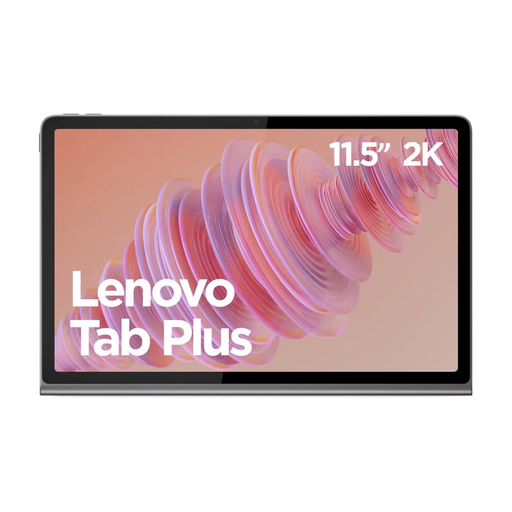
The built-in stand is useful to consider if you usually read at a train table rather than hold the tablet throughout the journey. Lenovo specifies an 11.5-inch, 2000 × 1200 display for this model.
This is a Wi-Fi configuration, so prepare books for offline use. Check that you have a suitable charging adaptor and that the tablet is comfortable for the way you plan to carry it.
 No image available
Consider the larger screen if you expect to view charts at a table and want to make handwritten notes. The product name lists a 12.7-inch 2K display, 256 GB storage, an included stylus and dual-SIM 4G LTE.
Check the device’s weight before choosing it for a confined seat, and confirm that your reading app can open your books offline.
Start with a tablet around 11 inches if you expect to pack and hold it during the journey; consider 13 inches if full-page charts matter more and you normally have a table or stand. For its Wi-Fi iPad Air models, Apple lists 464 g at 11 inches and 616 g at 13 inches, before any case or keyboard.
Not if your books and notes are downloaded and your app opens them offline. Consider 5G when you separately need mobile data away from Wi-Fi; Samsung lists distinct Wi-Fi and 5G Galaxy Tab S10 FE variants, while the Lenovo Tab Plus configuration discussed here is Wi-Fi only.
No such compatibility should be assumed: Amazon says Google Play is not supported on Fire tablets. Check your particular book supplier or library service and try to establish whether its books can be opened offline on Fire OS.
You may need one, depending on the tablet and bundle. Amazon says the Fire HD 10 has no power adaptor in the box, and Samsung says the Galaxy Tab S10 FE range has no travel adapter; check the exact bundle and whether your existing charger is suitable.