Who is each format for?
How you support the tablet matters as much as the size of its screen: holding it, propping it up and relying on particular reading apps lead to different checks.
One-handed bedtime readers
If you change position often and keep the tablet in your hands, compare the weight of the exact model as well as its screen size. For a compact reference point, Apple lists the Wi-Fi iPad mini with an 8.3-inch display and a weight of 293 g; a case will add to what you hold.
Readers who prop up larger text
If you rest the tablet on a stand or other support, a wider display leaves more room for enlarged type. Samsung lists an 11-inch Galaxy Tab A9+, while Lenovo lists an 11-inch Tab M11 configuration. Check the text size you actually use before trading a compact format for more page area.
Readers tied to particular apps
If you borrow library ebooks or use an existing bookshop account, establish which apps and sign-in methods you need before settling on a device. Amazon says Google Play is not supported on Fire tablets, so a familiar reading service needs checking in Amazon’s Appstore rather than assuming it will work.
What matters when choosing?
Start with whether you will hold the tablet or support it, then check the reading service and bedtime conditions that could rule out an otherwise suitable screen.
| Concern |
What to check when buying |
Who this matters to |
| Hand-held comfort |
Compare the exact model’s stated weight and dimensions, allowing for any case. Try your usual ebook font size on a compact screen. |
If I hold the tablet while lying down, I need to change grip without giving up a readable page. Around 29% of consumers put hand-held comfort first. |
| Bedtime screen use |
Check brightness and notification controls; consider when you intend to stop using the screen before sleep. |
When a chapter runs late, I want fewer bright-screen distractions without assuming a display setting removes sleep concerns. Roughly 29% of consumers prioritise bedtime screen use. |
| Reading-app access |
Check your ebook and library services on the device’s app store, including sign-in and offline-reading needs. |
If my books come through a particular library or shop, access to that service matters more to me than an extra screen feature. About 24% of consumers place app compatibility first. |
| Larger text and layout |
Try your preferred font size on the proposed screen and check what support or accessories you would use in bed. |
When I prop the tablet up, I want larger type without making the page feel cramped. Around 18% of consumers make page space their primary concern. |
The screen-size trade-off has concrete examples: Apple specifies an 8.3-inch iPad mini, Samsung an 8.7-inch Galaxy Tab A9 and an 11-inch Galaxy Tab A9+, and Lenovo an 11-inch Tab M11 configuration. Those dimensions help narrow the format; they do not establish how comfortable any tablet will feel in your hands.
What is easy to overlook?
-
Choosing by screen size alone
A wider page can help with enlarged text, but that advantage may matter less if you expect to hold the tablet throughout a chapter.
Decide where the device will rest, then compare its stated weight and your preferred font size. If you plan to use a case or stand, account for that setup too.
-
Assuming every tablet offers the same apps
A screen that suits your reading position is of little use for a service you cannot access. Amazon explicitly says Google Play is not supported on Fire tablets.
Look up each ebook, library and audiobook service you rely on in the relevant app store before choosing the device.
-
Treating glare reduction as a sleep solution
Apple lists an anti-reflective coating for iPad mini, and Lenovo lists an anti-glare display for a Tab M11 configuration. These describe display treatments, not an answer to the NHS warning that screen blue light can make falling asleep harder.
Adjust brightness and silence notifications if you read on a tablet; if falling asleep is a concern, consider the NHS advice to avoid tablets for an hour before bed.
-
Assuming the accessories and variant are settled
A charger, case or stand can change how you use a tablet in bed. Lenovo’s Tab M11 bundles vary, and the exact regional configuration matters when comparing storage and connectivity.
Read the particular listing’s model number, box contents and regional details rather than applying another version’s specifications to it.
Relevant brands to consider
These product lines illustrate different reading formats and software choices; the useful comparison is between the particular models and configurations, not brands as a whole.
Apple
The iPad mini is a compact iPadOS option for readers considering a device they can hold while changing position.
- Apple specifies an 8.3-inch display, 293 g weight for the Wi-Fi model, True Tone and an anti-reflective coating.
- The smaller display leaves less page area for enlarged text than an 11-inch option; check the layout at your usual font size.
Samsung
The Galaxy Tab A9 and A9+ offer distinct compact and larger-screen Android formats.
- Samsung lists an 8.7-inch screen for Tab A9 and an 11-inch screen for Tab A9+.
- Storage and other configuration details depend on the model and regional variant; check the exact listing rather than relying on a range-wide description.
Lenovo
The Tab M11 is an 11-inch Android route to consider when the tablet will usually be supported rather than held.
- Lenovo’s cited UK configuration lists an 11-inch, 1920 × 1200 IPS anti-glare display.
- Accessory contents vary by bundle, and the wider format calls for a comfortable place to rest the device during longer reading sessions.
Amazon
The Fire HD 8 is a compact option to assess against the reading services you actually use.
- Amazon lists an 8-inch HD display for the Fire HD 8.
- Amazon says Google Play is not supported on Fire tablets; check required apps in Amazon’s Appstore before buying.
Tablet choices on Joybuy
These choices span compact tablets, an E Ink note-taking tablet and models to consider for reading with the device supported. Compare their exact configurations and check your reading services; the product list does not settle which format fits your bedtime setup.
 No image available
Apple iPad Mini 7 (A17 Pro), 512GB, Space Grey
Consider this compact model if you usually hold the tablet while reading. Apple lists an 8.3-inch screen, a 293 g Wi-Fi weight and an anti-reflective coating for this iPad mini generation; a case will add weight. Check that your ebook and library apps work for your account, and try enlarged text on the smaller screen if you use it.
View on Joybuy
 No image available
iFLYTEK AINOTE 2 10.65-inch E Ink tablet with protective case
Consider this E Ink format if your priority is reading compatible book files with the device supported. Its listed bundle includes a protective case. Plan for room lighting because the screen is described as frontlight-free, and check whether your particular ebook or library service works as you need.
View on Joybuy
 No image available
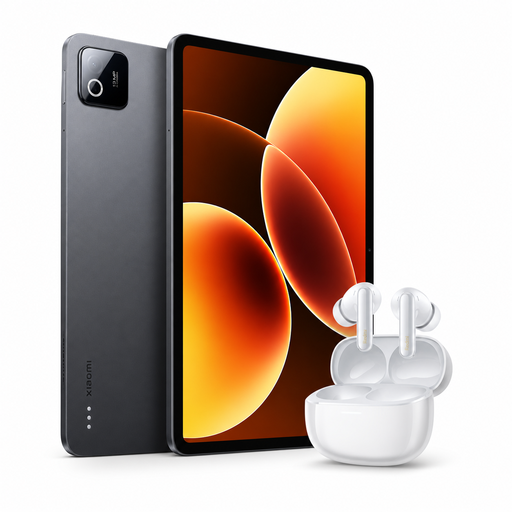
Xiaomi Pad 8 Gray, 8GB/128GB Wi-Fi, with Redmi Buds 6 Pro Glacier White
Consider a supported reading position if this tablet’s page layout appeals to you, rather than choosing it solely for one-handed use. The bundle names 8GB RAM, 128GB storage, Wi-Fi and Redmi Buds 6 Pro Glacier White. Confirm the exact processor and battery configuration with the seller before relying on either detail, and check your reading apps.
View on Joybuy
 No image available
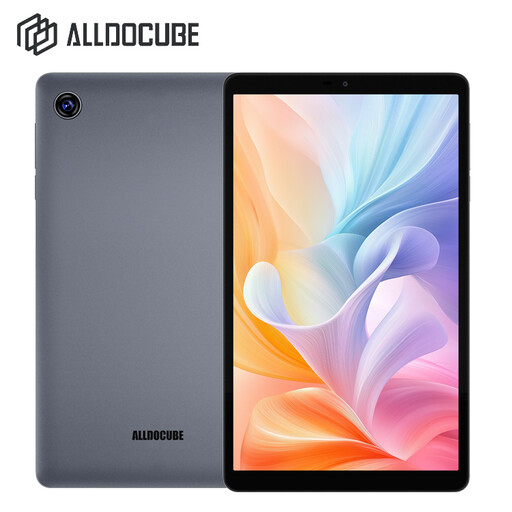
ALLDOCUBE iPLAY60 Mini, 8.68-inch, 4GB/64GB
The 8.68-inch screen makes this a compact format to assess for hand-held reading. Its title also specifies Android 15, a Unisoc T606 processor and a 4000mAh battery, and says no charger is included. Check the device weight, bedside reflections and access to your reading apps before deciding whether it suits your setup.
View on Joybuy
 No image available
Xiaomi Pad 7 Gray, 8GB/128GB, with Focus Pen
Consider this option if you plan to prop the tablet up for reading and also want the included Focus Pen. The title specifies 8GB RAM and 128GB storage. Check its weight if you expect to hold it for long periods, confirm your reading apps, and check whether you have a suitable charger for the listed configuration.
View on Joybuy
Frequently asked questions
Can I read on a tablet in bed if screens affect my sleep?
You can use a tablet for reading, but brightness settings cannot make bedtime screen use sleep-neutral. The NHS advises trying to avoid tablets for an hour before bed because screen blue light can make falling asleep harder. If you do read on one, lowering brightness and silencing notifications can reduce distractions without replacing that advice.
Will my reading apps work on an Amazon Fire tablet?
Do not assume every reading app will work on a Fire tablet: Amazon says Google Play is not supported on Fire tablets. Check each ebook, library or audiobook service you need in Amazon’s Appstore, including the sign-in and offline-reading features you use.
Does an anti-glare screen solve the problem of reading just before sleep?
No. An anti-glare or anti-reflective treatment addresses reflections from lighting, while the NHS advice concerns tablet screen use before sleep. Choose a display treatment for the reflections you encounter, but consider stopping tablet use an hour before bed if falling asleep is a concern.


