Start with a compact 8.3–9-inch tablet if you usually check reminders, email and one bill or banking page at a time, but make sure the pages you use remain readable on its screen. Consider an 11-inch tablet if you regularly need several views open together and have room for its stand. Whichever size you choose, check software updates, essential app compatibility and the equipment needed for your desk setup.
Who each tablet setup suits
Small-desk bill checker
If you open reminders, email and a bill-provider page beside paperwork or another device, start by checking whether a compact screen and its stand leave enough usable desk space. Apple UK lists an 8.3-inch display for the iPad mini, while Samsung UK lists an 8.7-inch display for the Galaxy Tab A11.
Security-conscious online payer
If you sign in to payment, banking or account-recovery services, check that the exact tablet can still receive operating-system and app updates. The National Cyber Security Centre advises keeping software updated to address known vulnerabilities.
Side-by-side household organiser
If you need a calendar, email and a provider page visible together, check the exact model’s multitasking features as well as the space available for its stand. Apple Support documents side-by-side windows on compatible iPads; the working area remains limited by screen size.
What matters when choosing
For tracking recurring bills on a small desk, check continued access to your accounts, then balance readable desk fit against the number of views you need open at once.
| Concern |
What to check |
Who this matters to |
| Desk fit and readability |
Measure the usable desk area and allow for the stand; inspect how due dates and payment controls appear in your usual apps or websites. |
I need to read bills beside paperwork without crowding the desk. Around 27% of consumers put compact, readable desk use first. |
| Supported account access |
Check current updates for the exact model and compatibility with essential bill-provider and banking apps. |
If I sign in to financial accounts, I need a device whose software and essential apps remain supported. Continuing account access comes first for around 33% of consumers. |
| Space for several views |
Confirm the model’s multitasking features and whether its screen and stand fit the desk. |
I regularly compare a provider page with email or a budget sheet and need both views open. Around 20% of consumers prioritise that shared workspace. |
| Desk setup and connectivity |
Check what charging equipment is supplied and whether you need a stand, keyboard or connection away from Wi-Fi. |
I mainly manage bills at my desk and want only the equipment and connectivity my routine calls for. That practical setup is the primary concern for around 20% of consumers. |
Buying pitfalls
-
Choosing an older tablet without checking updates
A tablet can still turn on while no longer receiving updates needed to address known software vulnerabilities. Lenovo PSREF lists the Tab M9 as launching with Android 12, one operating-system upgrade and three years of security patches.
Before using any model for financial accounts, check its current update eligibility and apply available operating-system and app updates. The National Cyber Security Centre advises keeping software up to date.
-
Assuming the smallest screen suits every bill routine
A compact tablet leaves more room on the desk, but persistent side-by-side views have less working area. Apple Support documents side-by-side windows on compatible iPads; check how much of each window remains readable on the model you want.
Identify the pages you need visible together. If you regularly compare bills with email or a budget sheet, check a larger tablet and its stand against the space on your desk.
-
Overlooking the rest of the desk setup
A tablet alone may not provide the viewing angle or charging arrangement you want for routine desk use. Accessories and connectivity also differ by model and variant.
Check what is included, then choose a stand, keyboard, stylus or mobile connection only if it serves your bill-tracking routine.
-
Assuming a regional variant matches a UK listing
A model name alone does not establish its charger, warranty provider or after-sales arrangements. The Joybuy listing cited for a Galaxy Tab A9+ identifies it as an HK version.
Confirm the exact model number, supplied equipment, warranty territory and seller’s after-sales process before ordering a regional variant.
Brands to consider
Apple
The iPad mini is a compact iPadOS option when desk space matters but you also want compatible side-by-side windows.
- Apple UK specifies an 8.3-inch display and a 195.4 × 134.8 mm body for the iPad mini.
- Check the space available within each window on its compact screen, along with the exact variant and accessories you need.
Samsung
Samsung’s tablet range includes compact and larger-screen routes; choose by the workspace and desk footprint of the exact model.
- Samsung UK specifies an 8.7-inch, 1340 × 800 display for the Galaxy Tab A11, with 64GB/4GB and 128GB/8GB configurations.
- Do not transfer a feature or UK after-sales arrangement from one Galaxy Tab model or regional variant to another.
Lenovo
The Tab M9 is a compact Android model to assess carefully if it will be used to access financial accounts.
- Lenovo’s Tab M9 documentation lists a 9-inch display and several storage configurations.
- Lenovo PSREF lists Android 12 at launch, one operating-system upgrade and three years of security patches. Check the exact device’s current update eligibility before choosing it for account access.
Joybuy tablet choices
These tablets cover compact options for checking bills on a small desk and one 11-inch option for consumers who want more viewing area. Check each model’s software support and desk fit for your own routine.
 No image available
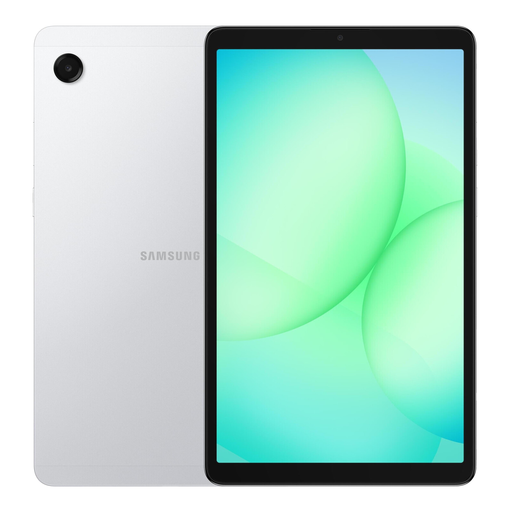
Samsung Galaxy Tab A11 X130 Wi-Fi, 4GB/64GB, Silver
Consider this compact option if you usually check one bill, reminder or account page at a time.
The product name specifies an 8.7-inch display, Wi-Fi, 4GB RAM and 64GB storage. Check readability in your essential apps, current software updates and the charging equipment supplied.
View on Joybuy
 No image available
Apple iPad mini 7 (A17 Pro), 512GB, Space Grey
Consider this iPad mini if you want a compact device and your bill-management apps work on iPadOS.
Apple UK specifies an 8.3-inch display for the iPad mini; this product name identifies the 512GB variant. Confirm its connectivity, current update eligibility and included accessories. Check whether the compact screen gives you enough room if you often keep windows side by side.
View on Joybuy
 No image available
Samsung Galaxy Tab A11+ Wi-Fi, 11-inch, 128GB, Grey
Consider the larger screen if reading bill pages matters more to you than keeping the device footprint small.
The product name specifies an 11-inch display, Wi-Fi and 128GB storage. Measure the space needed for the tablet and stand, and check the exact model’s multitasking features, current updates and supplied charging equipment.
View on Joybuy
 No image available
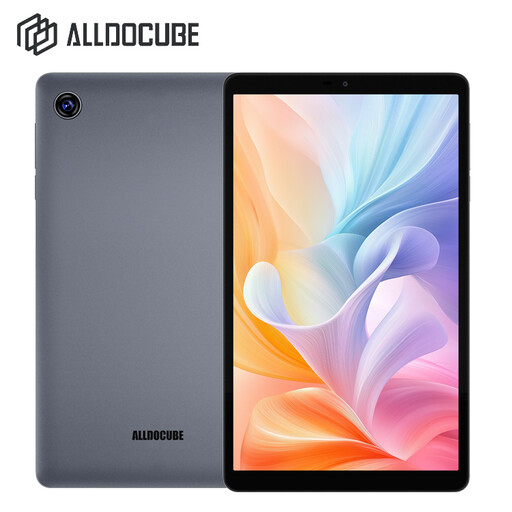
ALLDOCUBE iPLAY60 Mini, 8.68-inch, 4GB/64GB
Consider this compact Android tablet if its screen and essential apps suit your routine bill checks.
The product name specifies Android 15, a Unisoc T606 chip and a 4000mAh battery, and states that no charger is included. Check ongoing updates, app compatibility, body dimensions and the charging equipment you will need before using it for financial accounts.
View on Joybuy
Common questions
Is Wi-Fi enough for tracking recurring bills?
Wi-Fi is sufficient if you normally manage bills at a desk with a reliable connection. Consider cellular connectivity only if you need access away from Wi-Fi, and check the connectivity of the exact tablet variant before ordering.
What should I check before using a tablet for payment accounts?
Check that the exact model still receives operating-system updates and runs your essential banking and bill-provider apps. Apply available updates promptly; the National Cyber Security Centre advises keeping software up to date to address known vulnerabilities.
Can a compact tablet show a bill calendar and email together?
A compact tablet can show them together if its software supports the required multitasking mode, but each view will have limited space. Apple Support documents side-by-side windows on compatible iPads; check the feature and the resulting readability on the exact model you are considering.


