What matters when choosing?
Decide whether typing or handwriting drives your journal, then check how the complete setup will work at a cafe table and when you are away from your usual connection.
| Concern |
What to check |
Who this matters to |
| Sustained typing |
Check the exact keyboard compatibility, typing position and whether the keyboard is supplied. |
If I write long daily entries at a cafe table, an on-screen keyboard may interrupt the flow; around 33% of consumers put sustained typing first. |
| Handwriting and annotation |
Match the pen to the tablet model and generation; check whether your journalling app handles handwritten entries. |
I want to sketch a route or annotate a photo alongside my notes, rather than type every thought. Around 25% of consumers prioritise pen-based journalling. |
| Cafe portability and connection |
Compare the size and stated weight of the exact variant, and decide how you will connect away from home. |
When I move between cafes, I need a device that fits my bag and a way to sync without assuming public Wi-Fi is private; around 25% of consumers put mobile cafe use first. |
| A proportionate setup |
Check what is supplied and choose only the keyboard, pen, case or connectivity option you will use. |
For occasional short updates, I would rather keep the setup simple than carry accessories I rarely need. Roughly 17% of consumers make that their primary concern. |
Tablets and digital notebooks for cafe journalling
These Joybuy choices span handwriting-focused notebooks, compact tablets and larger-screen options. Match each one to the kind of entry you make most often, then confirm its accessories and your preferred journalling workflow.
 No image available
iFLYTEK AINOTE 2 E-Ink digital notebook
Consider this for a journal centred on handwritten or spoken notes; check your photo workflow and keyboard requirements before choosing it.
The product title specifies a 10.65-inch E-Ink screen, voice-to-text and handwritten-to-text features.
View on Joybuy
 No image available
TABWEE T80 10-inch tablet with keyboard
The keyboard-focused bundle is worth examining if you type entries at a cafe table. Confirm the keyboard layout, precise contents and software version for the device supplied.
The product title specifies 128 GB storage and a 6000 mAh battery.
View on Joybuy
 No image available
HONOR MagicPad 4 256 GB Grey
If you plan to combine photos with typed or handwritten entries, check that your journalling app and intended keyboard or pen work with this variant.
The product name identifies the 256 GB Grey configuration; confirm the precise accessories supplied before choosing a writing setup.
View on Joybuy
 No image available
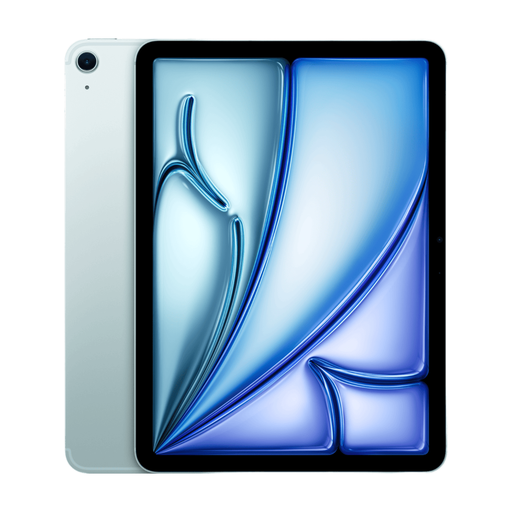
Apple 11-inch iPad Air (2026, M4) Wi-Fi 256 GB Blue
The 11-inch format is a starting point if you want a cafe journal that can mix typed entries with handwriting. Check the exact compatible keyboard and Pencil models; the accessories are separate purchases.
This is the M4 Wi-Fi variant with 256 GB storage. Apple Support lists Pencil Pro compatibility for the 11-inch iPad Air (M4).
View on Joybuy
 No image available
TECLAST ArtPad Pro 2025 Edition, 256 GB with stylus
Consider this for pen-led entries if you can accommodate a 12.7-inch tablet on the cafe table. For long typed entries, confirm a suitable keyboard arrangement.
The product title specifies a 12.7-inch 2K display, 256 GB storage and dual-SIM 4G LTE. It lists a stylus pen; confirm the exact contents supplied.
View on Joybuy
Common questions
Should I choose a keyboard or a pen for my travel journal?
Choose a compatible keyboard if you mainly write long entries; prioritise pen support if you regularly handwrite, sketch or annotate images. If you need both, check each accessory against the exact tablet model rather than assuming support for one means support for the other.
Is an 11-inch tablet large enough for writing in a cafe?
An approximately 11-inch tablet is a sensible starting point for single-document writing and routine photo updates. Consider a 12- or 13-inch device if a larger canvas, split-screen work or Windows applications matter enough to justify using more table space.
Can I use cafe Wi-Fi to sync my journal?
You can use cafe Wi-Fi, but do not assume a public network is private when accessing sensitive accounts. The UK National Cyber Security Centre warns that attackers on public or insecure networks may intercept or modify data; keep your tablet updated and consider a trusted mobile connection for sensitive activity.
Do I need a cellular tablet?
Not necessarily: Wi-Fi-only can suit you if you are happy to sync later or use a phone hotspot. Consider cellular if independent connectivity is important during cafe stops, and check the available connection options for the exact tablet variant.
What should I do with an old tablet in the UK?
Take an old electrical device to an appropriate recycling collection point rather than putting it in household rubbish. UK government guidance identifies the crossed-out wheelie-bin symbol as a reminder to recycle electrical products separately.


