What matters when choosing?
Decide how you will reach current route information, then choose a screen you are comfortable carrying; treat handwriting and outdoor protection as needs to check on the exact model.
| Concern |
What to check |
Who this matters to |
| Live connectivity |
Check whether the exact configuration supports mobile data and whether your intended network and data plan will work with it. |
If I need to check a route after leaving reliable Wi-Fi, I want the tablet to connect without borrowing my phone’s connection. Around 36% of consumers put independent connectivity first. |
| Maps and access details |
Compare screen size and carrying weight; if you will read outdoors, check the exact display’s brightness specification too. |
I need to zoom into the Canal & River Trust accessibility map to examine a particular towpath’s surface, gradient and access points. For around 29% of consumers, reading those details is the primary concern. |
| Occasional-use value |
Check that the planning services you use are available, then compare storage and which accessories are included. |
If I plan walks only occasionally, I want a tablet that handles my maps and reading without paying for features I will rarely use. Keeping the setup suited to those tasks comes first for around 21% of consumers. |
| Notes and outdoor use |
Confirm pen compatibility and inclusion, and check any water-and-dust rating for the exact tablet model. |
I want to mark up an itinerary or consult it near a damp towpath, so the pen and the device’s stated protection matter to me. Around 14% of consumers make these their primary concern. |
Joybuy tablet options
These options include approximately 11-inch Wi-Fi and mobile-data tablets, plus a larger model for handwritten planning. Check your route services, network needs and carrying preferences against the exact configuration.
 Image unavailable
TABWEE W90 11-inch dual-SIM 4G LTE tablet, 256GB
Consider this configuration if you want an approximately 11-inch screen and a mobile-data option for route checks away from Wi-Fi.
The title specifies dual-SIM 4G LTE, 5G Wi-Fi and 256GB storage. Confirm UK network compatibility and access to your preferred maps; also check the exact battery specification before relying on it.
View on Joybuy
 Image unavailable
Samsung Galaxy Tab A11+ 11-inch Wi-Fi, 128GB, grey
This Wi-Fi configuration suits planning over an available network or a phone hotspot.
The title specifies an 11-inch screen and 128GB storage. Check that your route services work on the device and confirm its outdoor-use specifications if you expect to consult it beside the towpath.
View on Joybuy
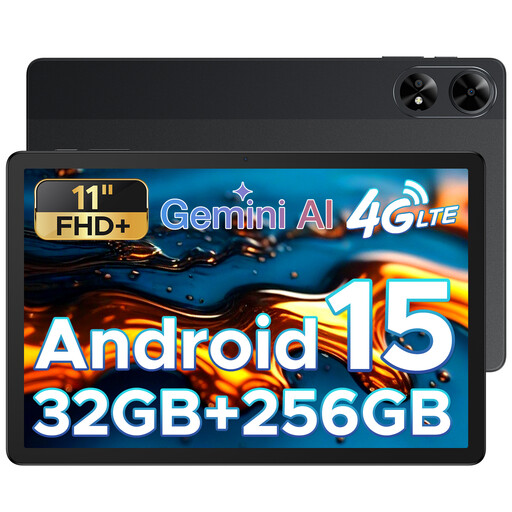 Image unavailable
DOOGEE Tab G6 Plus 11-inch tablet, 256GB, black
Consider this model for advance route planning if its apps and connectivity meet your needs.
The title specifies an 11-inch FHD+ display, 256GB storage expandable up to 2TB, and an 8,000mAh battery. Confirm access to your mapping services and check the exact outdoor-display and water-and-dust specifications before relying on it outside.
View on Joybuy
 Image unavailable
TECLAST ArtPad Pro 2025, 12.7-inch 4G LTE tablet with stylus
The larger screen and included stylus may suit itinerary work and handwritten notes before the walk, provided you are comfortable carrying a 12.7-inch tablet.
The title specifies a 2K display, dual-SIM 4G LTE and 256GB storage. Confirm UK network compatibility, route-service access and the device’s carrying weight.
View on Joybuy
 Image unavailable
Apple 11-inch iPad Air (2026, M4) Wi-Fi, 128GB, Starlight
This Wi-Fi configuration suits reviewing walk information wherever you have a network connection or phone hotspot.
The title specifies an 11-inch display and 128GB storage. Check your mapping-service access and the exact model’s weight and outdoor-viewing specifications if those affect your trip.
View on Joybuy
Common questions
Should I choose Wi-Fi or cellular for planning a canal walk?
Choose Wi-Fi if you can prepare the route before travelling or use a reliable hotspot when you need current information. Choose a cellular-capable tablet if it needs to connect independently away from Wi-Fi; confirm the exact configuration, network compatibility and data-plan arrangements.
Can I carry a tablet through a UK airport?
Yes, subject to the applicable baggage and battery rules. The UK Civil Aviation Authority says tablets should normally be taken in the cabin unless completely switched off and protected from damage; check your airline’s instructions for any power bank or spare batteries too.
Can a tablet tell me whether a canal walk is accessible?
A tablet can help you inspect the route, but it cannot guarantee that a towpath will suit your needs. Zoom into the Canal & River Trust accessibility map for the particular surface, gradient and access points, and bear in mind the Trust’s warning that surfaces vary with weather and season.
Do I need a water-resistant tablet?
Not necessarily if you will do most planning before setting out and keep the device protected while walking. If you expect to handle it in damp or dusty conditions, check the exact model’s rating: Samsung specifies IP68 water and dust resistance for the Galaxy Tab S10 FE, but that does not establish protection for other tablets or accessories.
What should I check before leaving the airport?
Inspect the exact canal section and how you will reach its access points, particularly if surface or gradient matters to you. Check that you can retrieve the information when you need it, whether through an available connection or material you have prepared before travelling.


