For a castle trip by coach, choose a tablet you can use to save maps, tickets and visit information before departure. A Wi-Fi-only model can be enough if you prepare offline; consider cellular only if you need live access away from Wi-Fi and will use mobile data. Balance screen readability against carrying size, and plan to put the tablet away on the coach if screen use makes you feel unwell.
Who is this for?
Offline-first day-trip planners
You want maps, booking confirmations and castle information ready before boarding, without depending on coach or venue Wi-Fi. Google Maps allows areas to be downloaded, although some directions are unavailable offline.
On-site readers and note-takers
You expect to read visit information or annotate an itinerary at the castle. Screen size, outdoor readability, pen arrangements and a case may matter more to you than features intended mainly for use on the coach.
Motion-sensitive coach passengers
You can prepare the trip on a tablet before travelling, then keep it packed during the journey if screens make you feel unwell. NHS 111 Wales advises people affected by motion sickness not to read or use electronic devices while travelling.
What matters when choosing?
Decide whether you need live information away from Wi-Fi before paying for cellular capability. Then consider how you will read and carry the tablet during the visit.
| Concern |
What to check |
Who this matters to |
| Offline trip information |
Check that your mapping and ticket apps let you save what you need, and download it before leaving. Google Maps does not provide walking or public-transport directions offline. |
I need my route, tickets and castle details even if the connection drops. Around 40% of consumers would put offline access first. |
| Reading and notes on site |
Compare screen size and stated outdoor-display features; check whether a pen is included or merely compatible. |
If I will read information outdoors or annotate an itinerary, I want a screen and note-taking setup I can use comfortably. Roughly 30% of consumers would prioritise that need. |
| Occasional use |
Match the exact memory and storage configuration to your required apps, rather than choosing by product-family name alone. |
I mainly need trip documents and occasional browsing, so I do not want to pay for features I will rarely use. About 20% of consumers would make proportionate spending their primary concern. |
| Coach-screen discomfort |
Arrange access to essential details without prolonged screen viewing during travel, such as saved information and a paper backup. |
When looking at a screen on a moving coach makes me unwell, I need to finish planning before boarding. Around 10% of consumers would put avoiding that discomfort first. |
Buying pitfalls
-
Choosing coach entertainment despite motion sickness
A larger screen does not address discomfort caused by using a device while travelling. NHS 111 Wales advises people affected by motion sickness not to read or use electronic devices on the journey.
Prepare the itinerary before departure and put the tablet away on the coach if screen use makes you feel unwell.
-
Expecting downloaded maps to do everything
Google Maps does not provide walking, cycling or public-transport directions, traffic information or alternative routes offline.
Download the relevant area before travel, save tickets and venue details separately, and keep a backup for the walk from the coach drop-off point.
-
Assuming a mains charger is in the box
Samsung UK states that the Galaxy Tab S10 FE and FE+ do not include a travel adapter.
Check the contents of the exact model and bundle, then confirm the specification of any charger you intend to use.
You may need to obtain a compatible charger separately.
-
Overlooking plug compatibility
An imported plug-in charger may not fit the socket where you intend to use it.
For use with domestic sockets in Great Britain, check compatibility with BS 1363 sockets. Check the applicable requirements separately if you are buying for Northern Ireland.
Brands to consider
Apple
Apple offers the 11-inch iPad (A16) in Wi-Fi and Wi-Fi + Cellular versions, a distinction worth considering if you may need live information away from Wi-Fi.
- Apple lists 128GB starting storage and a 477g weight for the Wi-Fi iPad (A16).
- Apple's comparison does not list an anti-reflective coating for the standard iPad display; compare screens directly if outdoor reading is central to the trip.
Samsung
The Galaxy Tab S10 FE range is relevant if you want to read and make notes during the castle visit.
- Samsung lists a 10.9-inch display, S Pen support, up to 2TB microSD support and IP68-rated dust and water resistance for the Tab S10 FE line.
- Samsung's stated brightness of up to 800 nits in High Brightness Mode does not ensure comfortable reading in every lighting condition; water resistance is not a reason to leave the tablet exposed to rain.
Lenovo
Lenovo's Tab M11 is an 11-inch Android option to assess for occasional planning, documents and saved visit information.
- Lenovo lists an 11-inch, 1920 × 1200 anti-glare display, 4GB memory and 128GB storage for the cited configuration.
- Check how the 4GB configuration handles the particular map, browser and note-taking apps you intend to use, especially if you keep several open.
Joybuy product choices
These tablets and note-taking devices offer different ways to prepare saved trip information or take notes during the visit. Check your mapping and ticket apps before relying on any device for them; if you need mobile data, also check network compatibility.
 No image available
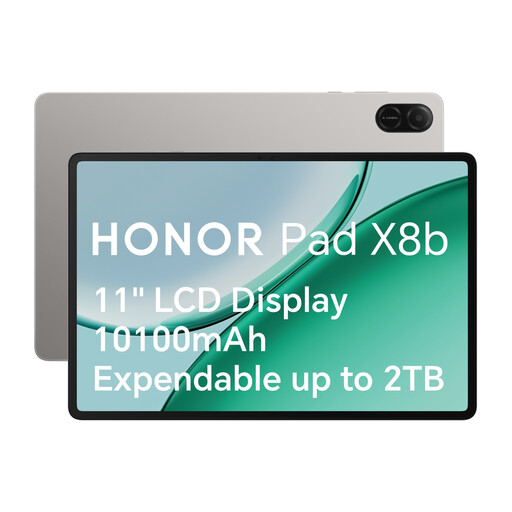
HONOR Pad X8b 128GB, Space Grey
Consider this for preparing trip material and carrying it to the visit.
128GB storage. Check that your preferred mapping and ticket apps work as needed, and assess the screen outdoors if readability is important to you.
View on Joybuy
 No image available
Samsung Galaxy Tab A11+ 8GB/256GB Wi-Fi, Grey
This Wi-Fi model is an option if you will prepare trip information before leaving rather than rely on live access.
8GB memory and 256GB storage. Confirm offline access in your chosen map and ticket apps before departure.
View on Joybuy
 No image available
TECLAST ArtPad Pro 2025 Edition, 12.7-inch 2K, 8GB/256GB, 4G LTE with T-Pen
Consider it if writing visit notes and having a cellular-capable device matter more to you than carrying a smaller screen.
The product title specifies a 12.7-inch 2K display, 8GB memory plus 12GB virtual memory, 256GB storage, Dual SIM 4G LTE and an included stylus. Check your carrier's supported bands and your required apps before relying on mobile data or offline tickets.
View on Joybuy
 No image available
TECLAST P50T, 11-inch, Android 16, 4GB/128GB
This is an option for preparing and reading trip information on an 11-inch screen.
The product title specifies Wi-Fi, GPS and a 7,000mAh battery; its 5G Wi-Fi wording does not mean cellular service. Check carrying comfort, outdoor readability and the apps you need.
View on Joybuy
 No image available
iFLYTEK AINOTE 2, 10.65-inch E Ink, with protective case
Consider this note-taking device if reading and handwriting are more important to your visit than using a general-purpose tablet.
Its product title specifies a 10.65-inch E Ink screen. Check whether your particular mapping and ticket apps work on the device, and whether its reading and camera arrangements meet your needs.
View on Joybuy
Frequently asked questions
Can a Wi-Fi-only tablet work for a castle day trip?
Yes, if you save the information you need before departure. Google Maps supports downloaded map areas, but walking and public-transport directions are unavailable offline, so keep a separate plan for getting from the coach stop to the castle.
Is cellular worth choosing for the coach trip?
Cellular is worth considering if you need live look-ups away from Wi-Fi and intend to use a mobile-data service. It does not replace saving tickets and essential route details ahead of time, and access still depends on a usable connection.
What if looking at a tablet on the coach makes me feel unwell?
Prepare your itinerary before boarding and put the tablet away if screen use causes discomfort. NHS 111 Wales advises people affected by motion sickness not to read or use electronic devices while travelling.
Does the Galaxy Tab S10 FE come with a mains travel adapter?
Samsung UK says the Galaxy Tab S10 FE and FE+ do not include a travel adapter. Check the exact retailer bundle and the specification of any charger you plan to use.


