What matters when choosing?
Decide how you will access visit information away from home before weighing outdoor features or note-taking accessories. Check app availability for the exact tablet, not just its screen size.
| Concern |
What to check |
Who this matters to |
| Access away from Wi-Fi |
Check that your visitor apps offer the offline information you need. If live data is essential, check the tablet variant and expected network coverage. |
I want my tickets and visit details to remain accessible when a castle has limited reception. Around 36% of consumers put reliable access first. |
| Outdoor viewing and protection |
Compare the exact model’s stated brightness, weight, water and dust rating, and case options; a rating does not cover every weather condition. |
When I consult a route outside, I need to read the screen and handle the tablet without relying on sheltered conditions. Around 29% of consumers prioritise outdoor viewing and protection. |
| Everyday planning |
Check the selected model’s storage, display and included accessories against the apps, tickets and documents you intend to keep. |
I mainly research destinations and keep booking details together, so features I will not use are less important to me. Around 21% of consumers make everyday planning their primary concern. |
| Handwritten itineraries |
Confirm pen compatibility and whether the pen is included with the exact configuration. |
For a group trip, I would rather mark up a timetable or jot down route changes than only read documents. Around 14% of consumers put handwriting first. |
Joybuy tablets for visit planning
These Wi-Fi tablet configurations are relevant to preparing tickets, guides and itineraries before a castle visit. For information that changes while you are away from Wi-Fi, plan how you would connect or check whether saved content will meet your needs.
 No image available
Xiaomi Pad 7, grey, 8GB RAM, 128GB storage
Consider this configuration for preparing visit information on a Wi-Fi tablet. Its title specifies 8GB RAM and 128GB storage; check that your required visitor apps run on it and confirm whether the advertised Focus Pen is in the box.
View on Joybuy
 No image available
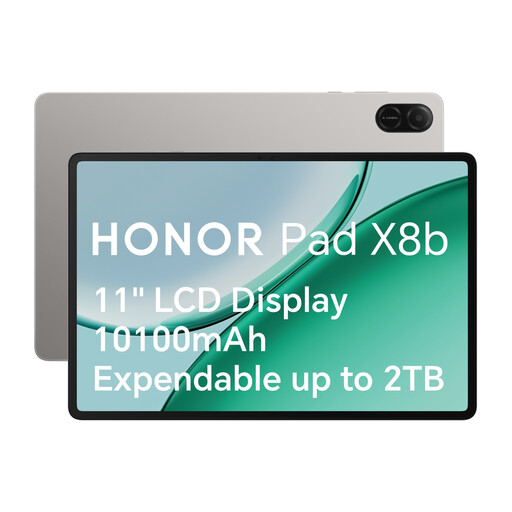
HONOR Pad X8b, 128GB, space grey
This 128GB tablet is an option for keeping planning material together. Check compatibility with your essential apps, and do not assume that limited water resistance makes it suitable for unrestricted exposure to rain.
View on Joybuy
 No image available
Apple iPad Pro 11-inch (M5), Wi-Fi, 256GB, standard glass, silver
This Wi-Fi configuration suits planning around information you can save before travelling. Confirm that your required apps support its installed iPadOS version; live information away from Wi-Fi needs another connection, and a Pencil is a separate accessory.
View on Joybuy
 No image available
Samsung Galaxy Tab A11+, 11-inch, 128GB, Wi-Fi, grey
The 11-inch screen gives you space to view an itinerary with others, while the stated 128GB storage can hold saved trip material. Check your visitor-app requirements and arrange another connection if you need live information away from Wi-Fi.
View on Joybuy
 No image available
HONOR Pad X9a, 11.45-inch, Wi-Fi, 128GB, grey
This 11.45-inch Wi-Fi tablet offers a shared screen for reviewing plans and 128GB of stated storage for saved material. Check the installed Android version and essential app compatibility, and download what you need before leaving Wi-Fi.
View on Joybuy
Frequently asked questions
Can I plan a castle visit on a tablet without mobile data?
Yes, if the information you need can be saved before you travel. The National Trust says its app offers visit-planning information offline; download relevant content, tickets and directions in advance, and allow for a connection if you need live updates or external map services.
When is a cellular tablet worth considering?
Consider cellular if you need a direct mobile-data connection away from Wi-Fi and do not want to use a phone hotspot. Check the places you plan to visit with Ofcom’s coverage checker: its predictions can differ from the signal you experience locally.
Do I need to book a National Trust castle visit in advance?
Most National Trust places do not require pre-booking, but some visits still do, including certain guided tours or sites managing visitor numbers. Check the individual place’s current visitor information before you travel.
Can I use a tablet for an English Heritage digital guide?
Yes, at selected English Heritage sites offering guides through the Bloomberg Connects app. English Heritage advises downloading the app before travelling and bringing your own device and headphones.
Will any Android tablet run the National Trust app?
Do not assume every Android tablet will run it. The National Trust describes support for most Android phones running Android 6 or above; check the requirements for the tablet and app version you intend to use before buying.


