Guests charging one tablet
You know which tablet you are taking and want a compact charger with a cable that fits it.


For one tablet, choose a charger and cable that match its connector and supported charging method; a compact USB-C charger is a straightforward option when the tablet is compatible. A multi-port charger makes more sense if the cottage socket must also serve phones or a laptop, but check how its output is shared. Before travelling, confirm the plug and cable you will have with you, and follow safe charging practices.
You know which tablet you are taking and want a compact charger with a cable that fits it.
You expect to charge a tablet alongside phones or a laptop and need to check both the port types and the output available when devices are connected together.
Your usual charger is lost, damaged or unsuitable for the trip, so compatibility, a traceable model and safe use matter alongside convenience.
Start with the tablet and cable you will take, then decide whether other devices need the same socket and check the replacement charger’s condition and identity.
| Concern | What to check | Who this matters to |
|---|---|---|
| Tablet compatibility | Match both cable ends to the tablet and charger; check the tablet maker’s charging guidance and USB Power Delivery support where relevant. | If I am charging just one tablet, I need it to connect and use a supported charging method rather than relying on the charger’s headline wattage. Around 50% of consumers put that compatibility need first. |
| Ports and shared output | Count the USB-C and USB-A connections you need, then read the exact charger’s output allocation when several ports are in use. | Sharing one cottage socket with other devices makes simultaneous charging my main concern. For around 33% of consumers, enough suitable ports and shared output come first. |
| Replacement and safe use | Choose a traceable model from a reputable retailer; inspect the plug and cable, and keep the charger dry and uncovered during use. | When replacing a lost or suspect charger, I care most about identifying it and using it safely away from home. That is the primary need for around 17% of consumers. |
A wall adapter alone will not charge your tablet if you arrive without a cable with the right connectors. Apple says the cable for its 20W USB-C Power Adapter is sold separately.
Check the package contents and both cable ends before leaving for the cottage.
The power available to each connected device can change when ports are used together. Anker states different single- and two-port maximums for its Prime 67W three-port charger.
Read the exact model’s port-allocation information for the devices you intend to connect at the same time.
Electrical Safety First warns about the risks of substandard or counterfeit chargers, including fire and device damage.
Choose a compatible charger from the tablet manufacturer or a reputable retailer, and check the model identity, plug and cable for signs of damage.
Covering charging equipment or exposing it to moisture and heat creates avoidable safety risks. London Fire Brigade advises against covering chargers or charging devices.
Charge on a dry, uncovered surface, and do not leave the tablet charging overnight or while you are out.
A tablet-maker accessory route for users checking a compatible iPad.
A UK-plug USB-C route for users checking a compatible Galaxy tablet.
A multi-port route when a tablet must share a socket with other devices.
These choices include USB-C chargers for one compatible tablet, a three-port charger for sharing a socket, and a USB-C PD model with DC connectors for other compatible devices. Check the tablet, cable and plug against your travel setup.
 No image available
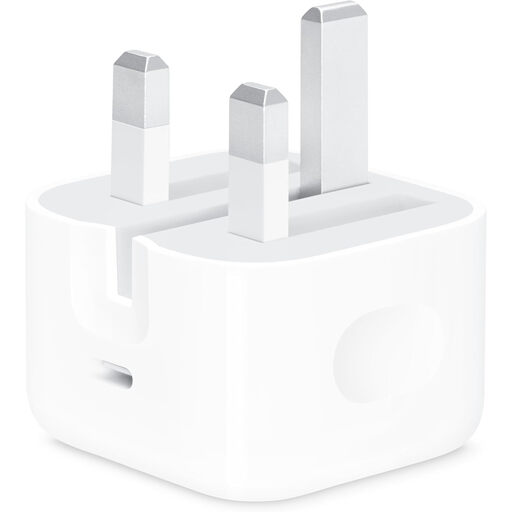
Consider this for one compatible iPad; Apple lists the adapter for iPad Pro and iPad Air.
It has a 20W rating and a USB-C connection. Apple sells the charging cable separately, so check which cable your tablet needs.
 No image available
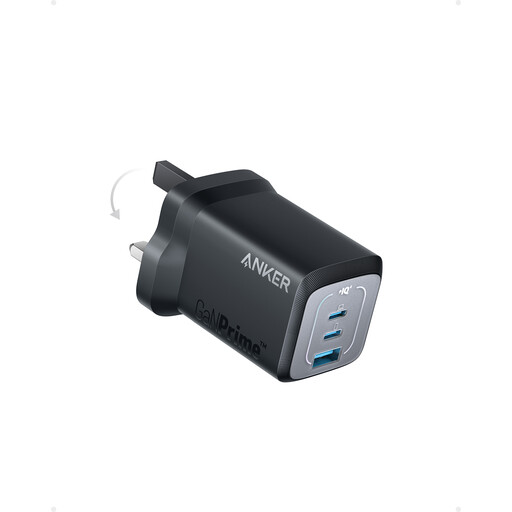
Consider this when a tablet needs to share a socket with other devices.
It has two USB-C ports and one USB-A port. Anker states up to 67W on one USB-C connection and a 65W maximum across two ports; check the allocation for your full setup, along with the plug and cable you will use.
 No image available
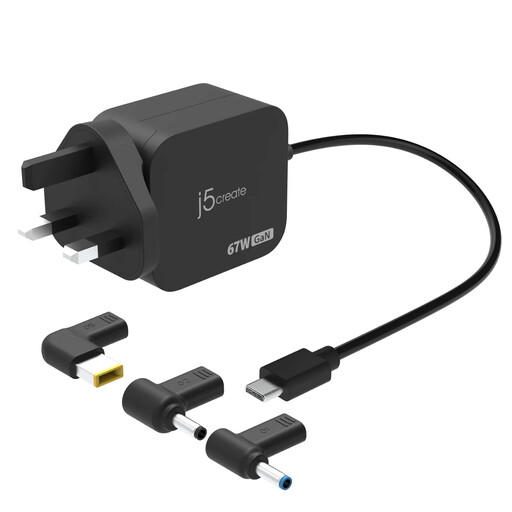
Consider this if your tablet supports USB-C Power Delivery and you also have a compatible DC-input device to charge.
The named variant is rated at 67W and includes three types of DC connector. Check the tablet cable you will use; the DC connectors do not replace a tablet charging cable.
 No image available
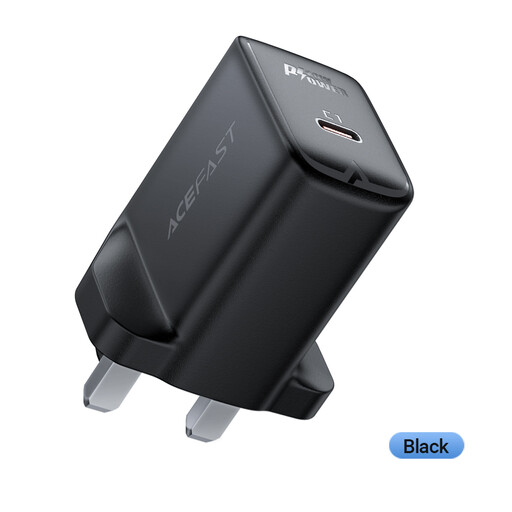
Consider this for one tablet after confirming that its charging requirements suit a USB-C charger.
The named variant has one USB-C connection and a 20W rating. Check the cable and your tablet’s supported charging method before travelling.
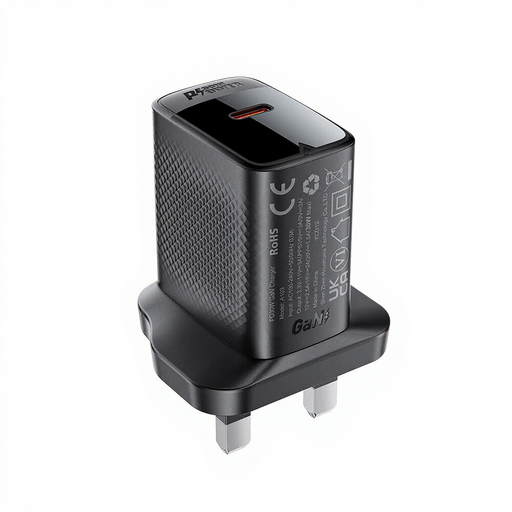 No image available
Consider this USB-C option if your tablet and cable support the charging method you plan to use.
The named variant has a 30W rating, which does not by itself determine a particular tablet’s charging speed. Confirm the plug type and the cable you will have for the cottage.
It can be enough for a compatible tablet, but check that tablet’s charging guidance rather than choosing by wattage alone. Apple lists its 20W USB-C Power Adapter for iPad Pro and iPad Air; a higher-rated adapter does not make an unsupported tablet draw more power.
Choose a USB Power Delivery charger when your tablet supports that charging method. The USB Implementers Forum describes USB PD as allowing flexible power delivery over a cable; you still need a suitable charger and cable for your particular tablet.
Check the contents for the exact model rather than assuming a cable is included. Apple sells the cable for its 20W USB-C Power Adapter separately, and Samsung lists a wall charger and leaflet for its UK 25W EP-T2510NBEGGB package. Check the connectors at both ends before you travel.
Do not leave it charging overnight or while you are out. Electrical Safety First advises against those practices and recommends keeping chargers uncovered and ventilated; London Fire Brigade also advises against covering charging equipment.
No: a mark alone does not establish that a charger is genuine. For relevant products placed on the market in Great Britain, Department for Business and Trade guidance dated 31 March 2026 says CE marking continues to be recognised alongside or in place of UKCA marking. Electrical Safety First advises checking the manufacturer name and model and buying from a reputable retailer, since markings can be faked; Northern Ireland has different arrangements.