What matters when choosing
Count the devices you will charge together and identify their connectors before comparing wattage. For a shared setup, use the station’s multi-port power allocation rather than its headline total alone.
| Concern |
What to check |
Who this matters to |
| One socket for several USB devices |
Count the ports needed at once and check whether your cables use USB-C or USB-A. |
With only one free socket, I want to charge my tablet and small accessories without separate plug-in chargers; around 45% of consumers put consolidation first. |
| Power shared between ports |
Compare the tablet’s charging requirements and cable with the output available when your chosen ports are used together. |
If my tablet shares a charger with other devices, I want to know what happens to its charging rate when they are plugged in; around 33% of consumers put simultaneous charging first. |
| Capacity for a laptop setup |
Check the laptop’s requirements against the relevant port’s single-device and multi-port output. |
When my laptop and tablet need the same charging point, I need enough output for that combination rather than a high total wattage on its own; around 22% of consumers put workstation capacity first. |
Joybuy options for tablet charging
These multi-port chargers suit a tablet sharing one mains connection with other USB devices. The three-port models serve a smaller setup; compare the four-port USB-C model if all the devices you plan to connect use USB-C. Check the plug, cables and power allocation for your particular combination before choosing.
 No image available
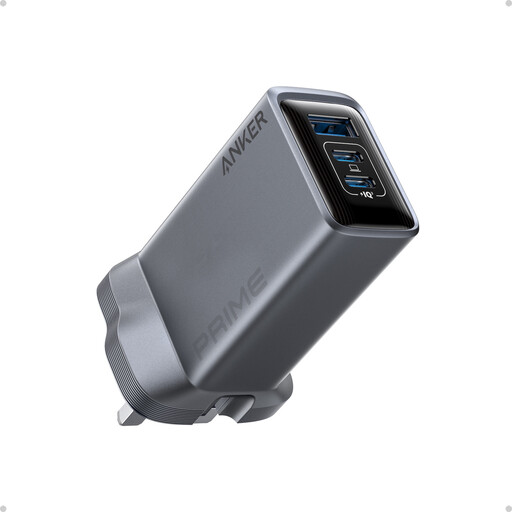
Anker Prime 100W USB-C 3-Port GaN Charger, Black
A three-port option to consider when a tablet shares one charging point with a small number of other devices.
The product name specifies 100W. Check the port connectors, output with your devices connected and whether the supplied plug is suitable for UK mains.
View on Joybuy
 No image available
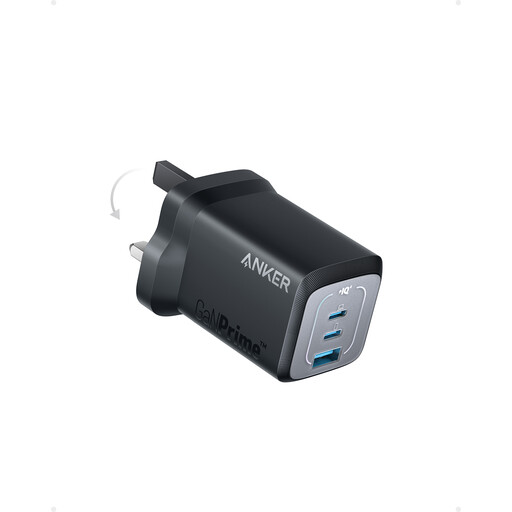
Anker Prime 67W USB-C 3-Port GaN Charger, Black
Consider this three-port charger for a tablet and other USB devices if its output matches what they need together.
The product name specifies 67W. Check the output with all intended ports occupied, the cable your tablet requires and whether the plug is suitable for UK mains.
View on Joybuy
 No image available
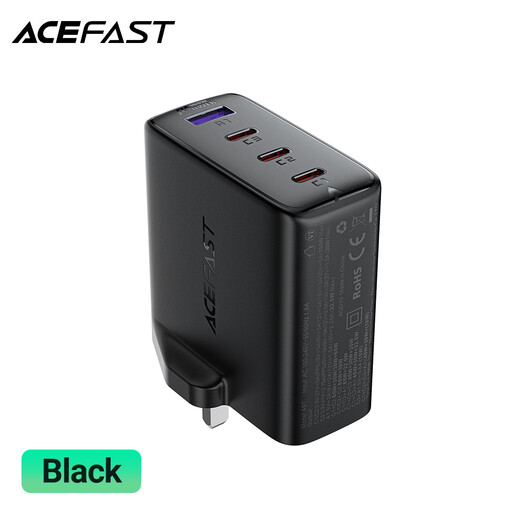
ACEFAST A97 PD100W GaN Charger, 3 USB-C + USB-A, UK
The mix of USB-C and USB-A ports is worth considering if your tablet must share a socket with devices using different cables.
The product name identifies three USB-C ports, one USB-A port and a UK variant. Compare the output available across the ports you will use with your tablet’s charging requirements.
View on Joybuy
 No image available
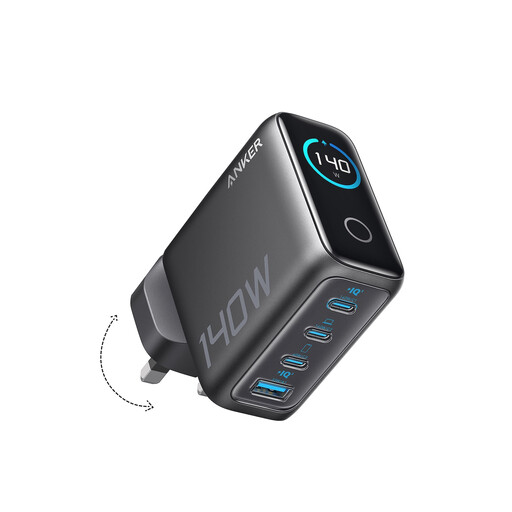
Anker Prime 140W USB-C 4-Port GaN Charger, Black
A four-port USB-C option to consider when the tablet and the other devices sharing its charging point use USB-C.
The product name specifies 140W. Check the output for your intended port combination, the required cables and whether the supplied plug is suitable for UK mains.
View on Joybuy
Questions about tablet charging stations
Will a charging station help when wall sockets are limited?
Yes, if the devices you need to charge are compatible USB devices: one mains-powered station can take the place of several separate USB chargers. It does not increase the safe capacity of a wall socket or extension lead, so check the extension’s rating and avoid overloading it, as Electrical Safety First advises.
How much power should a tablet charging station have?
Choose power output against your particular tablet and the other devices charging at the same time, rather than using a single wattage target for every tablet. Samsung UK advises checking the device’s supported power, charger output and cable specification; for several devices, also check the station’s multi-port allocation.
Does my tablet need USB-C Power Delivery or PPS?
Choose a station that supports the charging standard specified for your tablet; do not assume a named fast-charging mode works with every USB-C device. Samsung UK identifies additional compatibility conditions for its Super Fast Charging 2.0 mode, so check the requirements for your exact tablet and cable.
Can I plug a charging station into an extension lead?
Use an appropriately rated single extension device if an extension is needed, but do not plug one extension lead into another. Electrical Safety First advises using only one socket extension device per socket and checking the connected load against its rating.
What should I check before buying a mains-powered station for use in Great Britain?
Check that its mains connection is intended for your use, that the product and seller are identifiable, and whether any recall applies. The Office for Product Safety and Standards sets out safety requirements for electrical equipment placed on the Great Britain market and has recalled a multi-USB extension product for a serious electric-shock risk; the presence of USB ports alone is not a safety check.


