Single-tablet desk users
If you mainly charge one tablet while studying, a compatible charger and cable may be enough without a larger multi-device setup.


For one tablet, start with a compatible USB-C wall charger and cable rather than assuming you need a multi-device station. Choose a USB-C power strip if the desk also needs mains sockets or phone charging; consider a higher-output desktop station when a laptop regularly charges alongside the tablet. Check the tablet’s charging requirements, output when ports are shared, cable and plug details, and your accommodation rules before buying.
If you mainly charge one tablet while studying, a compatible charger and cable may be enough without a larger multi-device setup.
If a phone and mains-powered study equipment share your desk with the tablet, consider the outlets you need, where the lead will reach and how you will manage the load.
If you regularly charge a USB-C tablet and laptop together, check each device’s requirements and how the station allocates output across its ports.
Start with the devices you normally charge together, then match their ports and charging requirements. If you need mains expansion, assess the strip’s placement and electrical load separately from its USB output.
| Concern | What to check | Who this matters to |
|---|---|---|
| Tablet compatibility | Match the exact tablet model, charging standard and cable to the charger’s per-port output, not just its total wattage. | If my tablet is the only device I charge here, I want its charger and cable to support the intended charging mode. Around 23% of consumers put tablet compatibility first. |
| Other desk devices | Count the USB-C, USB-A and mains connections you use at the same time, then check the maker’s shared-output details. | When a phone and other study devices share my tablet’s desk space, I need the right connections within reach. Keeping those devices together is the primary concern for around 31% of consumers. |
| Laptop charging | Compare the laptop’s required input with the station’s output allocation when the tablet is also connected. | If I charge a laptop alongside my tablet, I need to know what each device can receive at the same time. Around 23% of consumers prioritise that shared power. |
| Room placement and safety | Use a clear, hard surface; check plug and cable condition and the marked load rating. Do not chain extension leads. | In a compact room, I need charging equipment to fit safely on the desk without trailing into bedding or encouraging overloaded sockets. Safe placement is the main concern for around 23% of consumers. |
A tablet may not use a charger’s maximum output, and connecting other devices can change what each port supplies. Samsung specifies a compatible device and a 5A cable for its 45W charging setup; UGREEN states that up to 100W applies to specified ports when used individually.
Check your exact tablet and cable against the supported charging mode, then read the station’s per-port and simultaneous-use figures.
Electrical Safety First warns that overloading an extension device can cause overheating and fire, and advises against connecting one extension lead to another.
Stay within the marked load rating and use only one extension device per wall socket.
Electrical Safety First advises charging devices on a hard surface rather than on a bed or under a pillow.
Keep the charger on a clear desk or table, away from bedding and papers, and stop using damaged or unusually hot equipment.
The cable must have the right connector and support the charging mode you intend to use. Apple lists the cable for its reviewed 20W adapter separately, while Samsung notes cable requirements for its faster charging mode.
Check the box contents, connector and cable length before ordering; check the cable’s rating where the intended charging mode requires it.
A separate cable may be needed if the required connector or length is not included.
Anker’s reviewed 20W USB-C charging strip is relevant if you want USB charging in a compact strip format rather than a larger desk station.
Belkin’s reviewed SRB001af2M strip is relevant when a student desk needs both mains outlets and direct USB charging.
UGREEN’s reviewed UK stations are relevant to desks where a tablet shares charging space with a laptop or several accessories.
These Joybuy choices are USB-C chargers for a tablet-focused desk, including adapters with multiple charging ports. They are alternatives to a mains-extension strip or desktop station when you do not need extra AC outlets.
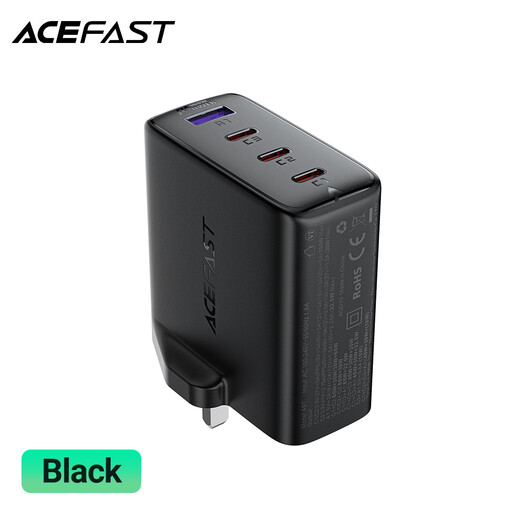 Image unavailable
For a tablet desk that also needs USB connections for other devices, this UK-plug charger has three USB-C ports and one USB-A port. Its listed rating is PD100W; check your tablet’s compatibility, output when ports are shared and whether a suitable cable is included.
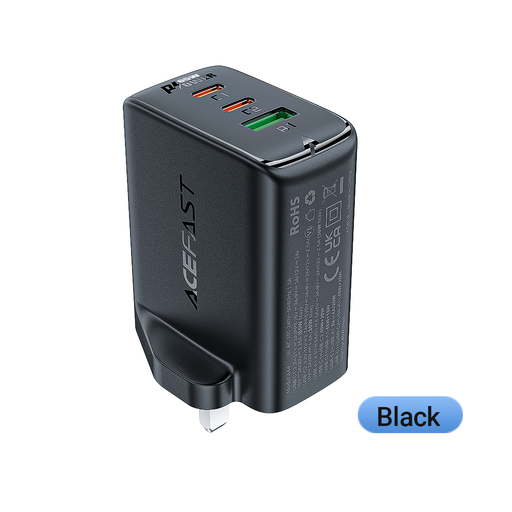 Image unavailable
For a tablet desk shared with other USB devices, this UK-plug charger has two USB-C ports and one USB-A port. Its listed rating is 65 W; check the output available when your devices are connected together and whether the cable you need is included.
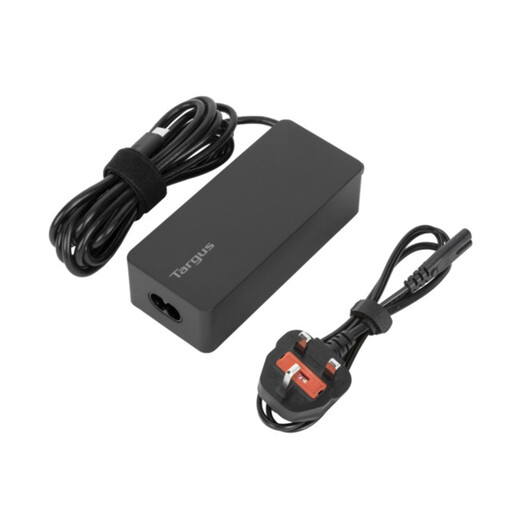 Image unavailable
For a tablet-focused desk, consider this USB Type-C charger if its charging standard suits your tablet. The product name lists 65W; confirm the mains connection and that the supplied cable has the connector your tablet needs.
A compatible USB-C charger and cable are usually the simpler choice if you do not need extra sockets or ports. Check your tablet’s supported charging mode: Apple describes its 20W adapter as suitable for iPad Pro and iPad Air, while Samsung says faster charging depends on the device and cable.
No. Samsung says its 45W charging setup requires a compatible device and a 5A cable. Check your exact tablet model rather than assuming it can use the charger’s stated maximum.
Check the plug, fuse and marked load rating as well as the USB ports you need. Electrical Safety First advises a standard UK three-pin plug and fuse for extension leads, cable reels and block adaptors, and says to use only one extension device per wall socket without daisy-chaining.
Electrical Safety First advises against charging a phone or tablet on a bed or under a pillow. Use a clear, hard surface and avoid leaving devices charging unattended or overnight.
No. GOV.UK guidance on electrical safety standards in England’s private and social rented sectors lists student halls of residence among excluded tenancies. That does not decide whether your hall permits a personal charging station; check your accommodation agreement or ask the housing office.