For a quick check of live museum opening hours, choose a tablet with a screen you can read comfortably and a connection you can use at your airport. A compact Wi-Fi model suits brief browsing when you can use the airport network; an 11-inch screen gives you more room for maps and several pages, while a cellular-capable variant offers an alternative to airport Wi-Fi if you have mobile signal and a usable data service.
Who might need which tablet?
Quick-lookup travellers
If you mainly open one museum page, map or booking page at a time, a compact screen may be enough. Samsung describes its 8.7-inch Galaxy Tab A11 WiFi as suitable for web browsing; decide whether that display size is comfortable for you before choosing it over an 11-inch tablet.
Travellers who need an independent connection
If you cannot depend on the airport network for live information, consider a tablet variant with cellular capability and arrange a usable mobile-data service. Apple lists 5G and LTE for Wi-Fi + Cellular versions of the iPad 11-inch (A16), not its Wi-Fi-only versions.
Multi-tab itinerary planners
If checking hours often turns into comparing museum pages, directions and reservations, an 11-inch screen gives you more viewing space than an 8.7-inch one. Apple and Lenovo list 11-inch displays for the iPad 11-inch (A16) and Tab M11 respectively; the larger size is less compact to carry.
What matters when choosing?
Decide how you will get online at the airport, then choose between a compact screen for brief checks and more space for comparing travel information. A cellular option only helps independently of airport Wi-Fi when the particular tablet supports it and you have mobile signal and data service.
Compact Wi-Fi tablet
Consider it when: You mainly need a quick look at one page or map and prefer a smaller screen to carry.
Trade-off: An 8.7-inch display shows less at once than the 11-inch options, and a Wi-Fi-only model needs an available connection for live updates.
Larger Wi-Fi tablet
Consider it when: You regularly compare museum pages, maps and transport details and want an 11-inch viewing area.
Trade-off: The larger screen is less compact, and a Wi-Fi configuration such as the listed Lenovo Tab M11 does not itself provide mobile-data access.
Tablet with a cellular option
Consider it when: You want to check live information without relying on airport Wi-Fi. Apple offers a Wi-Fi + Cellular variant of its iPad 11-inch (A16).
Trade-off: Cellular capability depends on the exact variant and still requires suitable mobile signal and data service.
| Concern |
What to check |
Who this matters to |
| Compactness |
Compare screen sizes and check whether you can comfortably read the pages you expect to use. |
If I only need a brief look at opening hours, I would rather carry a smaller tablet than make room for several pages at once. Around 33% of consumers put compactness first. |
| Independent access |
Check the exact Wi-Fi or cellular variant, the airport’s official connection information and how you would obtain mobile data. |
I need to get the latest hours even if connecting to airport Wi-Fi is inconvenient. Independent access is the main concern for around 25% of consumers. |
| Screen space |
Compare display sizes and resolutions when choosing a tablet for maps and several browser pages. |
When I compare directions with a museum page and a reservation, I want enough room to read them comfortably. Around 25% of consumers prioritise screen space. |
| Basic browsing needs |
Check the exact storage configuration and connectivity rather than assuming every variant in a tablet family is alike. |
If straightforward browsing is my main use, I want a configuration that covers it without choosing features I do not need. That is the primary concern for around 17% of consumers. |
Mistakes to avoid
-
Assuming airport Wi-Fi works the same everywhere
Live opening hours need a connection. Heathrow Airport says it provides free Wi-Fi throughout its terminals, with registration required, but its arrangements do not establish what another airport offers.
Check your departure airport’s official connection information before relying on a Wi-Fi-only tablet.
-
Confusing Wi-Fi and cellular variants
A shared product-family name does not mean the variants connect in the same way. Apple lists 5G and LTE only for Wi-Fi + Cellular versions of the iPad 11-inch (A16).
Confirm the exact variant in the product listing and, if you need an independent connection, how you will obtain mobile data.
-
Choosing a large screen for a one-page task
An 11-inch screen can give maps and multiple pages more room, but it is less compact than Samsung’s 8.7-inch Galaxy Tab A11 WiFi for a brief lookup.
Think about whether you normally check one page or compare several before settling on a screen size.
-
Treating public Wi-Fi as risk-free
The National Cyber Security Centre warns that attackers on public or insecure networks may be able to intercept or modify data.
Use the airport’s official network and keep the tablet updated. Where possible, use a trusted connection instead for sensitive activity.
Relevant brands to consider
Apple
The iPad 11-inch (A16) is relevant if you want an 11-inch screen and a choice between Wi-Fi and Wi-Fi + Cellular variants.
- Apple UK lists an 11-inch, 2360 × 1640 display and Wi-Fi 6 across the iPad 11-inch (A16) range.
- Apple UK lists 5G and LTE only for Wi-Fi + Cellular variants. Check the precise configuration before relying on mobile data.
Samsung
The 8.7-inch Galaxy Tab A11 WiFi represents a compact Android option for brief web checks.
- Samsung UK lists an 8.7-inch, 1340 × 800 display and describes the Galaxy Tab A11 as suitable for web browsing.
- Its smaller display gives less viewing space than the 11-inch models discussed here; the WiFi variant relies on an available connection for live information.
Lenovo
The listed UK Tab M11 configuration is relevant if you prefer a larger Android screen for maps and several pages.
- Lenovo UK lists an 11-inch, 1920 × 1200 IPS anti-glare display for this Tab M11 configuration.
- The cited configuration has Wi-Fi connectivity; do not assume it can obtain mobile data independently.
Joybuy tablets for this use
These tablets include compact choices for a brief lookup and larger-screen choices for reading maps or comparing pages. Check the exact connectivity variant before purchase if you need live access without airport Wi-Fi.
 No image available
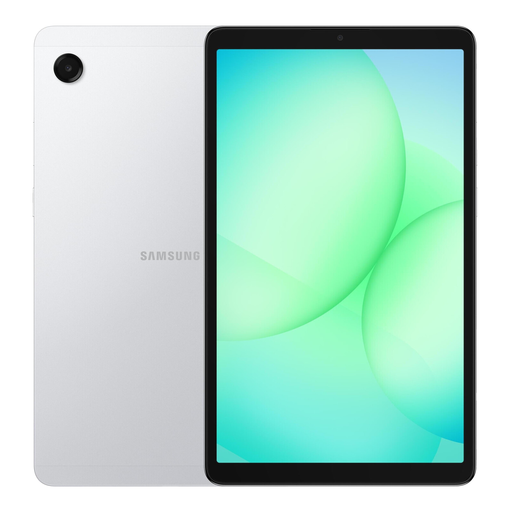
Samsung Galaxy Tab A11 X130, 8.7-inch Wi-Fi, 4GB/64GB, Silver
Consider this compact Wi-Fi tablet if you mainly check one museum page or map at a time.
For live information, check the airport’s connection arrangements or plan another way to get online.
View on Joybuy
 No image available
Apple iPad Mini 7 (A17 Pro), 512GB, Space Grey
Consider this compact model for a brief lookup rather than for viewing several travel pages together.
If you need access independent of airport Wi-Fi, confirm this exact tablet’s connectivity variant before buying.
View on Joybuy
 No image available
Samsung Galaxy Tab A11+, 11-inch Wi-Fi, 128GB, Grey
The 11-inch screen is worth considering if your opening-hours check usually includes maps and other pages.
Wi-Fi is stated in this variant’s name; confirm mobile-data capability separately if you need it.
View on Joybuy
 No image available
Xiaomi Pad 8, 8GB/128GB Wi-Fi, Grey
Consider this Wi-Fi tablet if you want to compare travel pages rather than make only a brief check.
Confirm the screen size and whether this exact variant meets your connection needs before purchase.
View on Joybuy
 No image available
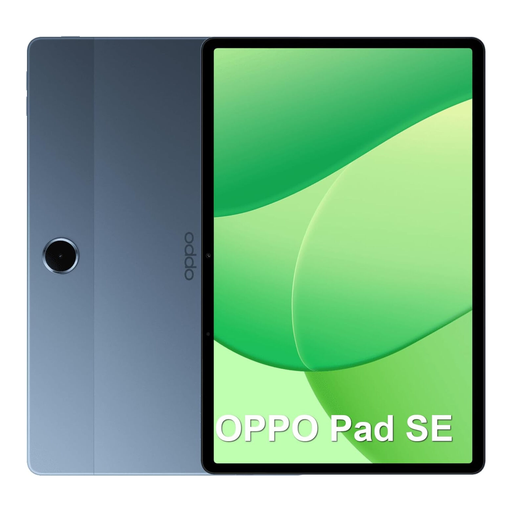
OPPO Pad SE OPD2419 EUN, 4GB/128GB Wi-Fi, Twilight Blue
Consider this Wi-Fi model if you prefer more room for reading travel pages than a compact tablet provides.
Check its exact screen and connectivity specifications if either will determine your choice.
View on Joybuy
Frequently asked questions
Can I rely on airport Wi-Fi to check museum hours?
You can use it if your airport provides a suitable connection, but check that airport’s official information before travelling. Heathrow Airport says its free terminal Wi-Fi requires users to connect and register; another airport may have different arrangements. Check the museum’s own visitor-information page for current opening hours.
Do I need a cellular tablet for this?
Not if you can use a suitable Wi-Fi connection when you need the information. If you want an alternative to airport Wi-Fi, choose a confirmed cellular-capable variant and arrange mobile-data service; Apple lists 5G and LTE only for Wi-Fi + Cellular versions of its iPad 11-inch (A16).
What should I consider when using airport Wi-Fi?
Use the airport’s official network and treat sensitive activity with care. The National Cyber Security Centre warns that attackers on public or insecure networks may be able to intercept or modify data; use a trusted connection instead for sensitive activity when one is available.


