What matters when choosing
Decide how you will get route information after leaving the train, then compare screen and carrying needs against the configuration you will actually buy.
| Concern |
What to check |
Who this matters to |
| Route access |
Check whether the exact configuration has direct mobile-data capability, or plan to use Wi-Fi or phone tethering. Download map areas before departure, but do not rely on them for offline walking directions. |
If my walking plans change after I leave the train, I want access to current routes without hunting for Wi-Fi. Around 40% of consumers put live route access first. |
| Outdoor viewing and carrying |
Compare the exact model’s display brightness and treatment, weight and any stated water or dust resistance; manufacturer brightness figures may use different modes. |
I need to read my itinerary outside and carry the tablet for the rest of the walk. For around 30% of consumers, outdoor viewing and portability take priority. |
| Pre-planning and accessories |
Check storage for saved material and confirm the pen, charger and other contents of the exact bundle. Pencil compatibility alone does not mean a pencil is included. |
If I prepare my stops beforehand, I mainly want a screen for maps, bookings and notes without paying for features I will rarely use. Roughly 30% of consumers prioritise that approach. |
Joybuy tablets for trip planning
These tablets offer screen and storage options for preparing or reading a city-walk itinerary. Check the exact model’s connectivity before relying on it for live route changes, and confirm outdoor display and accessory requirements separately.
 No image available
Samsung Galaxy Tab A11+ 11-inch Wi-Fi, 128 GB, grey
Consider this configuration for reading an itinerary and material prepared before the journey.
The product title identifies an 11-inch Wi-Fi tablet with 128 GB of storage. If you need live directions away from Wi-Fi, check the exact model’s connectivity before buying.
View on Joybuy
 No image available
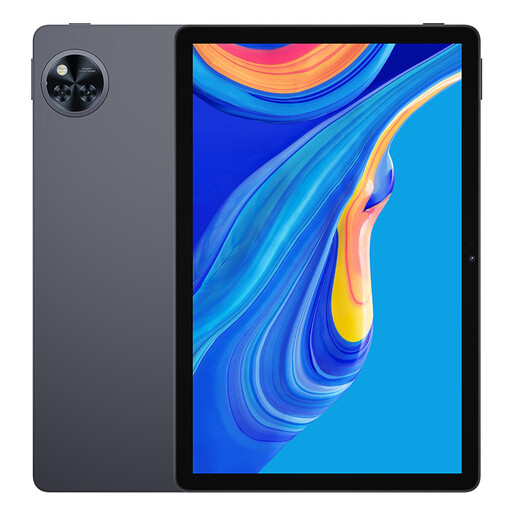
DOOGEE U11 11-inch, 16 GB RAM, 128 GB, grey
This Wi-Fi tablet is an option for keeping itinerary material on a larger screen during the train journey.
The title lists a Unisoc T7200 processor and an 8,580 mAh battery; battery capacity alone does not establish how long it will run. Check mobile-data connectivity if you intend to change walking routes without Wi-Fi or tethering.
View on Joybuy
 No image available
Xiaomi Pad 7, 8 GB RAM, 128 GB, grey, Focus Pen bundle
Consider this listing if you want to plan stops on a tablet and make handwritten notes, provided the pen is part of the exact bundle supplied.
The product title lists 8 GB RAM and 128 GB storage and says a Focus Pen is included. Confirm the box contents, carrying weight and connectivity before relying on this configuration for the walk.
View on Joybuy
 No image available
DOOGEE U11 PRO 11-inch, 30 GB RAM, 256 GB, black
This configuration is an option for storing and viewing trip material prepared ahead of the journey.
The title lists a Unisoc T7200 processor, a 90 Hz IPS screen and an 8,580 mAh battery. Check how the advertised RAM figure is defined, and verify connectivity if you need live walking directions without Wi-Fi or tethering.
View on Joybuy
 No image available
Apple iPad Pro 11-inch (M5) Wi-Fi, 256 GB, standard glass, silver
This Wi-Fi configuration suits planning on an 11-inch screen when you can prepare material before travelling or have another connection available.
The title identifies 256 GB of storage and standard glass. Check the mapping app’s offline features for this iPad, and plan how you will obtain live walking directions if needed.
View on Joybuy
Frequently asked questions
Will Google Maps give me walking directions offline?
No: Google Maps says walking directions are unavailable offline, even though you can use a previously downloaded map area. Save your destinations and an alternative walking plan before travelling, or arrange a live connection for pedestrian routing.
Should I choose Wi-Fi or cellular for planning on the train?
Choose Wi-Fi if you can prepare your itinerary beforehand and have Wi-Fi or tethering available when you need updates; choose a cellular-capable configuration if direct mobile data is important. Apple UK specifies 5G, LTE and eSIM for the Wi-Fi + Cellular iPad (A16), not its Wi-Fi configuration, and mobile data requires an appropriate arrangement.
What should I check if I will read maps outdoors?
Check the exact tablet’s display specifications and carrying weight rather than relying on screen size alone. Samsung UK lists up to 800 nits in High Brightness Mode for the Galaxy Tab S10 FE, while Lenovo UK lists a 400-nit anti-glare display for the cited Tab M11 configuration; those figures describe different models and stated conditions, not a side-by-side visibility test.
Does tablet pen compatibility mean a pen is included?
No. Apple lists Pencil compatibility for the iPad (A16), while Lenovo UK displays different Tab M11 bundles. Check the exact product’s bundle name and box contents if handwritten route notes are part of your plan.


