Outdoor map readers
If you expect to check a city map, booking details and route notes while walking, consider screen visibility alongside the size and weight you will actually carry.


A Wi‑Fi tablet can suit a city walk planned in advance if you mainly need saved bookings and a map to consult, with a hotspot available for occasional updates. Choose a cellular configuration if live walking directions or travel changes must be accessible away from Wi‑Fi, subject to network coverage and a suitable data plan. Check that the screen and carrying setup work for you outdoors: Google Maps downloaded areas do not provide walking directions while offline.
If you expect to check a city map, booking details and route notes while walking, consider screen visibility alongside the size and weight you will actually carry.
If your route or ferry plans may change away from dependable Wi‑Fi, consider a cellular tablet or a phone hotspot. Google Maps Help states that walking directions are unavailable in its offline mode.
If you can save bookings and prepare your map before leaving, a Wi‑Fi tablet may meet your needs. Download an area covering the intended route, then arrange a connection if you will need live directions.
For a walk starting at a ferry terminal, decide whether you need live directions away from Wi‑Fi before settling on screen size, carrying comfort and what to save in advance.
| Concern | What to check | Who this matters to |
|---|---|---|
| Reading maps outdoors | Check the exact model’s stated screen size and outdoor-brightness features; consider how you will hold it in glare. | If I will consult maps and tickets on exposed streets, I want a screen I can read without repeatedly seeking shade. Around 36% of consumers put outdoor readability first. |
| Live route information | Confirm the exact Wi‑Fi or cellular configuration and your connection plan for the places you intend to visit. | When plans change after I leave the terminal, I need walking directions and travel information that can update. Live access comes first for around 29% of consumers. |
| Carrying and protection | Consider the tablet’s weight with its case, and check any water- or dust-resistance rating for the exact model. | I want to take the tablet out while walking without finding it awkward to carry or handle in changeable weather. Around 21% of consumers make carrying and protection their main concern. |
| Planning ahead | Check storage and box contents, and save the intended map area and travel documents before departure. | If I mainly organise my route and booking details before setting off, I need those files ready to consult later. For around 14% of consumers, advance planning is the deciding need. |
Google Maps Help says a downloaded area can remain available without an internet connection, but walking directions are unavailable offline.
Download the area before travel and test what you can access with mobile data switched off. Arrange a connection if live pedestrian directions are essential.
A Wi‑Fi configuration does not become a cellular tablet when you leave a hotspot. Apple and Samsung list separate connectivity configurations for the relevant iPad and Galaxy Tab S10 FE lines.
Decide whether you can rely on your phone, then check the exact tablet configuration and mobile-data arrangement before ordering.
A cellular setup also means managing a suitable mobile-data plan; a hotspot setup depends on your phone and its connection.
Samsung states an IP68 water- and dust-resistance rating for the Galaxy Tab S10 FE line. That model-specific rating should not be taken as permission for seawater exposure or charging through wet connectors.
Use a protective case, keep connectors dry and check the exact model’s care and warranty terms.
A charging setup matters when you expect to use the screen during a terminal wait and a walk. Samsung states that the Galaxy Tab S10 FE/S10 FE+ package does not include a travel adapter.
Check the exact box contents and whether you already have a compatible charger and cable; consider a power bank if your plans require one.
Apple’s 11-inch iPad (A16) comes in separate Wi‑Fi and Wi‑Fi + Cellular configurations, so the connection choice matters as much as the screen choice.
Samsung’s range includes compact Galaxy Tab A LTE options and Galaxy Tab S10 FE configurations for buyers considering a larger outdoor map screen.
Lenovo’s Tab Plus is an 11.5-inch Wi‑Fi option to consider when you can prepare maps and documents before travelling or use a hotspot for updates.
These tablets offer different screen sizes and ways to prepare or access route information. Compare the exact connectivity of each one before deciding whether it suits saved-map reference or live updates during your walk.
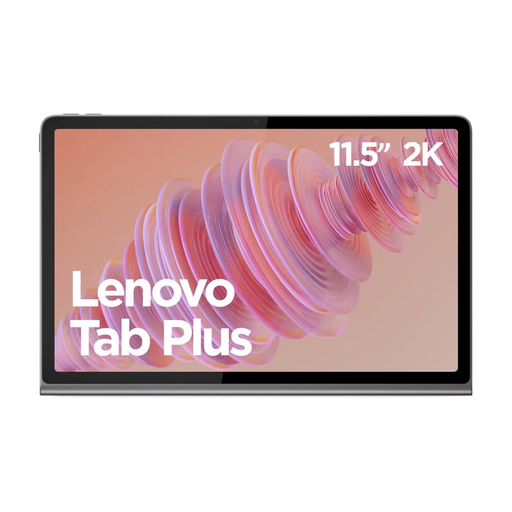 No image available
Consider this tablet if you intend to prepare your walk and keep travel information to hand.
The listed variant has 128 GB storage. Check your connection plan before relying on live route updates away from Wi‑Fi, and confirm what charging equipment you need.
 No image available
Its larger screen may appeal if you want space to examine a route before setting off; consider how you would carry it during the walk.
The title lists a 13.4-inch display, 128 GB storage and dual-SIM 4G. Check UK network compatibility, coverage and outdoor screen visibility before depending on it for live directions.
 No image available
This 11-inch option is worth comparing if you want mobile-data access without moving to a larger planning screen.
The title lists dual-SIM 4G LTE and 256 GB storage. Confirm UK network compatibility and the exact battery specification before relying on it throughout your journey.
 No image available
Consider its larger display if you plan to review maps and make notes at the terminal, while checking whether that size is comfortable to carry outside.
The title specifies a 12.7-inch 2K display, 256 GB storage, dual-SIM 4G LTE and an included stylus. Confirm UK network compatibility and outdoor screen visibility for your intended use.
 No image available
Consider this model for consulting a prepared city map and saved trip details.
The title lists an 11-inch display, 128 GB storage and 5G Wi‑Fi; 5G Wi‑Fi is not a claim of 5G mobile-data capability. Check cellular connectivity separately if the tablet must get live information without a hotspot.
It can be enough if you mainly need saved bookings and a map to consult, and can connect when updates are necessary. Download the intended area in advance, but bear in mind that Google Maps Help says walking directions are unavailable offline.
Choose a cellular configuration if live walking directions or travel changes need to reach the tablet away from Wi‑Fi and a phone hotspot will not meet your needs. Check the exact model’s mobile-network compatibility, coverage and data-plan requirements.
No: Samsung’s stated IP68 rating for the Galaxy Tab S10 FE line should not be treated as permission for seawater exposure. Protect the exact device you buy, keep its connectors dry and follow its care instructions.
Check the box contents of the exact tablet before travelling. Samsung’s UK Galaxy Tab S10 FE/S10 FE+ information says a travel adapter is not included, so that range requires access to a compatible charging setup.