What matters when choosing?
Start with the timetable file: its required Excel features determine whether a mobile tablet is practical. Then choose the screen and keyboard arrangement that fits the amount of editing you do at the hotel desk.
iPad with a keyboard
Consider it: For a travel-sized setup when the club timetable works in the iPad apps you intend to use.
Bear in mind: The compatible keyboard is a separate accessory, and Microsoft says Excel features vary by platform.
Android tablet with a keyboard
Consider it: For an Android-based editing setup, including a larger-screen option such as Samsung's 13.1-inch Galaxy Tab S10 FE+.
Bear in mind: Keyboard fit is model-specific, and the timetable must work in the Android apps you plan to use.
Windows 2-in-1
Consider it: When retaining a desktop-oriented Excel or Windows workflow is essential.
Bear in mind: A keyboard may be optional, and the setup is more laptop-like than a compact mobile tablet.
| Concern |
What to check |
Who this matters to |
| Workbook compatibility |
Open the real timetable on the intended platform. Test essential formulas, sharing, export and any macro-dependent tasks. |
If my club's established template needs automation, I cannot rely on a file merely opening on a tablet; around 29% of consumers put workbook compatibility first. |
| Typing and desk setup |
Check the exact keyboard bundle or compatible accessory, its layout and how it supports the tablet on a desk. |
When I am correcting names and dates for an extended session, I want a stable position and physical keys; roughly 29% of consumers make the typing setup their primary concern. |
| Timetable visibility |
Compare your file on the screen sizes you are considering, including its landscape view and frozen rows or columns. |
I need to compare several days or groups without losing my place as I scroll; for about 21% of consumers, seeing more of the timetable matters most. |
| Connectivity and charging |
Decide whether edits and sharing must work without hotel Wi-Fi, and check how the chosen keyboard affects access to charging ports. |
If I must send a changed timetable while the hotel connection is unreliable, access away from Wi-Fi comes first; around 21% of consumers prioritise connectivity and power arrangements. |
Joybuy tablet choices
These iPad Air and Android tablet options relate to preparing a timetable with a mobile app. Choose between them only after checking your workbook, the keyboard arrangement and the screen size you need.
 Image unavailable
Apple 11-inch iPad Air (2026, M4), Wi-Fi 128GB, Blue
Consider this 11-inch model if your timetable works in your chosen iPad apps and you want a compact screen for hotel-room editing. Apple lists the 11-inch iPad Air Wi-Fi model at 464 g, without a keyboard. Check the exact compatible keyboard separately and test your workbook before travelling.
View on Joybuy
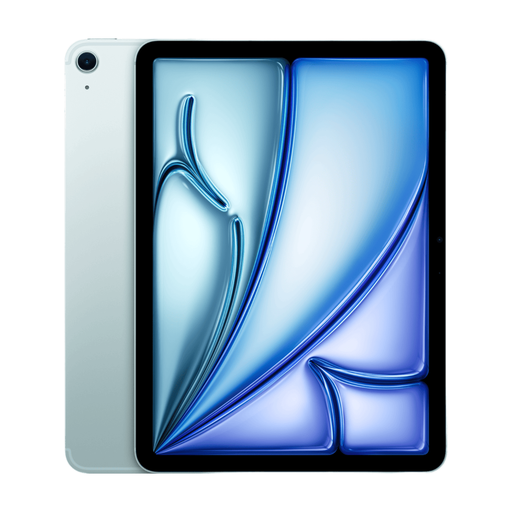 Image unavailable
Apple 11-inch iPad Air (2026, M4), Wi-Fi 256GB, Blue
This is another 11-inch Wi-Fi option for a mobile-compatible club timetable, distinguished here by its 256GB storage. Apple lists the 11-inch iPad Air Wi-Fi model at 464 g before a keyboard is added. Confirm accessory compatibility and try the actual timetable in the apps you will use.
View on Joybuy
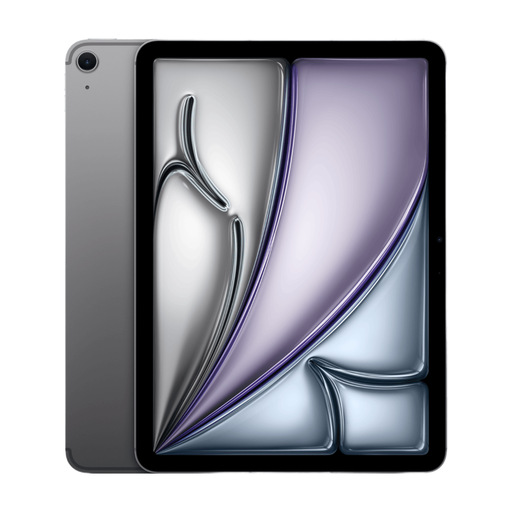 Image unavailable
Apple 11-inch iPad Air (2026, M4), Wi-Fi 512GB, Space Grey
Consider this 512GB variant if you want the listed storage configuration alongside an 11-inch iPad Air for mobile-compatible timetable work. Apple lists the 11-inch Wi-Fi model at 464 g without a keyboard. Check the keyboard for this M4 model and confirm that the workbook's required features work in iPadOS.
View on Joybuy
 Image unavailable
TABWEE T80 10-inch Android 16 tablet, 128GB, with keyboard
The listed keyboard makes this a candidate for typing a mobile-compatible timetable at a hotel desk. The product information specifies a 10-inch, 1280 × 800 display. Confirm the keyboard bundle and layout, and test your file in the Android apps you intend to use.
View on Joybuy
 Image unavailable
TABWEE T20 10.1-inch Android tablet, 256GB, with keyboard, mouse and stylus
Consider this bundle if you want physical input devices for a timetable that works in your chosen Android apps. The product information specifies a 10.1-inch, 1280 × 800 display and a removable keyboard. Check that the included accessories suit your desk setup and that the workbook behaves as required.
View on Joybuy
Frequently asked questions
Can I edit a club timetable made in Excel on an iPad or Android tablet?
Yes, if the tasks your timetable requires work in the mobile app. Microsoft offers Excel on iOS and Android but says features vary by platform, so test the actual file's formulas, formatting, sharing and export before depending on it during a trip.
Will my Excel VBA macros run on a mobile tablet?
Do not plan on running VBA macros in mobile Excel: a Microsoft Q&A moderator says Excel on iOS and mobile devices cannot run them. If the timetable depends on macros, retain access to a compatible Windows workflow unless the file has been redesigned and tested.
Should I choose the keyboard before choosing the tablet?
Check them together if you expect to type more than brief corrections at the hotel desk. Apple's Magic Keyboard supports specified iPad Air models, while Samsung lists its Book Cover Keyboard Slim for the Galaxy Tab S10 FE+; confirm the exact pairing and the features you need.
Do I need a cellular tablet to update a timetable from a hotel?
Not necessarily: a Wi-Fi tablet may suffice if you can access the required files and reliably send updates using hotel Wi-Fi or a phone connection. If you need an independent connection, check the exact cellular variant and how you will keep the timetable available when offline.


