Who needs which tablet?

Connected coach passengers

If you want current rain maps and warnings at upcoming stops without depending on onboard Wi-Fi, focus on a cellular-capable variant or a dependable phone hotspot. The Met Office app provides warnings and interactive weather maps, while Apple lists mobile-data capability for its Wi-Fi + Cellular iPad mini models.

Map-first trip planners

If you spend time comparing weather maps, saved locations and route notes, consider whether an 11-inch screen is worth the extra space it takes in your bag and at your seat. Lenovo lists an 11-inch Idea Tab configuration, and the Met Office app supports interactive maps and saved locations.

Outdoor-facing coach staff

If you will handle the tablet outside in rain or while wearing gloves, look at protection and touch operation for the exact model. Samsung lists IP68 protection and glove-responsive touch for the Galaxy Tab Active5 Pro; those features are not a requirement for ordinary seated checks.

What matters when choosing?

Compact cellular tablet

Choose it when: You mainly make quick checks from your seat and want a tablet you can carry between journeys with its own mobile-data option.

Trade-off: An 8.3-inch iPad mini shows less map area than an 11-inch device, and its Wi-Fi + Cellular version needs a suitable data plan for independent access.

Larger-screen tablet

Choose it when: You expect to examine rain maps or compare conditions at several stops for longer periods.

Trade-off: An 11-inch tablet takes more room to hold, pack or place at a coach seat than a compact model.

Rugged operational tablet

Choose it when: The device will be handled outdoors, in wet conditions or with gloves as part of work around the coach.

Trade-off: Specialist protection may add carrying bulk without helping a passenger who checks weather only inside the coach.

ConcernWhat to checkWho this matters to
Live connectivity Check whether the exact variant has cellular capability or whether you can use a phone hotspot. For mobile data, confirm the plan and coverage along your route. If I need warnings and maps to refresh throughout the journey, I do not want to rely solely on coach Wi-Fi; around 46% of consumers put independent access first.
Map size and portability Compare screen size with the space available to carry and use the tablet. Decide whether quick forecast checks or longer map sessions will be more common. When I compare rain maps for several stops, I want room to read them without carrying an awkward device; roughly 36% of consumers make that balance their main concern.
Outdoor handling For use outside the coach, check the exact model’s stated water and dust protection, brightness and glove-touch support. If I handle the tablet in wet conditions or with gloves while working, protection matters more than it does at a passenger seat; around 18% of consumers prioritise outdoor handling.

Buying pitfalls

  • Assuming a Wi-Fi-only tablet will have internet on every coach

    Live weather maps and warning updates need a working connection. A Wi-Fi-only model will depend on available Wi-Fi or another device’s hotspot.

    Before buying, decide how you will connect during the journey and check whether the exact tablet variant has cellular capability if you need it.

    Using a hotspot or cellular tablet may also require a suitable mobile-data allowance.

  • Choosing by screen size alone

    A larger display gives weather maps more room, but it also takes more space to hold and pack on a coach. A compact display may be sufficient for brief forecast and warning checks.

    Choose the size around the task you will do most often: quick checks or sustained map reading.

  • Treating passenger use as permission for driver use

    GOV.UK states that holding and using a tablet or another data-capable device while driving is illegal. A weather check that is straightforward for a passenger is not a task for a driver to perform on a handheld tablet.

    If the driver needs weather information, arrange checks before departure or use a lawful hands-free setup that does not obstruct the view or distract from driving.

  • Buying rugged features for seated checks alone

    Samsung lists IP68 protection and glove-responsive touch for the Galaxy Tab Active5 Pro, but those features address different conditions from occasional weather checks inside a coach.

    Prioritise rugged construction when the tablet will actually be used outdoors, in wet conditions or with gloves.

Relevant brands to consider

Apple

The iPad mini offers a compact option for passengers who want quick weather checks and can choose a Wi-Fi + Cellular configuration for mobile data.

  • Apple specifies an 8.3-inch display and a weight of 293 g for the Wi-Fi iPad mini; Wi-Fi + Cellular models support 5G.
  • Apple rates web browsing at up to 9 hours on mobile data for cellular models, compared with up to 10 hours on Wi-Fi. These are manufacturer ratings, not measured weather-app runtimes.

Samsung

The Galaxy Tab Active5 Pro is a specialist option to assess when weather checks form part of outdoor or operational work.

  • Samsung lists IP68 protection, glove-responsive touch, dual GPS and eSIM for the Galaxy Tab Active5 Pro.
  • Those model-specific features do not make rugged hardware necessary for a passenger using a tablet inside a coach.

Lenovo

An 11-inch Idea Tab configuration offers a larger display for buyers who expect to spend more time examining maps and route notes.

  • Lenovo lists an 11-inch, 2560 × 1600, 500-nit Idea Tab configuration with 5G and 256GB storage.
  • Check the exact variant and its suitability for any outdoor handling rather than assuming protection or glove operation from its screen and connectivity specifications.

Joybuy products for route-weather checks

These tablets offer different screen sizes and connection arrangements for checking weather during a coach journey. Compare the exact variant with your plan for live updates and the space available at your seat.

TABWEE W90 tablet

TABWEE W90 11-inch tablet with dual 4G SIM

Consider this 11-inch model if you want space for weather maps and a possible mobile-data connection away from coach Wi-Fi.

The title lists dual 4G SIM support and 5G Wi-Fi; 5G Wi-Fi does not mean cellular 5G. Confirm UK mobile-network compatibility, the exact Android version and battery details before relying on it for a trip.

View on Joybuy
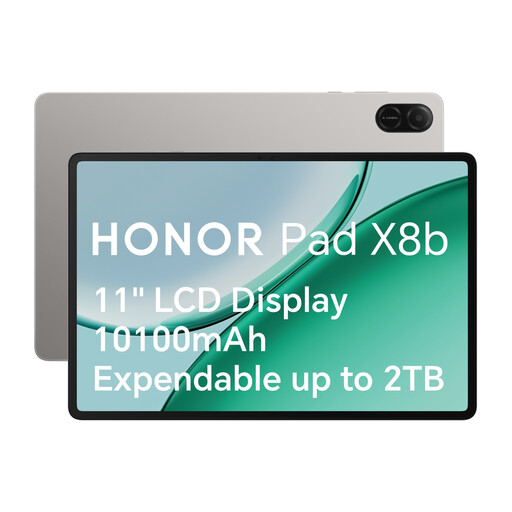
HONOR Pad X8b 128GB tablet in Space Grey

HONOR Pad X8b 128GB, Space Grey

Consider this tablet if you can arrange a dependable connection for live forecasts and warnings, such as a phone hotspot.

Check the exact connection options and whether its display suits the maps you intend to read. Do not rely on it for exposed use in rain without confirming appropriate protection.

View on Joybuy

TECLAST ArtPad Pro 12.7-inch tablet

TECLAST ArtPad Pro 12.7-inch 2K, 2025 Edition

Its large screen may suit longer weather-map sessions if you have room to carry and use a 12.7-inch device on the coach.

The title lists dual SIM 4G LTE, Android 15 and a 10,000mAh battery. Confirm UK LTE compatibility, mobile coverage and the runtime you need; battery capacity alone does not establish journey runtime.

View on Joybuy

TECLAST T65 Plus 13.4-inch tablet

TECLAST T65 Plus 13.4-inch 120Hz tablet

Consider the 13.4-inch screen for extended map viewing only if its size works in your coach-seat space.

The title lists dual SIM 4G LTE and 5G Wi-Fi, not cellular 5G. Confirm whether the exact variant is T65 Plus, as well as UK LTE compatibility and mobile coverage, before planning to use it for live updates.

View on Joybuy

Samsung Galaxy Tab A11+ 8GB 256GB Wi-Fi tablet in Grey

Samsung Galaxy Tab A11+ 8GB/256GB Wi-Fi, Grey

This Wi-Fi configuration is an option if you can use a dependable connection for live weather checks.

Its title identifies 8GB of memory and 256GB of storage. Arrange a usable hotspot or Wi-Fi connection when travelling, and check display brightness if you expect to read maps in bright conditions.

View on Joybuy

Frequently asked questions

Do I need a cellular tablet to check weather on a coach?

Not if you have a dependable Wi-Fi connection or phone hotspot when you need updates. If you want the tablet to connect independently, choose the cellular version of the exact model and check its mobile plan and coverage; Apple lists 5G for Wi-Fi + Cellular iPad mini models, while Samsung lists eSIM for the Galaxy Tab Active5 Pro.

How can I check the weather at several stops?

Save the planned locations and compare their forecasts and maps rather than treating one location’s forecast as covering the whole route. The Met Office says its iOS and Android app supports saved locations, weather warnings and interactive maps for rain, cloud, temperature and warnings; current information requires a connection.

Can a coach driver hold a tablet to check weather while driving?

No. GOV.UK states that holding and using a tablet or other data-capable device while driving is illegal. Any hands-free arrangement must not block the driver’s view or compromise control, and distraction remains a concern.

Does a passenger need a rugged tablet?

Rugged features are more relevant if the tablet will be handled outside in rain or dirt, or used with gloves, than for occasional checks from a seat. Samsung lists IP68 protection and glove-responsive touch for the Galaxy Tab Active5 Pro specifically; check the exact model if those conditions apply to you.