Offline-route preparers
You want to research coastal stops at the cottage, then leave with the route area downloaded rather than rely on a live connection throughout the drive.


A Wi-Fi-only tablet is a sensible choice if you will plan at the cottage and download your driving maps before leaving. Choose a cellular model if the tablet itself needs mobile data away from Wi-Fi, but check the exact configuration, data plan and route coverage. Either way, prepare navigation before driving and never hold the tablet while driving.
You want to research coastal stops at the cottage, then leave with the route area downloaded rather than rely on a live connection throughout the drive.
You want the tablet itself to use mobile data away from cottage Wi-Fi. That makes the exact cellular configuration, a suitable plan and coverage along your route important checks.
You mainly want a screen that travelling companions can use together to compare stops, routes and booking details at the cottage, rather than a tablet for continuous in-car viewing.
Decide whether the tablet needs its own connection away from the cottage. Then check how you will save the route and whether the screen suits the way you plan to use it indoors.
Choose it when: You can prepare maps on cottage Wi-Fi and do not need the tablet to use mobile data independently.
Trade-off: Away from Wi-Fi, online route updates require another connection. Google Maps Help says offline driving guidance needs the whole route inside the downloaded area and does not include traffic information or alternate routes.
Choose it when: You need the tablet itself to use a mobile-data plan away from the cottage rather than rely on a phone hotspot.
Trade-off: A suitable plan and usable coverage are still necessary. EE notes that access to its 4G or 5G service depends on local signal, a compatible device and an eligible plan.
| Concern | What to check | Who this matters to |
|---|---|---|
| Offline route access | Check that your chosen mapping app can download the entire driving area on the tablet; save it before departure. | If I may lose signal along the coast, I want my planned route available without a connection. Around 42% of consumers put offline route access first. |
| Independent connectivity | Confirm the exact cellular variant, compatible data plan and coverage around the cottage and planned route. | If I need to look up information away from cottage Wi-Fi, I want the tablet itself to connect. About 33% of consumers make independent connectivity their primary need. |
| Shared cottage planning | Compare screen size and whether a stand or case will support comfortable viewing on an indoor surface. | When we compare stops and booking details together, I want a screen we can gather around. Roughly 25% of consumers prioritise shared cottage planning. |
Wi-Fi access at the cottage does not give the tablet an independent mobile-data connection on the road. Apple distinguishes its Wi-Fi iPads from Wi-Fi + Cellular models, which can use a mobile-data plan.
If downloaded maps meet your needs, check that you can prepare them before leaving. If the tablet must connect independently, confirm its exact cellular variant and a suitable plan.
Otherwise, you would need to use another connection, such as a separate phone hotspot, for online access away from Wi-Fi.
Google Maps Help says offline driving guidance works when the whole route is within the downloaded area, but traffic information and alternate routes are unavailable offline.
Download an area that covers the planned drive and check current journey conditions before setting off.
GOV.UK states that holding and using a tablet while driving is illegal. Hands-free use must still leave the driver in control, and the device must not obstruct the view of the road and traffic ahead.
Set the route before moving. If you use a mount, position it without blocking your view and stop safely before changing the route or screen.
A tablet that works well for sharing an itinerary at the cottage may not meet a separate need for mobile data. The Lenovo Tab Plus configuration discussed here uses Wi-Fi.
Choose the screen for your indoor planning needs, then check the exact model’s connectivity separately if the tablet must connect away from Wi-Fi.
iPad models are relevant if you prefer iPadOS and want to choose between Wi-Fi and Wi-Fi + Cellular configurations.
The Galaxy Tab S10 FE line is relevant to Android buyers considering a 10.9-inch screen for maps and cottage planning.
The Lenovo Tab Plus is relevant when reviewing routes with companions at the cottage is the main use.
These tablets offer different starting points for planning at the cottage: some have stated Wi-Fi configurations, while the TECLAST ArtPad Pro lists 4G LTE and GPS. Check your intended mapping app and the exact connectivity you need before relying on any tablet for the drive.
 No image available
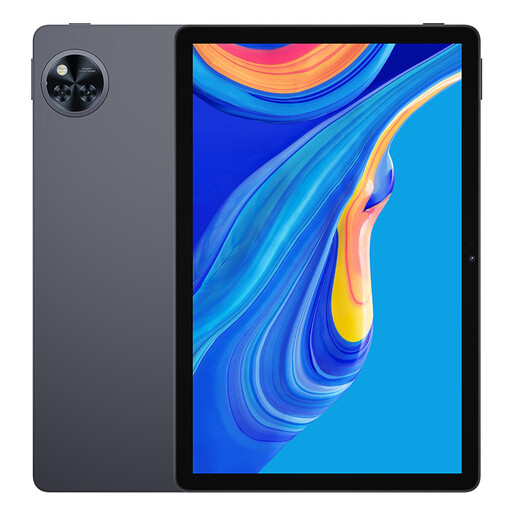
Consider this model if you want a larger screen for cottage planning and a tablet with stated mobile-data and location features.
The product name specifies a 2K display, Dual SIM 4G LTE, GPS and Android 15. Its stated battery capacity is 10,000mAh; that does not establish driving-day runtime.
Check your mapping app’s offline downloads, a compatible mobile-data plan and coverage along the route.
 No image available
This Wi-Fi configuration is a choice for researching stops at the cottage and preparing maps before leaving.
Check that your intended mapping app can save the required route area on this tablet. If the tablet must use mobile data away from Wi-Fi, check the connectivity of the exact variant you intend to buy.
 No image available
Consider the U11 for viewing an itinerary with a companion and preparing route information on cottage Wi-Fi.
The product name specifies GPS and an 8580mAh battery capacity, not measured runtime. Its “5G WiFi” wording should not be taken to mean 5G mobile data; check direct mobile-data capability separately if you need it.
Confirm that your mapping app can download the planned area before departure.
 No image available
The 11-inch screen makes this a candidate for reviewing stops and routes at the cottage.
The product name specifies an FHD+ 90Hz display, Android 15, GPS and an 8800mAh battery capacity; capacity is not a runtime measure. It also mentions dual SIM slots and “5G WiFi”, but those details alone do not establish mobile-data capability.
Confirm both cellular connectivity and offline-map behaviour if either will determine your choice.
 No image available
This Wi-Fi iPad Air is a choice for researching the drive and comparing stops at the cottage.
Before depending on downloaded directions, check that your chosen mapping app can save and use the planned route area. If the iPad itself needs mobile data away from Wi-Fi, check a Wi-Fi + Cellular configuration instead.
No. GOV.UK states that holding and using a tablet while driving is illegal, including when stopped in traffic. Set up navigation before moving; any hands-free positioning must leave your view of the road unobstructed and let you remain in full control.
Yes, for driving guidance if the entire route lies within the downloaded area. Google Maps Help says traffic information and alternate routes are unavailable offline, so download the area before leaving the cottage and check journey conditions before setting off.
Not if cottage Wi-Fi and prepared offline maps meet your needs. Choose a cellular configuration when the tablet itself must use mobile data away from Wi-Fi, and check its plan compatibility and coverage along your route. Apple also specifies GPS and location capabilities for its Wi-Fi + Cellular iPads; check the exact model when location capability matters.
No. A downloaded route can provide offline driving guidance, but Google Maps Help says it will not supply traffic information or alternate routes while offline. Check current conditions before you set off, then keep the driver’s attention on the road rather than the tablet screen.