Pen-first illustrators and visual creators
If you draw, annotate or edit visual work directly on screen, check that both your chosen app and tablet support the pen functions you need. Display size also matters if you regularly work away from a desk.


Choose around the applications, files and accessories your work requires. An iPad or a suitable Android tablet can serve a pen-led workflow when the relevant apps meet your needs; assess a Windows 2-in-1 if desktop Windows software or sustained laptop-style work is essential. Check the exact device and configuration before treating any of those routes as a laptop replacement.
If you draw, annotate or edit visual work directly on screen, check that both your chosen app and tablet support the pen functions you need. Display size also matters if you regularly work away from a desk.
If your day involves documents, email, video calls and several tasks at once, consider how you will type, use a pointer and arrange your workspace. A keyboard or external display may matter more to you than a tablet-only setup.
If your work relies on a particular desktop app, plug-in, peripheral or file process, confirm that the whole workflow runs on the operating system and device you intend to buy. An available tablet app does not by itself establish desktop feature parity.
Start with the applications and files you cannot work without. That determines which operating-system routes are worth considering before you compare pen input, typing arrangements or device size.
Consider it when: Your required creative apps work on iPadOS and you want direct input with a compatible Apple Pencil.
Check before choosing: Mobile-app features and Apple Pencil or keyboard compatibility depend on the app and exact iPad model.
Consider it when: Your apps work on Android and a supported pen or, on certain Samsung models, a DeX workspace suits your tasks.
Check before choosing: Pen inclusion, external-display behaviour and software support vary by model.
Consider it when: You need desktop Windows applications or sustained keyboard-and-trackpad work alongside a touch interface.
Check before choosing: Confirm required drivers and peripherals for the exact processor and configuration; a detachable keyboard or pen may be separate.
| Concern | What to check | Who this matters to |
|---|---|---|
| Apps and file workflow | Check your exact apps, essential features and file import or export requirements on the chosen operating system and device. | If a project depends on a particular app, plug-in or file format, I need to know I can finish it without changing devices; roughly 36% of consumers would put workflow compatibility first. |
| Laptop-style work | Check keyboard and trackpad arrangements, required Windows software and external-display behaviour. | For long documents, frequent calls and multitasking, I need a working position that suits sustained typing; about 29% of consumers would make laptop-style productivity their main concern. |
| Pen and display | Confirm the exact compatible stylus and its app functions, then consider screen size alongside carrying and holding the device. | When I draw or annotate on screen, the pen and available canvas space shape how I work; around 21% of consumers would prioritise that creation setup. |
| Support and after-sales | Check the named model’s update commitment, warranty terms and available repair arrangements. | If I plan to keep a work device for years, I want to understand its support window and what happens if it needs attention; approximately 14% of consumers would place continuity first. |
A capable screen or processor cannot establish that your required desktop functions, plug-ins, drivers or export formats work on its operating system.
List the applications, files and peripherals your projects require, then check each against the exact device and software version you are considering.
Bundles differ. Samsung lists an S Pen with the cited Galaxy Tab S11 Ultra configuration, while Microsoft states that the Surface Pro keyboard and Slim Pen are sold separately.
Check the contents and compatibility of the specific configuration, including the pen generation and keyboard arrangement you need.
Apps, system files and updates also use storage. Adobe’s 8 GB available-storage requirement for installing Illustrator on iPad is not an allowance for a complete project library.
Allow for active projects, source media, exports and offline files when choosing capacity.
Update commitments and warranties are model-specific. Google lists guaranteed Pixel Tablet updates until June 2028 and a two-year UK warranty; those terms do not describe other tablets.
Check the named model’s current update endpoint and the warranty and repair terms that apply to your purchase.
An iPad route for creative work when the required apps run on iPadOS and the chosen model supports the intended Apple Pencil.
A Galaxy Tab route for consumers whose Android apps suit pen-led work or who want to assess DeX on a supported model.
A Surface Pro route to assess when Windows applications and a detachable keyboard-and-pen arrangement are central to the work.
A Pixel Tablet route to consider when its Android workflow fits and a published support endpoint matters to you.
These choices cover Android tablets for portable work and creation, plus a Windows convertible for a more laptop-style setup. Match the operating system and exact configuration to your applications before choosing among them.
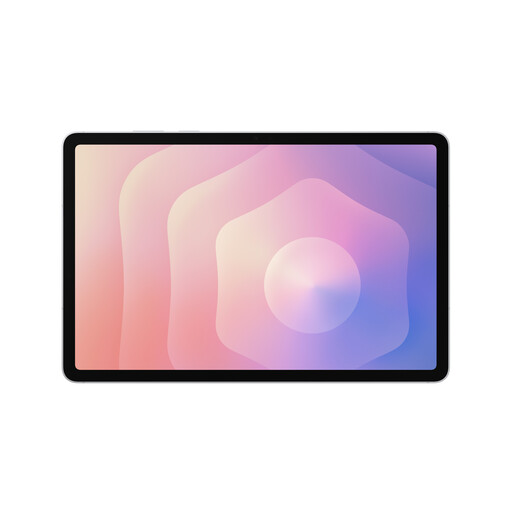 No image available
Consider this Android tablet if its apps and accessory options fit your portable drawing or work routine.
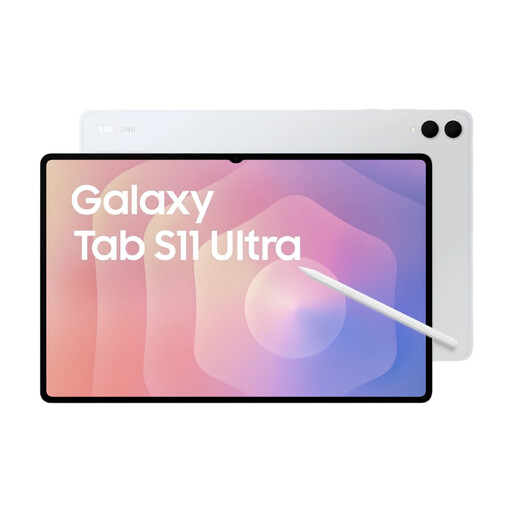 No image available
Consider its larger screen if you want more room for on-screen work and are comfortable carrying a 14.6-inch tablet.
 No image available
This Android 15 configuration is worth assessing if you want a stylus and keyboard in the stated bundle for drawing and typing.
 No image available
Assess this Windows convertible if you prefer laptop-style typing with a touchscreen mode, rather than a detachable tablet.
 No image available
Consider this Android tablet for portable tasks once you have checked that its apps and input options suit your work.
A tablet can replace a laptop for a particular workflow if its apps support all the tools, files, exports and peripherals you require. Check an iPad or Android tablet against its mobile-app features; assess a Windows 2-in-1 if desktop Windows software is essential, while confirming compatibility for its exact configuration. Adobe’s Illustrator on iPad requirements, for instance, do not establish that its desktop features are identical.
It depends on the exact configuration and bundle. Samsung lists an S Pen with the cited Galaxy Tab S11 Ultra configuration, whereas Microsoft states that the Surface Pro keyboard and Slim Pen are sold separately. Check the contents and accessory compatibility for the model you select.
Choose capacity around your active projects, source files, exports and offline work as well as the apps themselves. Adobe specifies 8 GB of available storage to install Illustrator on iPad, but that figure is not space for your entire project library; estimate your own working files before settling on a fixed-capacity device.
Check the retailer’s electrical take-back arrangements when buying a replacement. GOV.UK describes duties to take back waste of the same type as the item purchased; confirm the service and conditions that apply to your transaction.