Choose a compact tablet if you will mainly read sources, annotate PDFs and draft arguments in short sessions while travelling. If you expect to write full speeches or work with documents side by side at a hotel desk, consider a compatible keyboard and a larger tablet or Windows 2-in-1; check the complete setup and connectivity before choosing.
Who needs which setup?
Travelling evidence readers and annotators
If you read case material between journeys and hotel sessions, prioritise a tablet you are comfortable carrying and holding. Check how you will highlight PDFs and make notes, including whether your chosen pen is supplied.
Long-form argument drafters
If you plan to write speeches, rebuttals or briefing notes at a hotel desk, a stable keyboard-led arrangement matters more than touch typing alone. Check the keyboard and stand for the exact model.
Offline and secure-workflow planners
If access to research cannot depend on hotel Wi-Fi, plan how to store essential documents locally or connect independently. Consider how you will protect accounts and sensitive material when you do go online.
What matters when choosing?
Decide whether reading and annotation or sustained drafting will occupy more of your trip, then check connectivity and any requirements for remote practice. A screen size alone will not tell you whether the whole setup works at your hotel desk.
| Concern |
What to check |
Who this matters to |
| Long-form drafting |
Confirm exact-model keyboard compatibility, inclusion and a stable typing position. |
If I am writing a full speech or several rebuttals at the hotel desk, I need physical typing to work comfortably for the whole session; around 31% of consumers put keyboard-first drafting ahead of their other needs. |
| Reading and annotation |
Compare screen size and carrying weight; check pen support and whether a pen is supplied. |
When I am moving between source PDFs and quick notes throughout the trip, I want a device I can carry and use for annotation; portable reading is the primary need for around 31% of consumers. |
| Offline access and connectivity |
Check local or expandable storage, the exact Wi-Fi or cellular variant, and whether essential files work offline. |
If hotel Wi-Fi is unsuitable for accessing my research, I need my evidence available locally or another way to connect; around 23% of consumers make access away from hotel Wi-Fi their first concern. |
| Calls and collaboration |
Check call-app compatibility, camera angle, audio needs and how the stand positions the tablet. |
For remote practice or feedback from a coach, I need to see shared material and position the camera sensibly; calls and collaboration come first for around 15% of consumers. |
Buying pitfalls
-
Assuming every typing and charging accessory is supplied
A tablet may support handwriting and keyboard work without supplying everything needed for both. Samsung UK lists an S Pen and data cable with the Galaxy Tab S10 FE, but no travel adaptor; Microsoft describes its Surface Pro keyboard as optional.
Check the contents of the exact configuration, keyboard compatibility and the charging equipment you will take to the hotel.
-
Choosing screen size without considering how you travel
A larger display gives you more working area at a desk but takes more room in a bag. Apple lists its 11-inch iPad Air Wi-Fi model at 464 g and its 13-inch Wi-Fi model at 616 g; those figures do not include a keyboard or case.
Consider where you will do most of the work: handheld reading while travelling, or extended document review at the hotel desk.
-
Keeping essential evidence only online
An interrupted or unsuitable hotel connection could leave you without documents during preparation. The National Cyber Security Centre says a private WPA2 network is more secure than public hotel Wi-Fi and advises protecting sensitive data in transit.
Save essential files for offline access before travelling. Keep software updated and use encrypted services and secure sign-in when accessing accounts on hotel Wi-Fi.
-
Treating a visible listing as confirmation you can buy that configuration
A product page can remain visible when its availability changes; a Joybuy listing for one iPad Air 11-inch M4 configuration has shown it as out of stock.
At the point of purchase, check the live availability, exact storage and connectivity variant, seller details and applicable warranty terms.
Brands to consider for this setup
Apple
The iPad Air range offers 11-inch and 13-inch options for readers choosing between a smaller travel device and more display space.
- Apple lists the 11-inch iPad Air Wi-Fi model at 464 g, with USB-C and Apple Pencil support.
- If you need a physical keyboard or pencil, confirm compatibility and what is supplied with the selected configuration.
Samsung
The Galaxy Tab S10 FE is an Android route for handwritten notes and an offline document collection.
- Samsung lists a 10.9-inch display, S Pen support and microSD expansion up to 2 TB; its UK purchase page lists an S Pen in the box.
- The listed box does not include a travel adaptor. Check the exact model and accessory combination if you need a keyboard.
Microsoft
Surface Pro offers a tablet-to-laptop arrangement for debate preparation centred on desk-based drafting.
- Microsoft describes an adjustable kickstand and an optional keyboard for laptop-style use.
- The keyboard is sold separately; check which keyboard fits the Surface Pro model you choose.
Lenovo
The Yoga Tab Plus is a larger Android option to consider when document review will mainly happen at a desk.
- Lenovo lists a 12.7-inch 3K Yoga Tab Plus configuration with 16 GB memory, 256 GB storage, a pen and a keyboard.
- Check the contents of the particular configuration and whether its size suits the way you carry your equipment.
Joybuy tablets for debate preparation
These tablets cover compact reading and annotation, keyboard-equipped drafting, and larger-screen document review. Compare the exact accessories and connectivity of each configuration against the work you expect to do in your hotel room.
 No image available
TABWEE T20 10.1-inch tablet with keyboard, mouse and stylus
Consider this setup if you want physical typing and handwritten notes alongside reading evidence. The title lists a 10.1-inch display, 256 GB storage, TF card support up to 2 TB, and a keyboard, mouse and stylus. Check whether the screen gives you enough room to work with documents and which connectivity options the exact configuration supports.
View on Joybuy
 No image available
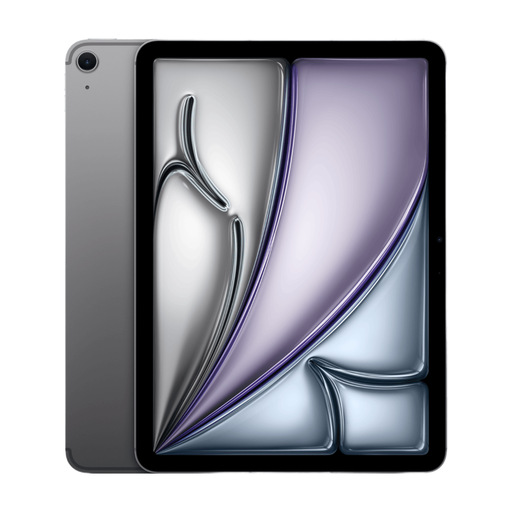
Apple iPad Air 11-inch (2026, M4) Wi-Fi 512 GB, Space Grey
The 11-inch format suits reading and shorter drafting sessions while travelling. This Wi-Fi configuration has 512 GB storage; Apple lists the 11-inch iPad Air Wi-Fi model at 464 g. If you need a keyboard or Apple Pencil, confirm the compatible accessory for this model and obtain it separately.
View on Joybuy
 No image available
TECLAST ArtPad Pro 12.7-inch 2K, 2025 Edition, with stylus
Consider its larger screen for reviewing documents at a hotel desk. The title lists a 12.7-inch 2K display, 256 GB storage, dual-SIM 4G LTE and an included stylus. If sustained typing matters, check keyboard compatibility for this exact model; check its carrying weight before choosing it for frequent travel.
View on Joybuy
 No image available
Apple iPad Pro 11-inch (M5) Wi-Fi 256 GB, standard glass, Silver
This 11-inch Wi-Fi configuration is an option for reading evidence and drafting on a compact screen, with 256 GB storage listed in the title. Check which keyboard and Apple Pencil fit this model if physical typing or handwriting is part of your workflow; those accessories are separate. Verify its weight if carrying load will decide your choice.
View on Joybuy
 No image available
Xiaomi Pad 7 Grey, 8 GB RAM, 128 GB storage, with Focus Pen
Consider this configuration if pen-based notes are central to your evidence review. The title identifies an included Focus Pen and 128 GB storage. Before relying on it for lengthy arguments, confirm exact-model keyboard compatibility; also check its carrying weight and the package contents for charging.
View on Joybuy
Frequently asked questions
Should I choose a Wi-Fi-only or cellular tablet for hotel-room debate preparation?
A Wi-Fi-only tablet can suit you if essential evidence is available offline and you have a suitable connection when needed; choose a cellular-capable variant if you need the tablet to connect independently. Confirm the exact variant before buying. The National Cyber Security Centre says a private WPA2 network is more secure than public hotel Wi-Fi, so use encrypted services when accessing accounts or files there.
Does the Galaxy Tab S10 FE include the accessories I need?
The Galaxy Tab S10 FE includes an S Pen and data cable according to Samsung UK, but the listed box does not include a travel adaptor. If you will draft with a physical keyboard, check compatibility and the contents of the exact configuration, and take suitable charging equipment.
Is a keyboard included with Surface Pro?
Do not assume a Surface Pro keyboard is included: Microsoft describes it as optional and lists its 12-inch keyboard separately. Check keyboard compatibility with the particular Surface Pro model before planning a keyboard-led drafting setup.


