What matters when choosing?
Start with the file and software workflow you cannot change, then weigh the screen against what you can comfortably take between visits. These three routes differ most in operating system, viewing area and pen setup.
iPad Pro
Consider it when: your team uses Apple devices and you want an 11-inch or 13-inch screen for presenting and marking up artwork.
Trade-off: Apple lists P3 colour, an anti-reflective coating and Apple Pencil Pro support, but check the pen and other accessories in the configuration you plan to buy.
Galaxy Tab S11 Ultra
Consider it when: a large screen for reviewing layouts together matters more than carrying a smaller tablet; Samsung lists a 14.6-inch display.
Trade-off: Samsung's UK package includes an S Pen but not a travel adapter. Check that the Android apps you need handle your actual files.
Surface Pro
Consider it when: you need a Windows-oriented application and file workflow rather than mobile app equivalents.
Trade-off: Microsoft offers keyboard and Slim Pen accessories separately. For a Snapdragon-based model, confirm support for essential apps and peripheral installers on ARM.
| Concern |
What to check |
Who this matters to |
| Visual review and colour |
Choose a screen size and reflection treatment suitable for the meeting. For print-colour approval, confirm the required proofing process with the printer. |
I need clients to inspect layouts clearly, but I cannot use an attractive screen alone as the print-colour approval reference. Roughly 36% of consumers would put presentation fidelity first. |
| Travel and access |
Compare the size you must carry, and decide whether you need mobile data or can save the current presentation locally. |
Between appointments, I need to bring up the right file without depending on a venue connection. Around 29% of consumers would make travel-ready viewing and access their primary concern. |
| Workflow compatibility |
Check your required apps, file formats and peripherals; for a Snapdragon Surface Pro, confirm ARM support with their publishers. |
If a client sends an editable file or I need a particular device during the visit, a viewing app may not be enough. Approximately 21% of consumers would put workflow compatibility first. |
| Markup and meeting setup |
Confirm the pen, keyboard or stand you need and what is included with the exact configuration. |
I want to mark up revisions while we talk and position the screen so we can both see it. For about 14% of consumers, a ready-to-use annotation setup would be the leading need. |
Tablets for client visits on Joybuy
These tablets offer different screen sizes, connection options and approaches to pen input for showing and discussing design work between visits. Match the configuration to your files and meeting setup; none should be used alone as a contract print-proof reference.
 No image available
Apple iPad Pro 13-inch (M5), 1TB, Wi-Fi + Cellular, standard glass, Silver
Consider the 13-inch screen if you want more room to show artwork during a client discussion and need cellular connectivity between visits.
This configuration has 1TB storage. Check your design apps and files, and choose any required Apple Pencil or keyboard separately.
View on Joybuy
No image available
Apple iPad Pro 11-inch (M5), 256GB, Wi-Fi, standard glass, Silver
Choose the 11-inch size if a smaller screen is easier to take between meetings and you can prepare files for a Wi-Fi-only visit.
This configuration has 256GB storage. Check that your required files and apps work on iPadOS, and confirm the compatible pen or keyboard if you need one.
View on Joybuy
 No image available
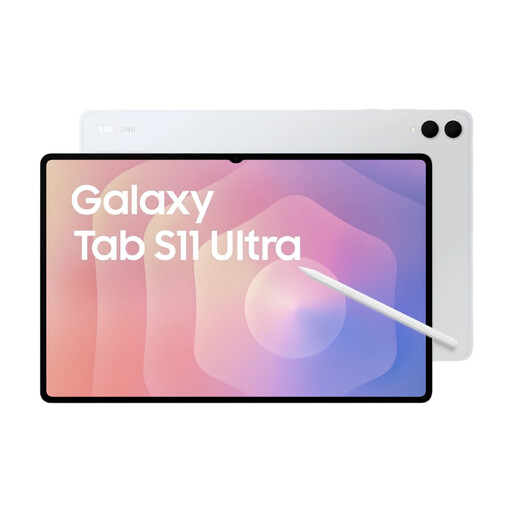
Samsung Galaxy Tab S11 Ultra X930, 14.6-inch, Wi-Fi, 12GB RAM, 256GB, Silver
The 14.6-inch screen suits sharing layouts with a client when you are comfortable carrying a larger tablet.
Samsung UK lists an S Pen in the Galaxy Tab S11 Ultra package. This is a Wi-Fi configuration, so check your Android file workflow and whether you need access away from Wi-Fi.
View on Joybuy
 No image available
Xiaomi Pad 7, 8GB RAM, 128GB, Grey
Consider this tablet for prepared visual presentations if your required Android apps can open and share the files you take to meetings.
The product title names 8GB RAM and 128GB storage. Confirm the supplied bundle before relying on a Focus Pen for live markup: its title and specification give conflicting inclusion details.
View on Joybuy
 No image available
TECLAST ArtPad Pro, 12.7-inch 2K, 256GB, 2025 Edition
The 12.7-inch screen and included stylus make this a configuration to consider for showing artwork and marking up discussion points.
Its title lists Android 15 and dual-SIM 4G LTE. Check that your design files work in the Android apps you need, and assess the screen against your visual-review requirements before relying on it for colour-sensitive decisions.
View on Joybuy
Common questions
Can a tablet screen replace a contract print proof?
No, not by itself. A tablet can show artwork for discussion, but Fogra's guidance for a legally compliant, colour-accurate digital proof specifies a media wedge and compliance with ISO 12647-7 tolerances. If approval depends on print colour, use the proofing process agreed with the printer or production partner.
Do I need cellular connectivity for client visits?
Choose cellular connectivity if you need to retrieve or share files live where dependable Wi-Fi is unavailable; otherwise, a Wi-Fi model may suit a workflow where you download the current work before travelling. Apple lists Wi-Fi and Wi-Fi + Cellular iPad Pro configurations, while Samsung lists Wi-Fi and 5G Galaxy Tab S11 Ultra variants. Check the exact configuration and any data-plan commitment.
Will a Snapdragon Surface Pro run my design software?
It may, but confirm every essential application and peripheral before choosing one. Microsoft says most apps run smoothly on ARM-based Windows 11 and x64 emulation broadens compatibility, while some manufacturer peripheral installers may not work on ARM. Check the publishers' current guidance for your particular tools.
What product marking should I check for a tablet bought for UK use?
Check the marking applicable to where the electrical equipment is supplied and used. Department for Business and Trade guidance dated 31 March 2026 lists UKCA or CE for the Great Britain market, and CE or UKNI together with CE for Northern Ireland. Confirm that the supplied unit, plug and documentation are intended for your market rather than relying on a listing title alone.


