What matters when choosing?
Start with the task that would decide your purchase: discussing print colour, sharing a layout or keeping an existing desktop workflow. Then compare the display and accessories against the place where you will show the proof.
13-inch iPad Pro
Consider it: When an Apple-centred review calls for a large portable screen and on-screen markup. Apple lists P3 wide colour, an anti-reflective coating and up to 1,000 nits SDR brightness for its compared 13-inch iPad Pro configuration.
Check: Confirm pen compatibility and how your viewing app handles the profiles and display settings required for the proof.
Galaxy Tab S10+ or S10 Ultra
Consider it: When an Android presentation needs a shared viewing canvas and pen comments. Samsung identifies 12.4-inch and 14.6-inch displays respectively and lists an S Pen with these models.
Allow for: The 14.6-inch model takes more room to carry; its display features do not establish a colour-managed print-approval process.
Windows 2-in-1
Consider it: When the proof needs to stay in Windows applications or a desktop-style file workflow. Microsoft presents Surface Pro as a tablet-to-laptop format with a kickstand.
Check: Verify your applications and the exact display configuration; Microsoft lists the Surface Keyboard and Slim Pen as separately sold.
| Concern |
What to check |
Who this matters to |
| Colour-sensitive review |
Check your viewing app, calibration and profile workflow, and whether the printer or client requires a physical proof. |
If my client is approving print colour, I need more than a convincing screen preview. Around 42% of consumers put a defensible colour-review process first. |
| Shared viewing |
Compare screen size, reflections and the stand or pen arrangement in your usual meeting space. |
When several people discuss one layout, I want them to see the details without passing the device around. Roughly 33% of consumers make clear shared viewing their primary concern. |
| Desktop workflow |
Verify the required Windows applications and files, plus whether you need a keyboard or pen. |
If review comments depend on my desktop files and applications, I need that process to continue during the meeting. About 25% of consumers prioritise workflow continuity. |
Joybuy products for proof review
These choices cover larger iPads for showing layouts, a Windows 2-in-1 for desktop-file review and Android tablets for viewing or annotating designs. Check each device against your actual files, accessories and colour-approval requirements.
 No image available
Apple iPad Pro 13-inch (M5), Wi-Fi, 256GB, Standard Glass, Space Black
Consider the 13-inch format when you need to show a layout to others on a portable screen.
The listed variant has Wi-Fi, 256GB of storage and Standard Glass. Check the pen and app setup you need for comments, and confirm your colour workflow before print approval.
View on Joybuy
 No image available
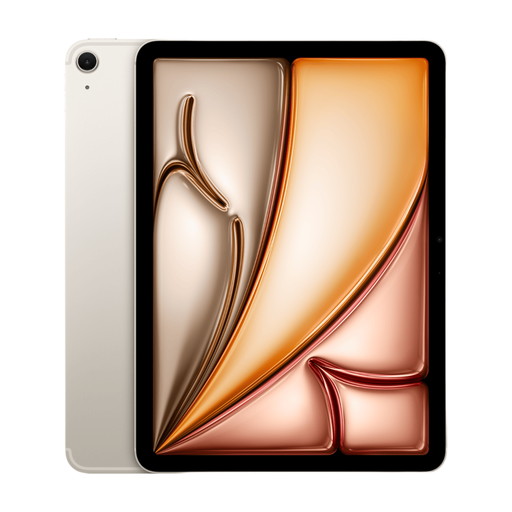
Apple iPad Air (2026, M4), Wi-Fi, 256GB, Starlight
Consider this iPad Air for portable layout discussions, but confirm its screen size before choosing it for shared viewing.
The title identifies a 13-inch model, while its description also calls the display 14-inch. The listed variant has Wi-Fi and 256GB of storage; check the accessories and colour workflow your review requires.
View on Joybuy
 No image available
HP OmniBook Ultra Flip 14-fh0006na 2-in-1
Consider a Windows 2-in-1 if showing the proof also requires desktop-style file handling.
This variant lists Windows 11 Home, 16GB RAM and a 1TB SSD. Confirm that your proofing applications and profiles work as required, and check pen arrangements if you need handwritten markup.
View on Joybuy
 No image available
Xiaomi Pad 8 Pro, Grey, 12GB RAM, 512GB storage
Consider this Android tablet if you want to carry a design for screen-based discussion rather than keep it in a Windows desktop workflow.
The title lists 12GB RAM and 512GB storage. If you plan to mark up files or discuss print colour, check the pen arrangement, viewing apps and colour-management workflow.
View on Joybuy
 No image available
TECLAST ArtPad Pro, 2025 Edition, with stylus
Consider this Android tablet when a larger viewing canvas and handwritten comments are central to the review.
Its title specifies a 12.7-inch 2K display, an included stylus, 256GB storage and Android 15. Check whether its display and apps meet your viewing conditions and colour-workflow requirements.
View on Joybuy
Questions about showing proofs
Can a tablet replace a certified print proof?
Do not treat a tablet preview as a replacement when final colour approval requires a certified or agreed print proof. The International Color Consortium explains that calibration and profiling work together for display consistency, while DK Handbook describes proofing as a way to simulate printer reproduction; confirm the required approval method with the printer or client.
How should I set up a tablet for a colour discussion?
Open the intended file in the app you will actually use and check its colour-management settings and relevant profiles. Review in consistent, neutral lighting where possible rather than treating a screen beside a window as a stable reference for final print colour.
Will I need separate accessories to annotate proofs?
That depends on the exact device and the way you add comments. Samsung lists an S Pen with the cited Galaxy Tab S10 models but no travel adaptor; Microsoft lists the Surface Keyboard and Slim Pen as separately sold, so check contents and compatibility for your chosen configuration.
What should I check when a device comes from an unfamiliar seller?
Confirm the market version, supplied charging arrangement, warranty terms and product documentation for your delivery location. UK Department for Business and Trade guidance distinguishes the product-marking arrangements for Great Britain and Northern Ireland, so do not assume that documentation for one location answers every question for the other.
What if the design proof contains personal information?
Apply your organisation's access and sharing controls before storing or presenting it on a tablet. The Information Commissioner's Office frames data protection by design as an organisational responsibility; consider who can open the file and whether cloud sharing is appropriate for the information involved.


