What matters when choosing?
For a design-proof review on a train, choose the operating-system route that supports your files, then weigh screen visibility against what you are comfortable carrying. The concerns below reflect the different needs consumers may put first.
iPad Pro
Consider it when: You want Apple’s stated display features and your proofing workflow works on iPadOS.
Trade-off: The 13-inch model takes more seat space than the 11-inch version; Apple limits nano-texture glass to 1TB and 2TB configurations.
Galaxy Tab S10+
Consider it when: You want a 12.4-inch Android tablet and value Samsung’s stated anti-reflection technology.
Trade-off: Your review and file-sharing apps must work on Android; Samsung says the travel adapter is not included.
Surface Pro
Consider it when: Your client review depends on a Windows desktop workflow.
Trade-off: On Snapdragon models, emulated applications can have performance overhead, according to Microsoft; a keyboard or pen may be an additional accessory.
| Concern |
What to check |
Who this matters to |
| Screen visibility and detail |
Compare the exact screen size and stated brightness or anti-reflective treatment. Check whether the display option you want is offered with your chosen storage configuration. |
If I am discussing fine type and imagery beside a bright window, I need a screen that is comfortable to inspect without treating it as a print proof. Around 42% of consumers put screen visibility and detail first. |
| Apps, files and accessories |
Try representative files in the required apps, including fonts and linked assets. Check any plug-ins, peripherals and presentation output your workflow needs. |
When a client expects changes or annotations during the journey, I cannot rely on screen quality alone if my project files will not behave as required. For around 33% of consumers, workflow compatibility is the primary concern. |
| Portable, connected use |
Compare physical size and weight, and save the complete proof package locally if needed. Decide whether Wi-Fi, tethering or a specific cellular variant suits your journey. |
I need to carry the tablet and open the latest files even when the train connection is unreliable. Independent access and carrying practicality come first for around 25% of consumers. |
Brands to consider
These brands offer different tablet and 2-in-1 routes for this task; the relevant choice is the configuration that supports your review workflow.
Apple
The iPad Pro range is relevant if display features, a choice of screen sizes and an iPadOS workflow suit your train reviews.
- Apple specifies P3 wide colour, anti-reflective coating and up to 1,000 nits maximum SDR brightness for the current iPad Pro. It lists the 13-inch Wi-Fi model at 579 g.
- Nano-texture glass is limited to 1TB and 2TB configurations. Confirm that your proofing apps and client files work as needed on iPadOS.
Samsung
The Galaxy Tab S10+ is relevant to Android users considering a 12.4-inch display and a choice of Wi-Fi or 5G variants.
- Samsung specifies a Dynamic AMOLED 2X display with anti-reflection technology for the Tab S10+.
- Those display claims do not validate a print proof, and Samsung says the travel adapter is not included. Check the Android apps and files used in your review.
Microsoft
The Surface Pro range is relevant when a design-proof review calls for Windows applications in a tablet-and-keyboard format.
- Microsoft lists a 13-inch HDR display with optional OLED and up to a 120Hz dynamic refresh rate for its 13-inch Surface Pro range.
- On Snapdragon models, Windows on Arm emulation can add performance overhead. Test required software and peripherals, and check whether you need an optional keyboard or pen.
Joybuy tablets for proof reviews
These tablets offer different screen sizes and connectivity configurations for showing artwork while travelling. Match the listed variant to your files, apps, lighting and carrying needs before choosing.
 No image available
Apple iPad Pro 13-inch (M5), Wi-Fi + Cellular, 1TB, standard glass, Silver
Consider this configuration if you want a 13-inch screen for discussing artwork and independent mobile connectivity.
It is the 1TB Wi-Fi + Cellular model with standard glass. Confirm your data arrangement, iPadOS proofing apps and offline file access; its display specifications alone cannot establish a print match.
Joybuy
 No image available
TECLAST ArtPad Pro 12.7-inch 2K tablet, 256GB, Android 15, with stylus
Consider its 12.7-inch screen if you want room to show and annotate a design during a journey.
The listed configuration has a 2K display, 256GB storage, dual-SIM 4G LTE and an included stylus with 4096-level pressure sensitivity. Check screen visibility in your expected lighting and test your Android proofing workflow.
Joybuy
 No image available
TECLAST T70 14-inch 1920 × 1200 tablet, 256GB, 4G LTE
The 14-inch format gives you a large canvas to share with someone beside you, provided its size is comfortable for your train journeys.
The listing specifies a 1920 × 1200 display, 256GB storage and dual-SIM 4G LTE. Check how it handles reflections and whether your required Android apps open the client’s files correctly.
Joybuy
No image available
Apple iPad Pro 11-inch (M5), Wi-Fi, 1TB, standard glass, Silver
Consider the 11-inch format if a smaller tablet suits the space available during your review.
This is a Wi-Fi, 1TB configuration with standard glass. Prepare files for offline access or arrange a connection, and check that its screen size and iPadOS apps suit the client meeting.
Joybuy
 No image available
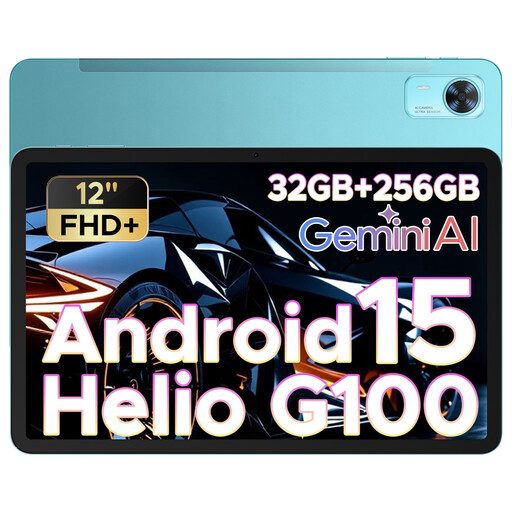
DOOGEE Tab E3+ 12-inch FHD+ tablet, Android 15, 256GB, Blue
Its 12-inch format is an option for showing a design without moving to a 14-inch tablet.
The listing states an FHD+ display, 90Hz refresh rate, 256GB storage and SIM support. Confirm the mobile-data configuration, visibility in train lighting and compatibility with your Android review apps.
Joybuy
Frequently asked questions
Is Wi-Fi enough for reviewing proofs on a train?
Wi-Fi can be enough if you save the complete proof package before travelling or are comfortable tethering. If independent mobile data matters for cloud files or last-minute changes, choose the specific cellular or 5G variant you need rather than assuming every version includes it.
Can a tablet screen replace a final colour-accurate print proof?
A tablet display specification alone cannot establish a match to a final print proof. P3 colour, brightness and anti-reflective treatment describe screen features, not your printer, paper, colour profile or approved reference; agree the approval method with the client before relying on an on-screen view.
Will a Surface Pro run my existing proofing software?
A Snapdragon-based Surface Pro can run some x86 and x64 Windows applications through emulation, but Microsoft says this can involve performance overhead. Test your exact application versions, plug-ins, drivers, fonts and presentation equipment with representative files.
Are the pen, keyboard and charger included?
Inclusions depend on the tablet and configuration. Microsoft describes Surface Pro keyboards and Slim Pens as optional; Samsung’s UK Galaxy Tab S10+ listing says it includes an S Pen and data cable but not a travel adapter. Check the contents of the exact product listing before choosing.
How should I charge a tablet used for commuting?
Use an appropriate, undamaged charger and cable, and stop using equipment that overheats or appears damaged. Mid and West Wales Fire and Rescue Service warns that improper charging, handling or storage of lithium-battery devices can create fire and injury risks.


