What matters when choosing
Start with how scripts arrive and how your notes must be returned. Then decide how you will light the page and whether you will hold the device or set it on a stand.
| Concern |
What to check |
Who this matters to |
| PDF annotation and file handling |
Check direct PDF mark-up in your intended app and how annotated files are exported. Amazon says Kindle Scribe cannot write directly on PDFs loaded by USB-C; eligible PDFs must arrive through Send to Kindle. |
If my rehearsal scripts need marking and returning, I need the notes to stay with the right PDF. Around 42% of consumers put annotation and file handling first. |
| Reading near bedtime |
Check comfortable brightness or front lighting and whether notifications can be silenced. Dimming does not remove the need to consider when to stop using a screen. |
When someone else is sleeping, I want to see the script without unnecessary light or interruptions; roughly 33% of consumers prioritise low-disruption reading. |
| Page view and handling |
Compare the exact model’s screen size and weight, then consider where a stand would sit. Apple lists its 13-inch iPad Air Wi-Fi model at 616 g and its 11-inch Wi-Fi model at 464 g. |
For long scenes read from a desk, I want more of the page in view without holding a large device. About 25% of consumers make page view and handling their primary concern. |
Joybuy options for script reading
These choices cover a conventional iPad for readers planning to mark up PDFs in supported apps and an E Ink device for readers considering a different page type. Check each device’s script workflow and bedroom lighting needs before deciding.
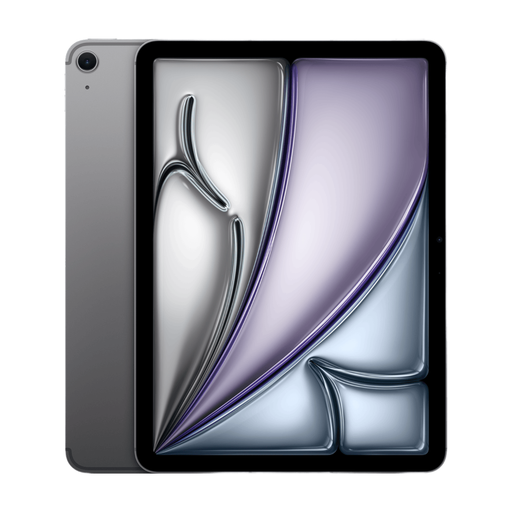 Image unavailable
Apple iPad Air 11-inch (2026, M4), Wi-Fi, 128GB, Space Grey
For scripts that need PDF mark-up, Apple Support describes annotation through iPad Markup in supported apps. This listing is for the 11-inch M4 Wi-Fi model with 128GB storage; it says the Apple Pencil is sold separately. Confirm the compatible Pencil and the night-time settings you need.
View on Joybuy
 Image unavailable
iFLYTEK AINOTE 2 10.65-inch E Ink tablet with protective case
For an E Ink page in a shared bedroom, check whether your script PDFs can be read, annotated and returned in the form your production needs. This AINOTE 2 has a 10.65-inch E Ink display and is listed with a protective case. The product information states that it has no reading light, so consider whether suitable ambient lighting would disturb the other occupant.
View on Joybuy
Questions about reading scripts
Can I write directly on a theatre-script PDF?
Yes, if the device and file route support it. Apple Support describes PDF annotation through iPad Markup in supported apps; Amazon Customer Service says Kindle Scribe supports direct PDF-page writing for documents imported through Send to Kindle, but not for PDFs loaded by USB-C.
Will Kindle Scribe automatically sync my annotated script with a cloud drive?
No. Amazon Customer Service says Kindle Scribe files do not automatically sync with cloud drives; importing and exporting must be done manually. Check that this fits how your production shares revisions.
How can I make reading less disruptive in a shared bedroom?
Use the lowest comfortable brightness on a conventional tablet and silence notifications; check how any reader’s front light works in your room. Oxford Health CAMHS advises dimming or filtering screens when use is necessary, while recommending time away from screens before bed where possible.
What do UKCA and CE marks tell me about a device bought for use in Great Britain?
They indicate the manufacturer’s belief that the product meets relevant requirements, according to March 2026 Department for Business and Trade guidance on GOV.UK for Great Britain. Check that the product information and documentation relate to the exact model; Northern Ireland has different arrangements, so this Great Britain guidance should not be applied there without checking its rules.


