What should you check before choosing?
Start with your library’s digital services and the books or periodicals you intend to borrow. OverDrive says each Libby library chooses its own titles and formats, so a device that works for one library member may not cover another member’s reading list.
App-capable tablet
Choose when: Colour periodicals or direct use of your library’s supported reading apps are central to your plans.
Bear in mind: An available app does not mean your library offers every title or format you want.
Compatible Kobo e-reader
Choose when: You chiefly want eligible Libby ebooks on an e-ink device and your library supports Libby or OverDrive.
Bear in mind: OverDrive excludes Libby magazines and audiobooks on Kobo, and not every ebook loan syncs wirelessly.
| Concern |
What to check |
Who this matters to |
| Library apps and services |
Identify your library’s service, then check the exact device’s app access or documented ebook-transfer route. |
I need a device that can reach my library’s actual collection, not just display ebooks in general. Around 33% of consumers would put service compatibility first. |
| Colour periodicals |
Check several intended issues in your library’s catalogue and the app and display needed to read them. |
If magazines and newspapers are my main reading, I want their pages and colour content in a usable format. For around 27% of consumers, periodical reading would be the primary need. |
| Text-led ebooks |
Confirm Libby or OverDrive support for the Kobo model and check whether likely loans can sync or need computer transfer. |
I mostly borrow books and want a dedicated e-ink reading arrangement, even if other formats need another device. That would be the first concern for around 27% of consumers. |
| Accessibility controls |
Try the required controls through app sign-in, catalogue navigation and opening a title, not just on the device home screen. |
My priority is being able to operate the library app and read its titles with the controls I use. Around 13% of consumers would place accessibility controls first. |
Tablets for library app reading
These tablets relate to the app-based route for ebooks and colour periodicals. Before choosing one, confirm that your library offers the titles you want and that its required apps and reading controls work on the exact device.
 No image available
Apple 11-inch iPad Air (2026, M4), Wi-Fi, 128GB, Starlight
Consider this iPad if your library provides a compatible tablet reading app for the books or periodicals you want.
The listed variant has an 11-inch display, Wi-Fi and 128GB storage. Check app availability and any accessibility controls you rely on within the library app.
View on Joybuy
 No image available
Xiaomi Pad 8 Pro, Grey, 12G RAM, 512G ROM
This tablet is a choice to assess if you want to use your library’s supported app for digital reading.
The listed configuration is 12G RAM and 512G ROM. Confirm the required app, titles and reading controls on this exact model.
View on Joybuy
 No image available
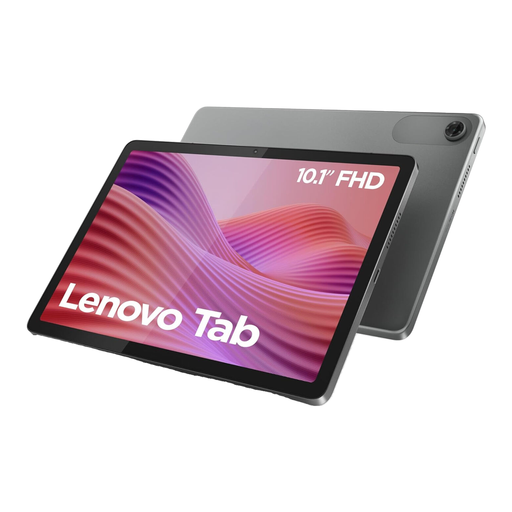
Lenovo Tab, 10.1-inch, 64GB, Grey
Consider this tablet for app-based library reading if the delivered model supports your library’s service.
The listed size is 10.1 inches, with 64GB storage. Confirm the exact model and its app compatibility before buying.
View on Joybuy
 No image available
TECLAST ArtPad Pro 2025 Edition, 12.7-inch 2K, with stylus
The 12.7-inch tablet is worth assessing if you prefer a larger screen for page-rich library reading.
The title specifies a 2K display, Android 15 and an included stylus. Confirm your library app and intended titles work on this model.
View on Joybuy
 No image available
TECLAST T70 2025 Edition, 14-inch, 1920 × 1200
This tablet offers a larger listed screen size to consider for full-page magazines and newspapers.
The title specifies a 14-inch 1920 × 1200 display and Android 15. Check the exact library app, available issues and accessibility controls before choosing it.
View on Joybuy
Library device questions
How can I tell whether an e-reader will work with my library?
Check your library authority’s digital-library page for its service and supported device route, then inspect titles you expect to borrow. OverDrive says each Libby library chooses its own titles and formats, so another library’s catalogue cannot confirm what your membership provides.
Can I send UK Libby loans to a Kindle e-reader?
Do not rely on Libby’s Kindle-e-reader delivery route for a UK library account: OverDrive marks that workflow as available to US libraries only. A Fire tablet is a different device category, and Amazon lists the Libby app for Fire tablets; check your library’s service and the exact tablet before buying.
Can a Kobo replace a tablet for library magazines?
Not for Libby magazines: OverDrive says they are not supported on Kobo devices. A supported Kobo can read eligible Libby ebooks, but if periodicals are essential, check your library’s magazine service and its compatible tablet app.
What does BorrowBox ebook transfer to a Kobo involve?
The workflow documented by LibrariesWest uses a PC or laptop, Adobe Digital Editions and a connection to the e-reader to transfer an ebook. Check that your library offers the relevant BorrowBox ebook format and that you can use the required computer-based steps.
Will buying a compatible device give me access to every library magazine?
No. Access also depends on your library membership and the services, titles and formats your authority offers. Check the particular publication in your own library catalogue before choosing a device around it.


