Tight-desk event organisers
If notes need to sit beside other event equipment, measure the space available for both tablet and stand. As a compact reference point, Apple specifies its iPad mini Wi‑Fi model at 195.4 × 134.8 mm and 293 g.


Choose a compact tablet if the tablet and its stand must share a particularly narrow desk; choose a larger display if reading more notes at a comfortable text size matters more and the whole setup fits. If you also mark up notes, check pen support, supplied accessories and your event-note app before deciding.
If notes need to sit beside other event equipment, measure the space available for both tablet and stand. As a compact reference point, Apple specifies its iPad mini Wi‑Fi model at 195.4 × 134.8 mm and 293 g.
If the screen sits beyond comfortable handheld reading distance, try your notes at the intended text size. A 10.9- or 11-inch tablet offers a larger display route, provided its stand fits the desk.
If you mark up a running order or revise notes on the device, check the exact pen-compatible model and bundle. Samsung describes S Pen use with the Galaxy Tab S10 FE, while Lenovo lists differing Tab M11 accessory configurations.
Start with the space available for the stand and the distance from which you will read. Then test your note layout and confirm that any editing tools you need work on the chosen tablet.
| Concern | What to check | Who this matters to |
|---|---|---|
| Desk footprint | Measure the clear desk area against the tablet dimensions and stand base; allow room for cables. | If other event equipment leaves little room for my notes, I need a tablet-and-stand setup that fits without crowding the desk. Around 33% of consumers put footprint first. |
| Note readability | Open your actual notes at the intended font size and viewing distance; assess scrolling and the screen position. | When I read from a stand, I want to see enough of the running order without making the type uncomfortably small. Readability is the main concern for around 42% of consumers. |
| Annotation and apps | Confirm your note app works on the operating system, and check pen compatibility and bundle contents. | If I revise notes on the device, I need my documents, account and input method to work together. Around 25% of consumers prioritise that workflow. |
A larger display can help with reading notes, but the stand base, cable and nearby equipment also occupy desk space.
Measure the usable area and compare it with the complete setup, including a stand that holds the tablet at a suitable angle.
A suitable stand or folio may need to be obtained separately.
Pen and other accessory arrangements vary between tablet models and bundles; support for an accessory does not mean it is supplied.
Check the contents of the exact configuration you select, particularly the pen, power adapter, case and stand.
Amazon states that Google Play is not supported on Fire tablets, which matters if your event-note workflow relies on an app obtained there.
Confirm that the specific app, account sign-in and document workflow you need are available on Fire OS before choosing it.
The iPad mini is a compact display route; an 11-inch iPad is an alternative when screen area takes priority.
The Galaxy Tab S10 FE is a larger-display route for viewing and annotating event notes.
The Tab M11 offers an 11-inch display route for prepared notes.
The Fire Max 11 is an 11-inch option when the intended note workflow works on Fire OS.
These tablets include compact and larger-display choices for showing event notes. Compare the space each complete setup needs with how you plan to read or edit your notes.
 No image available
Consider this compact-screen route if desk space is tight and your notes remain readable at the size you need. Apple specifies an 8.3-inch display for the iPad mini (A17 Pro); measure your chosen stand as well as the tablet.
 No image available
If marking up event notes is part of your preparation, this configuration is listed with a Focus Pen. Check that your note app works as intended and that the tablet and stand fit your desk.
 No image available
For displaying prepared notes, test your document at the intended text size before choosing this configuration. Check its physical dimensions, stand footprint and pen arrangements if you also plan to annotate.
 No image available
For notes displayed on a stand, check that your intended text size is comfortable from your reading position. Allow for the stand or case when measuring desk space, and confirm your event-note app works on this model.
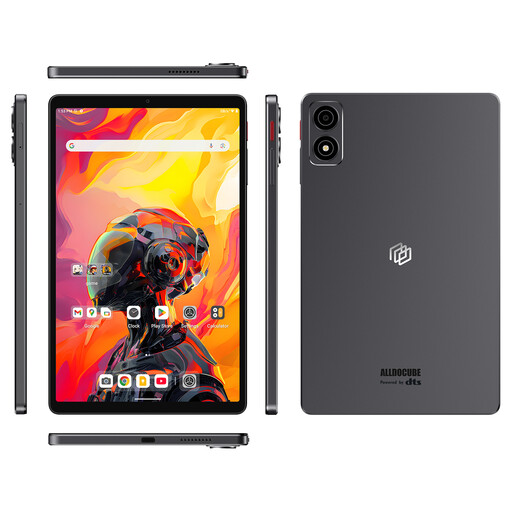 No image available
Consider the 8.8-inch screen if you need a smaller display route, but test whether your notes are readable at the intended distance. The named configuration lists a Qualcomm Snapdragon 7+ Gen3 processor and 7300mAh battery, and states that no charger is included; confirm the tablet dimensions, stand fit and app compatibility.
It can be if your notes remain readable at the planned viewing distance. Format a sample page at your intended text size and check how often you would need to scroll; a larger screen is worth considering if that layout feels cramped and its stand fits the desk.
No, not if you only display notes prepared elsewhere. If you handwrite changes or mark up documents, check pen support and the exact bundle contents; Samsung describes S Pen use with the Galaxy Tab S10 FE, while Lenovo lists differing Tab M11 accessory configurations.
Check the specific app and sign-in workflow before choosing a Fire tablet. Amazon states that Google Play is not supported on Fire tablets, so an app you use on another Android device cannot be assumed to be available on Fire OS.