What matters when choosing?
Start with how much record-reading and typing you do at a desk, then weigh the complete carrying setup and the privacy precautions your shared workspace requires.
| Concern |
What to check |
Who this matters to |
| Room for records and notes |
Compare the exact model's screen size and stated display details, then consider its weight at your desk. |
I want to read a record image while checking my tree and notes, without constantly changing views; around 29% of consumers put viewing room first. |
| Typing and navigation |
Match a keyboard to the tablet's size and generation; check its layout, stand and pointing controls. |
Entering long transcriptions and source citations makes touch-only input awkward for my work; roughly 29% of consumers prioritise a typing workflow. |
| Privacy around other people |
Check screen-lock and account-security options, and whether your planned screen position or privacy accessory is practical. |
People nearby could see details about living relatives, so I need to manage who can view the screen; about 21% of consumers make shared-workspace privacy their primary concern. |
| Carrying and local files |
Compare the tablet-plus-accessory weight and the storage configuration you would use for downloaded files. |
I move between workspaces and keep research material available locally, so the complete kit must be manageable; around 21% of consumers put carrying and file needs first. |
Tablet choices on Joybuy
These tablets cover larger screens for desk-based record reading and smaller-screen alternatives for consumers weighing viewing space against carrying needs. Check each model's keyboard setup and the privacy measures you need separately.
 No image available
TECLAST ArtPad Pro 2025, 12.7-inch 2K, 256GB
Consider its 12.7-inch screen if you want room to read records at a desk. The title lists 256GB storage and an included stylus; check the tablet's weight and keyboard arrangement if you will carry it or type for long sessions.
View on Joybuy
 No image available
Xiaomi Pad 8 Pro, grey, 12G RAM and 512G ROM
Consider this listed storage variant if you expect to keep a substantial collection of research files on the tablet. Confirm that the delivered variant matches the title, and check the screen and keyboard arrangement against your reading and typing needs.
View on Joybuy
 No image available
Xiaomi Pad 8, grey, 8G RAM and 128GB Wi-Fi
The listed 128GB Wi-Fi configuration is an option if you mainly research where you can connect to Wi-Fi. Check its screen dimensions for your records and confirm any stylus or keyboard bundle before planning an annotation or typing setup.
View on Joybuy
 No image available
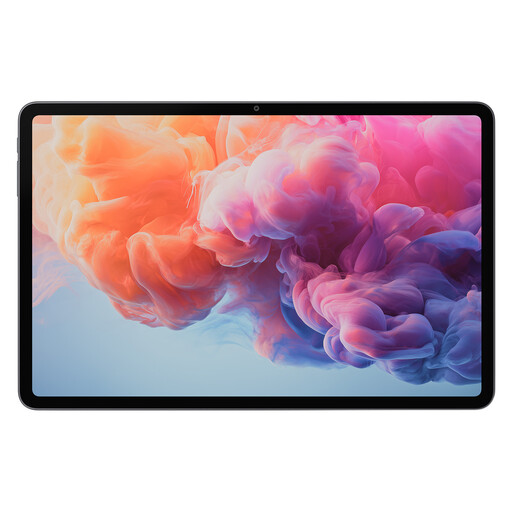
ALLDOCUBE iPlay 70 Pad Pro MTK G100, 12.1-inch, 8GB/128GB
Its listed 12.1-inch screen gives you a larger tablet format to consider for desk-based record reading. The title states that no charger is included; check your charging equipment and the keyboard setup you would need for transcription.
View on Joybuy
 No image available
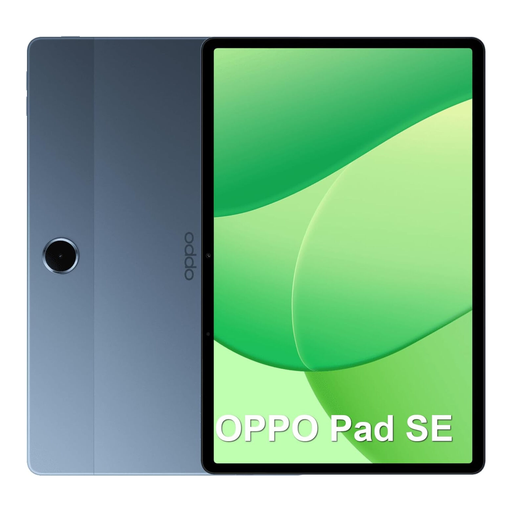
OPPO Pad SE OPD2419 EUN, 4GB/128GB Wi-Fi, Twilight Blue
This listed Wi-Fi configuration is worth assessing if your research sessions have a suitable connection. Compare its screen size and tablet weight with your viewing and carrying needs, and check keyboard compatibility if you type lengthy notes.
View on Joybuy
Frequently asked questions
Do I need a 13-inch tablet for family-history research?
No: a 13-inch display is most relevant if you repeatedly read record images while consulting a tree and taking notes. An approximately 11-inch tablet may be easier to accommodate when you carry it frequently, though you will have less physical viewing room.
Is a keyboard worth adding for genealogy research?
A keyboard is worth considering if you regularly transcribe records or write detailed source notes. Check the layout, stand and pointing controls you need, then match the accessory to the exact tablet size and generation; Apple's cited 11-inch Magic Keyboard, for example, is listed for specific iPad Air models.
How can I protect family-history information in a shared workspace?
Position and lock the tablet so other people cannot casually view information about living relatives, and secure the accounts you use. The Information Commissioner's Office says a privacy screen might help in a shared workspace; use strong passwords and multi-factor authentication where available as well.
Do I need expandable storage for research files?
Expandable storage matters most if you intend to retain many downloaded scans or other files locally. Samsung states that the Galaxy Tab S10 FE series supports microSD cards up to 2TB; compare that option with the built-in capacity of the exact tablet you are considering and how you plan to back up your files.


